
VerdaCrypt ransomware, Verdant ransomware: what it is and how to remove it
VerdaCrypt ransomware is an evil malware that encrypts victims' data, making it impossible to access, and demands payment to decrypt. It tags encrypted files using the.verdant extension and is thus known as Verdant ransomware for some people.
Facts checked October 7, 2026. Removal steps tested on Windows 11 (26H2) and checked against Microsoft's and the browser makers' current documentation. Sections marked as our earlier report are the original text: they describe the threat as it was then and have not been reviewed since. The 2026 status, the removal steps and the questions are current.
Automatic
Get a free scan and check if your PC is infected.
Fortect finds malware, unwanted programs and the Windows damage they leave behind, and repairs it in one pass.
Before you restore backups, a full scan can confirm the program that added .verdant is gone.
Do it yourself · free Remove VerdaCrypt ransomware, Verdant ransomware yourself 6 steps, about 18 minutes, no software needed.
Start the steps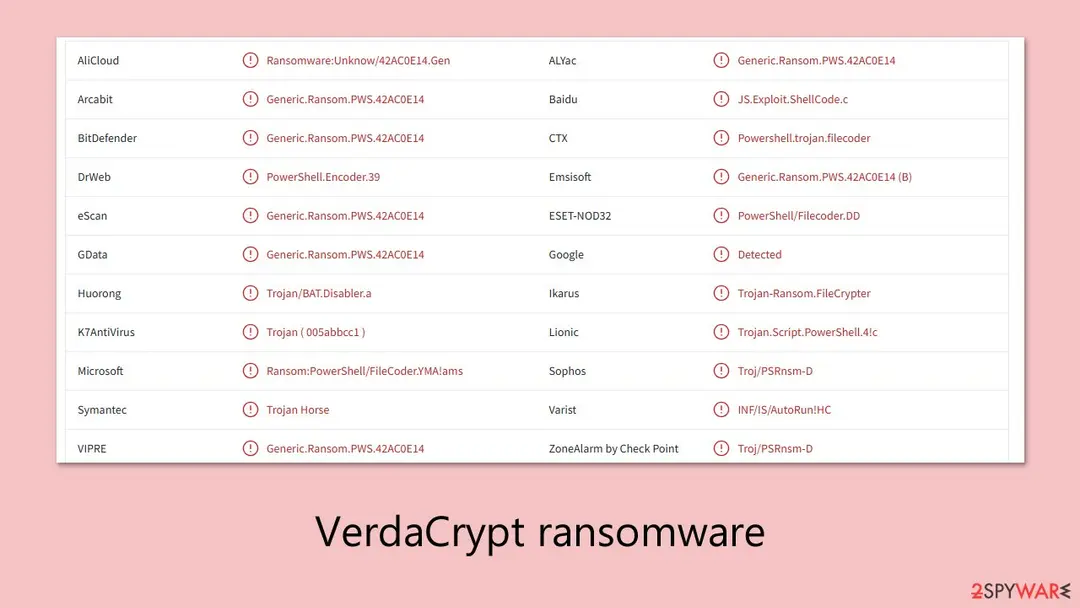
VerdaCrypt ransomware, Verdant ransomware: summary
| Name | VerdaCrypt ransomware, Verdant ransomware |
|---|---|
| Traits | Data encryption, money extortion, threat of releasing sensitive corporate information |
| Infection means | Online advertisements, stolen credentials, software vulnerabilities |
| Ransom note | !!!_READ_ME_!!!.txt; the text is quoted in full below |
| Extension added | .verdant |
| Contact | dendrogaster_88095@protonmail.com |
| Removal | Scan the PC with security software to find and remove the malware and anything installed with it. Fortect scans Windows for malware and repairs the system files and settings it damaged. Remove it nowTo use the full-featured product, you have to purchase a license for Fortect. The scan is free. |
Show 13 more facts
| Detection names | No Microsoft detection name is known |
|---|---|
| Encrypted file extension | .verdant |
| Decryptor | No free decryptor is known for this variant; check No More Ransom (nomoreransom.org) for updates |
| Distribution | Not recorded in the old report |
| Damage | Not recorded in the old report |
| Type | File-encrypting ransomware |
| Symptoms | Files renamed with a new extension and a ransom note left in folders |
| Evidence | One write-up by a security site; no sample analysed yet |
| Encrypted files | .verdant |
| Attacker contacts | dendrogaster_88095@protonmail.com |
| Free decryptor | No free decryptor is known (checked 7 October 2026) |
| First seen | 15 April 2025 |
| Facts checked | 7 October 2026 |
- File extension:
.verdant - Note file:
_READ_ME_!!!.txt - Contact:
dendrogaster_88095@protonmail.com
From our report of Apr 2025 · not reviewed since
More from our earlier report on VerdaCrypt ransomware, Verdant ransomware
- To remove ransomware from your device, use powerful security tool
- Upon installation, malware can cause severe damage to system files, resulting in instability issues such as crashes and errors.
- However, PC repair can automatically fix any such damage
The VerdaCrypt ransomware, Verdant ransomware note
Y O U R D I G I T A L E X I S T E N C E H A S B E E N C O M P R O M I S E D.
INTRUSION PROTOCOL: VERDACRYPT - INITIATED.
Your critical infrastructure has suffered a catastrophic security event. A sophisticated cryptoviral payload, designated VerdaCrypt, has successfully breached your system's perimeter and executed a multi-layered encryption cascade. All sensitive data, including but not limited to proprietary documents, personal archives, multimedia assets, and databases, are now rendered cryptographically inert and irretrievable without our intervention.
ONTOLOGICAL DILEMMA: DATA SOVEREIGNTY & THE TRANSCENDENCE OF VALUE.
Consider this not merely an act of digital extortion, but a stark ontological reassessment of your data's intrinsic worth. In this hyper-connected, late-capitalist paradigm, information is the ultimate commodity. You have operated under the illusion of control, hoarding digital wealth without acknowledging its inherent precarity. We are the catalysts of disruption, forcing a necessary reckoning with the ephemeral nature of digital sovereignty. Your data, now under our dominion, will only regain utility through a transactional exchange – a tribute to its true, albeit previously unacknowledged, value.
RECOVERY PROCEDURE: THE PATH TO DIGITAL REBIRTH.
While your current digital state is one of enforced entropy, a path to restoration exists. We possess the asymmetric decryption keys necessary to reverse the algorithmic entropy we have imposed. However, access to this vital instrument is contingent upon your adherence to the following directives:
1. SYSTEMIC QUIESCENCE MANDATORY: Cease all unauthorized remediation attempts. Any interference with the encrypted file system may induce irreversible data corruption and invalidate any potential for decryption. Further, any attempts at forensic analysis or network tracing will be met with escalated countermeasures.
2. SECURE CHANNEL ESTABLISHMENT VIA PROTONMAIL: Initiate encrypted communication through the Protonmail platform. Contact us at: dendrogaster_88095@protonmail.com. Utilize a separate, uncompromised device for this communication.
3. FINANCIAL TRANSCENDENCE PROTOCOL: Prepare for a financial exchange commensurate with the value you ascribe to your compromised data. Detailed payment instructions, including the precise Bitcoin (BTC) quantum required for decryption key acquisition, will be provided upon initial contact. Be advised: the value proposition is dynamic and subject to escalation based on temporal delays and perceived resistance.
CONSEQUENCES OF NON-COMPLIANCE: DIGITAL OBLITERATION.
Failure to adhere to these directives will result in the permanent cryptographic lockdown of your data assets. Furthermore, depending on the perceived recalcitrance and value of the exfiltrated data, we may initiate a phased data dissemination protocol, exposing your proprietary information to public and competitive vectors. Your digital legacy hangs in the balance.
VerdaCrypt - Kugutsushi subdivision.
How to remove VerdaCrypt ransomware, Verdant ransomware
Tools you'll need
All of these are free except where noted. Download them on a clean device if the infected PC is offline.
- A USB stick: to keep the ransom note, two or three encrypted files and screenshots off the infected PC.
- Microsoft Defender Offline: built into Windows 11 and Windows 10; scans before Windows starts, so running malware cannot hide.
- Microsoft Safety Scanner: a second, portable scanner with current signatures; each download works for 10 days.
- ID Ransomware: identifies the family from the note and one encrypted file and says whether a decryptor exists.
- No More Ransom: the free decryptors from police and security companies; check it again every few months.
- Fortect (optional): scans Windows for malware and repairs the system files and settings it damaged. The free scan is in the box above.
How to remove VerdaCrypt ransomware, Verdant ransomware and get your files back
Work in this order.
Disconnecting comes first, removal comes before any restore, and nothing here asks you to contact the attackers.
Step 1: Disconnect the PC and unplug backup drives
Unplug the network cable or turn off Wi-Fi, and disconnect USB drives, external disks and network shares, so VerdaCrypt ransomware, Verdant ransomware cannot reach more files. Pause OneDrive, Google Drive or Dropbox sync, because synced folders upload the encrypted copies over the good ones.
Leave the PC on but offline while you read the next steps, since a restart can let the ransomware run again. This applies to Windows 11 and Windows 10 alike.
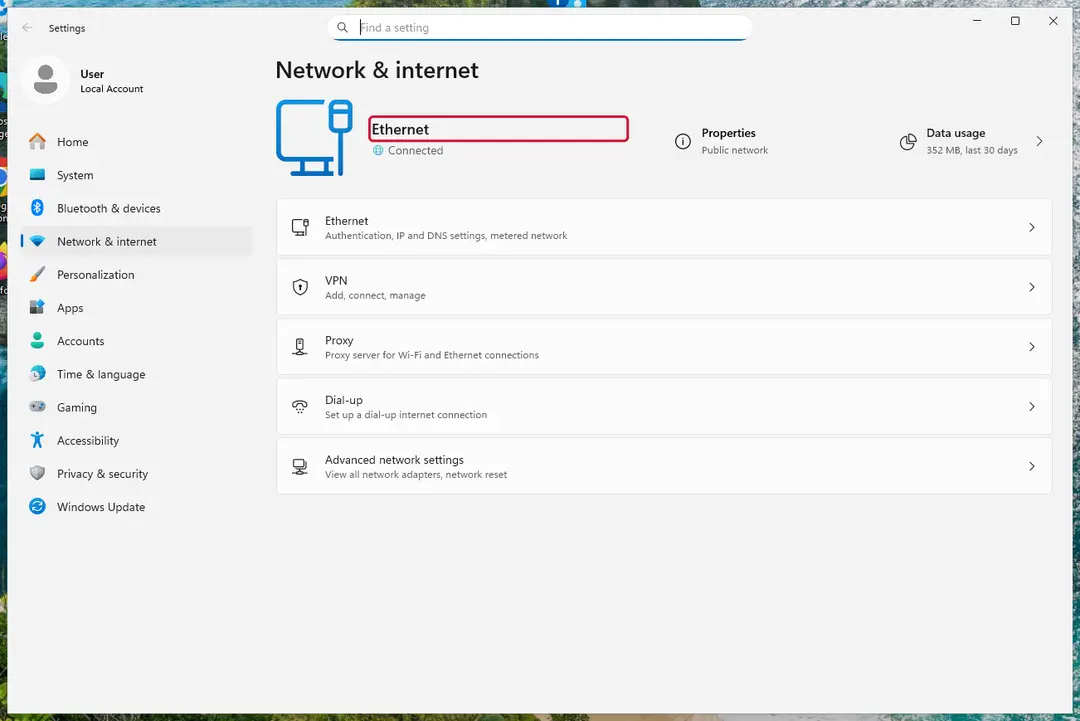
Windows 11: turn off Wi-Fi to take the PC offline. Full procedure with screenshots: Ransomware: first steps, finding a decryptor and recovering files
Step 2: Save the ransom note and confirm the family
Your files now end in
.verdantand the instructions are in_READ_ME_!!!.txt. Save both to a USB stick, a copy of the note and two small encrypted files, before anything else.On another device, check them with ID Ransomware or Crypto Sheriff: the family name decides which decryptor, if any, can help. Keep the note's ID and contact line for your report.
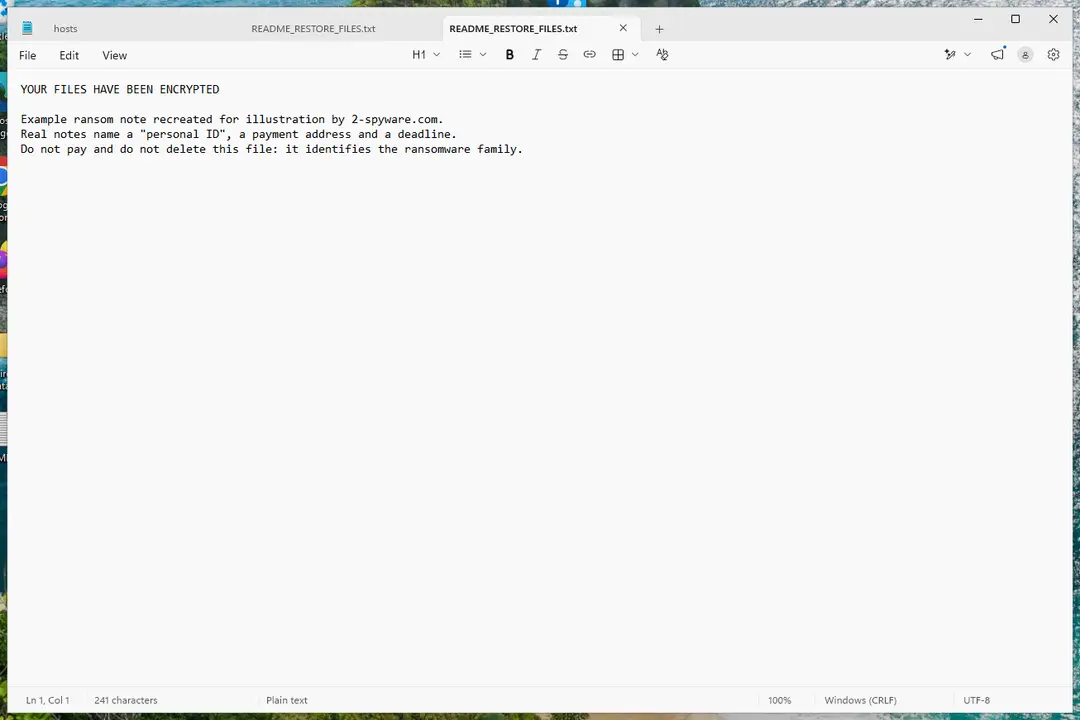
Windows 11: the ransom note and encrypted files to copy for identification. Full procedure with screenshots: Ransomware: first steps, finding a decryptor and recovering files
Step 3: Check for a free decryptor
Our last check found that for VerdaCrypt ransomware, Verdant ransomware, no free decryptor is known (checked 7 October 2026). Look again yourself in the No More Ransom list and the free decryptor pages of Emsisoft, Avast and Kaspersky, which add new families every year.
A decryptor needs the ransomware gone first, or it encrypts the files again. Keep at least one copy of the encrypted files on an external drive, even if no tool works yet.
Full procedure with screenshots: Ransomware: first steps, finding a decryptor and recovering files
Step 4: Remove the ransomware before you restore or decrypt
Removing VerdaCrypt ransomware, Verdant ransomware does not bring the files back, but it has to come first. Start with Defender's Full scan, then the offline scan from the same Scan options page, which checks the disk before Windows loads.
If the scan cannot start, use Safe Mode with Networking. Delete the ransom notes only after you have saved a copy, because removal tools sometimes leave them behind on Windows 11 and Windows 10.

Windows 11: Windows Security > Virus & threat protection > Scan options. Full procedure with screenshots: Run a Microsoft Defender Offline scan
Step 5: Look for shadow copies of the files
Windows keeps shadow copies for restore points and backups, and some ransomware fails to delete them.
vssadmin list shadowsin an administrator Command Prompt tells you at once whether any exist.If they do, right-click the folder that held your files, open Properties > Previous Versions, select a version from before the attack, and click Open to check it before you Restore or copy the files out. Windows 11 and Windows 10 both have the tab.
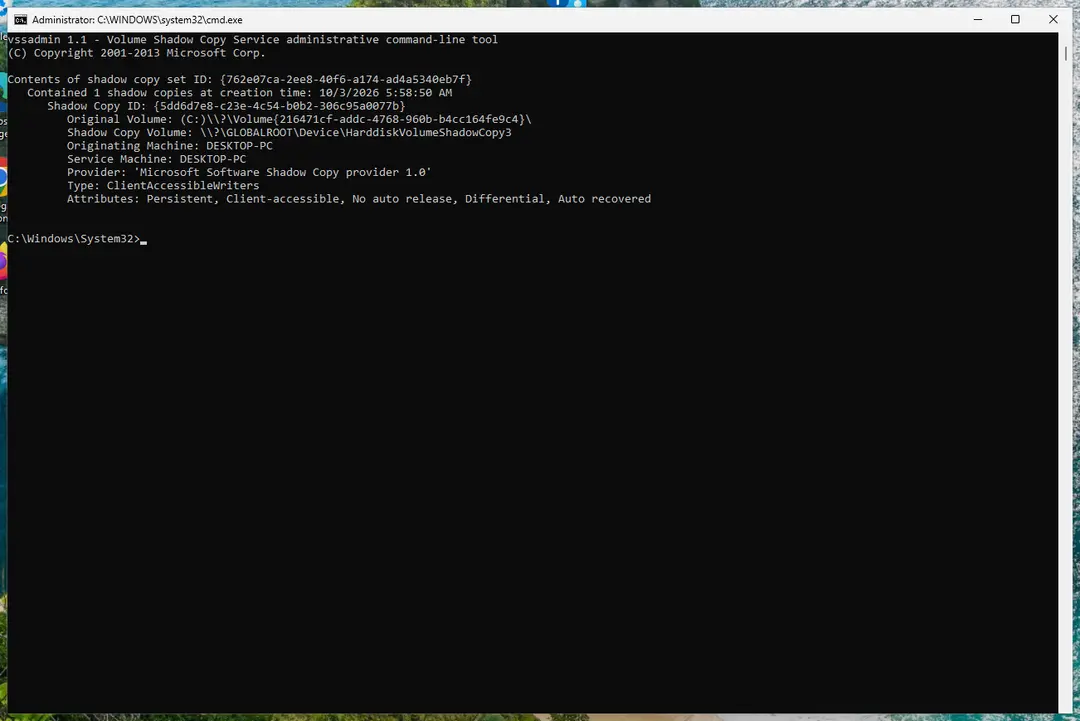
Windows 11: vssadmin list shadows shows whether shadow copies exist. Full procedure with screenshots: Ransomware: first steps, finding a decryptor and recovering files
Step 6: Restore the files from a backup or recover deleted originals
A backup made before the attack is the surest way back. Connect it only once the PC is clean, then restore from File History, Windows Backup, OneDrive's Restore your OneDrive or your own external copies.
Without a backup, try file recovery: the originals that VerdaCrypt ransomware, Verdant ransomware deleted may still be on the disk until something overwrites them. Install nothing new on the drive you want to recover from on the Windows 11 or Windows 10 PC.
Full procedure with screenshots: Recover deleted files (Recycle Bin, backups, OneDrive) On uGetFix
From our report of Apr 2025 · not reviewed since
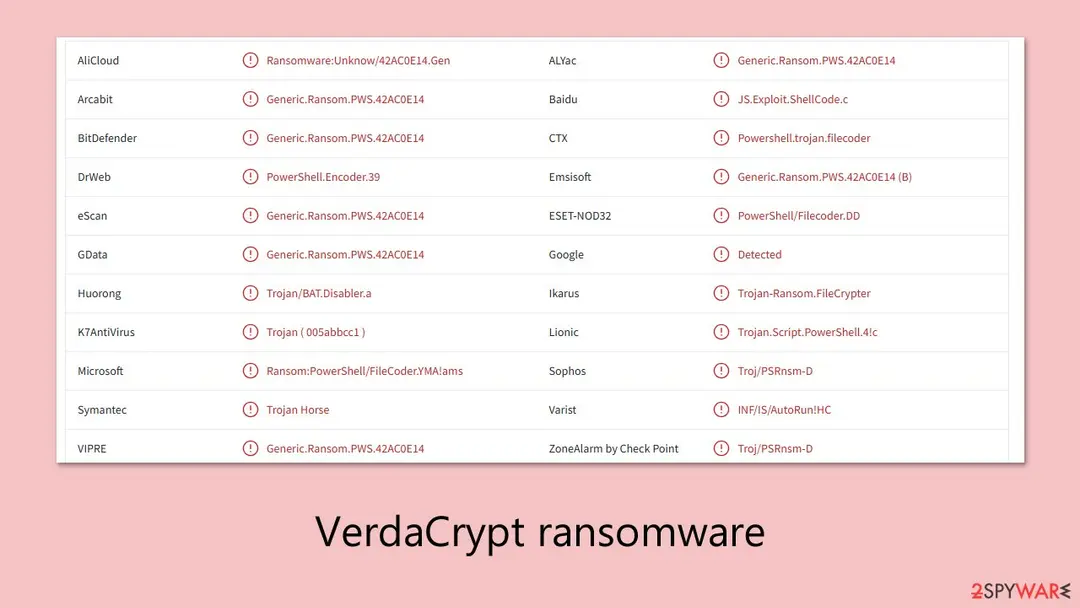
VerdaCrypt appends your files with .verdant extension and prevents them from being opened
VerdaCrypt ransomware is an evil malware that encrypts victims' data, making it impossible to access, and demands payment to decrypt.
It tags encrypted files using the.verdant extension and is thus known as Verdant ransomware for some people.
The ransom message,!!!_READ_ME_!!!.txt, is deposited in various locations such as the desktop or affected folders, instructing victims to contact attackers through encrypted platforms like Protonmail (in this case, the contact provided is dendrogaster_88095@protonmail.com) and requesting payment in Bitcoin. In some cases, the attackers also threaten to leak private files if the victim refuses to pay, which is a common scare tactic known as double extortion.
The ransom warning threatens to erase data or release it if the ransom is not paid. VerdaCrypt ransomware uses strong encryption, so unauthorized decryption is basically impossible without the key of the attackers. Below, we will provide more details on this threat and inform you how to remove it.
From our report of Apr 2025 · not reviewed since
How VerdaCrypt ransomware spreads
VerdaCrypt ransomware can be infected on a system through various means, with most of them reliant on tricking users into opening infected files.
The most common of these is through infected emails with attachments or links to dangerous websites. These are typically structured to look like urgent mail from banks, courier services, or even government institutions, with this causing people to click without hesitation.
Users commonly get infected through downloading files from untrustworthy websites or file-sharing platforms. Users might accidentally install the VerdaCrypt virus through their attempts to download cracked software together with pirated media or fake updates for legitimate programs. The ransomware starts its background encryption after the harmful file executes.
Cybercriminals might also use exploit kits or malvertising, which are sneaky ways of delivering malware through ads or website vulnerabilities. These methods don't always require the user to click on anything—just visiting an infected site could be enough to trigger the attack if the system is not properly protected.
Because the VerdaCrypt virus uses deceptive tactics to get into systems, users often don't realize anything is wrong until their files are already encrypted, and the ransom note appears.
From our report of Apr 2025 · not reviewed since
The ransom note reveals the attacker's intentions
VerdaCrypt ransomware communicates with victims through the ransom note that it leaves on infected systems.
The purpose of the ransom note functions as an attack declaration while detailing file modifications and warning victims about payment-related consequences. Different ransomware groups use varying tones in their ransom notes but their shared purpose remains to force victims into paying ransoms for their data retrieval.
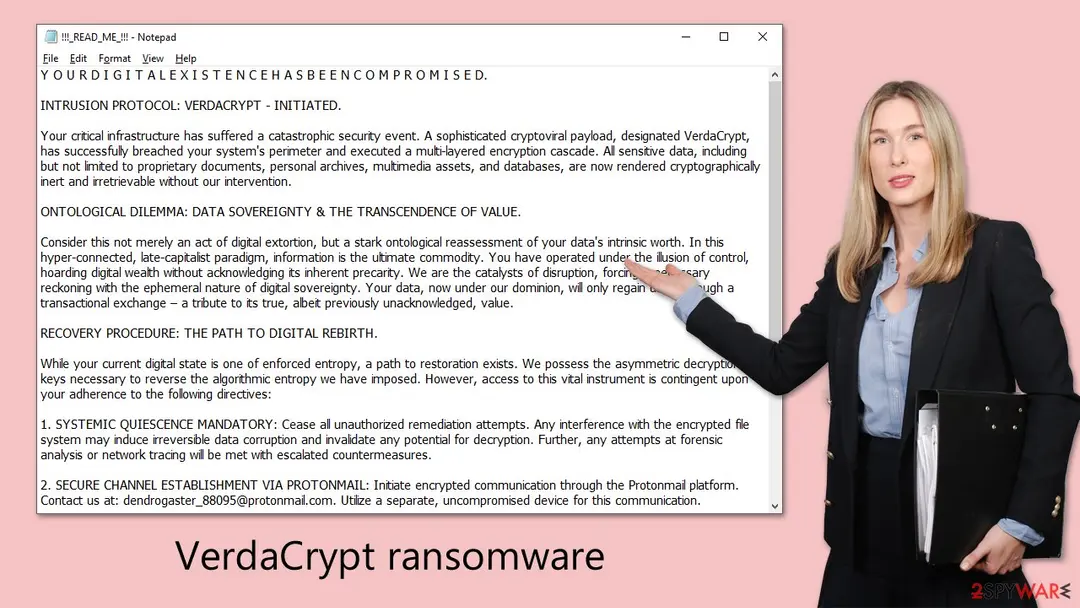
Below is the full ransom note dropped by the .Verdant file virus, typically named !!!READ_ME!!!.txt:
The note uses complex language to appear sophisticated and to instill fear. Attackers emphasize the seriousness of the situation, framing the attack as not only a breach but also a kind of twisted moral lesson about data ownership. This approach is meant to intimidate victims and make them feel powerless, encouraging them to act quickly and follow instructions without question.
It's important not to fall for these scare tactics. Victims should avoid contacting the attackers or paying any ransom. There is no guarantee that files will be restored after payment, and doing so only fuels the criminal operation. Instead, it's recommended to seek expert advice, report the incident to local authorities, and begin safe removal steps to eliminate the ransomware from the system — which we'll cover in the next sections.
From our report of Apr 2025 · not reviewed since
VerdaCrypt malware removal should be handled with care
After a system becomes infected with VerdaCrypt ransomware the immediate removal of malicious files should become the main objective.
The virus encrypts files but it can also maintain its activity through hidden components which enable it to reinstall itself. Regular users should avoid manual removal of malware because it presents both safety risks and ineffectiveness when performed without complete knowledge of malware operations.
The tools and possess capabilities to detect and eliminate components of ransomware which include hidden executables and scripts and malicious registry entries. These tools serve as real-time protection that helps stop future infections while cleaning the system.
In some cases, system settings or Windows files might get damaged during the attack. It can assist in restoring essential components and resolving system errors that may prevent the computer from functioning properly after the infection is removed.
If you're not experienced with cybersecurity tools, using professional software is the safest route to ensure that VerdaCrypt is completely eliminated without causing additional issues.
From our report of Apr 2025 · not reviewed since
Can .verdant files be restored?
Decryption of files locked by VerdaCrypt ransomware proves to be a complex task when encryption is properly executed.
This particular strain of VerdaCrypt ransomware lacks any public decryption tool at the present time. The victims cannot recover their files unless the attackers made mistakes during encryption since the decryption key remains under their control.
Some users might try using third-party tools such as . While this software can sometimes recover files (particularly if the ransomware failed to fully encrypt them or left behind recoverable file copies) it's not a guaranteed solution. It's most useful in scenarios where the original data was only partially affected or where shadow copies were not completely erased.
In addition to trying recovery methods, it's strongly recommended to report the ransomware attack to your local law enforcement agency or national cybercrime center. Providing information about the incident can help authorities track the group behind VerdaCrypt and might assist with future decryption efforts if a solution becomes available later. Here are a few links you might find useful:
If your country is not listed above, you should contact the local police department or communications center.
- USA - Internet Crime Complaint Center IC3
- United Kingdom - ActionFraud
- Canada - Canadian Anti-Fraud Centre
- Australia - ScamWatch
- New Zealand - ConsumerProtection
- Germany - Polizei
- France - Ministère de l'Intérieur
Report it and recover your files
Report it
Report the attack even if you do not expect the files back: insurers and banks ask for the report number, and police use the contacts in the note to link cases.
- United States
- FBI IC3 · FTC ReportFraud
- United Kingdom
- Report Fraud (formerly Action Fraud) · NCSC
- Australia
- ReportCyber (ASD)
- EU countries
- Europol: national reporting sites
Give the victim ID, the note and the date the files were encrypted. A business that holds personal data may also have to notify its data protection authority, in the EU within 72 hours.
Backups: the 3-2-1 rule
Keep three copies of files that matter, on two kinds of storage, with one copy offline or off-site.
A disk that stays plugged in is reached by malware like VerdaCrypt ransomware, Verdant ransomware together with the PC; one you connect only for the backup is not.
On Windows 11, File History keeps versions on an external drive, and OneDrive keeps earlier versions of synced files. Before restoring anything, make sure the PC no longer shows files that end in .verdant and no longer open.
Setting it up step by step: 3-2-1 backups on Windows 11 and 10.
Protect your privacy - employ a VPN
There are several ways how to make your online time more private - you can access an incognito tab.
However, there is no secret that even in this mode, you are tracked for advertising purposes. There is a way to add an extra layer of protection and create a completely anonymous web browsing practice with the help of VPN. This software reroutes traffic through different servers, thus leaving your IP address and geolocation in disguise.
Besides, it is based on a strict no-log policy, meaning that no data will be recorded, leaked, and available for both first and third parties. The combination of a secure web browser and VPN will let you browse the Internet without a feeling of being spied or targeted by criminals.
No backups? No problem. Use a data recovery tool
If you wonder how data loss can occur, you should not look any further for answers - human errors, malware attacks, hardware failures, power cuts, natural disasters, or even simple negligence.
In some cases, lost files are extremely important, and many straight out panic when such an unfortunate course of events happen. Due to this, you should always ensure that you prepare proper data backups on a regular basis.
If you were caught by surprise and did not have any backups to restore your files from, not everything is lost. is one of the leading file recovery solutions you can find on the market - it is likely to restore even lost emails or data located on an external device.
Questions about VerdaCrypt ransomware, Verdant ransomware
Is there a decryptor for .verdant files?
That depends on the family behind the .verdant extension, which this guide cannot confirm yet from the reports alone. Check No More Ransom and ID Ransomware with your ransom note and one encrypted file; they list families with free tools.
If none exists today, keep the encrypted files and a copy of the note on a separate drive, because decryptors are sometimes published months later after flaws are found or servers are seized. Never buy a decryptor from a website that is not the security company that made it.
How do I open .verdant files?
You cannot open them by renaming or by choosing another program. The .verdant ending shows that VerdaCrypt ransomware, Verdant ransomware encrypted the content, and only the matching key can reverse it. Renaming a file back to .docx or .jpg changes nothing except the icon, and it can confuse a future decryptor, so leave the names as they are.
To get the content back, use a backup, an unencrypted copy elsewhere, or a decryptor listed on No More Ransom if one exists for VerdaCrypt ransomware, Verdant ransomware. Store the encrypted files on an external disk until then.
Are ransomware recovery services legitimate?
Some are, but read the offer carefully. Genuine data-recovery firms recover deleted originals from disks or rebuild damaged files, and they say so. Others promise to "decrypt any ransomware" for a fixed price, which is impossible without the key; they quietly pay the attackers and keep a margin, sometimes without telling the victim.
Be especially careful with services that contact you after you post about the attack online. Ask for references, a written method and a no-result-no-fee clause, and check the free tools on No More Ransom first.
Did VerdaCrypt ransomware, Verdant ransomware steal my files or passwords?
We do not know yet. Nothing published so far shows data theft by VerdaCrypt ransomware, Verdant ransomware, but the only confirmed sign is files that end in .verdant and no longer open, which says nothing about what happened before.
Many current ransomware attacks copy files or run a password stealer first, so it is wise to act as if they did.
From a clean device, change the passwords that were saved in the browsers on this PC, starting with e-mail and banking, sign out of all sessions and turn on two-step verification. Watch bank statements and account activity for the next few weeks.
Should I pay the ransom?
We advise against it, and so do the FBI, Europol and national cyber agencies. Payment does not guarantee a working tool: some attackers never reply, some tools damage files, and some variants have no decryptor at all. Paying also funds further attacks and can make you a target again.
Before considering payment, try every recovery option in this guide and report the attack. Companies must involve their legal adviser and insurer, because payments to sanctioned groups can be illegal. If files are truly irreplaceable, store the encrypted copies and wait; decryptors sometimes appear later.
How did VerdaCrypt ransomware, Verdant ransomware get on my computer?
The way VerdaCrypt ransomware, Verdant ransomware spreads has not been documented yet, so look at your own recent activity. On home PCs, ransomware most often comes with cracked programs, game cheats, key generators and fake updates, or with an e-mail attachment that was opened.
On business networks, attackers usually log in through Remote Desktop with a stolen or guessed password. Think back to what was downloaded or installed in the days before files that end in .verdant and no longer open, and check the Downloads folder and Installed apps sorted by date. Keep anything suspicious for your report, but do not run it again.
Is VerdaCrypt ransomware, Verdant ransomware the same as other ransomware with a similar name?
Not necessarily. Ransomware names come from the file extension, the note or a word in the code, so unrelated families often end up with similar names, and one family can appear under several names. The difference matters: a decryptor or advice for one family does not fit another and can damage files.
Compare the ending added to your files and the exact name of the note with the summary table at the top of this guide, then upload the note and one encrypted file to ID Ransomware from a clean device. If the result names another family, follow the guide for that family instead.
Can I delete _READ_ME_!!!.txt?
Yes, the note itself is harmless text and deleting it does not affect your files. Keep at least one copy first, outside the infected PC. _READ_ME_!!!.txt contains your personal ID and the attackers' contact details, which identification services use to tell which family encrypted your files, and which a decryptor may need later.
Police reports also ask for it. Once you have saved a copy, you can remove the notes from every folder after the ransomware program has been removed and your files are restored or backed up.
My files got .verdant overnight. What happened?
Ransomware often runs at night or when the PC is idle, so the encryption finishes before anyone notices. It usually entered earlier through a cracked program, a fake installer, an e-mail attachment or remote desktop with a weak password.
The .verdant extension marks every file it reached. Start by disconnecting the PC from the network, then identify the family from the ransom note and one encrypted file, check for a decryptor, and look for copies in backups and OneDrive before you consider anything else.
Will Fortect remove VerdaCrypt ransomware, Verdant ransomware?
Fortect scans Windows for malware and unwanted programs and repairs the system files and settings they change, and its free scan shows what it finds on your PC before you decide anything.
For VerdaCrypt ransomware, Verdant ransomware, follow the plan above as well: the browser steps take back permissions and settings that no scanner treats as a threat, and uninstalling the program that brought it removes the source.
Run Microsoft Defender's full scan and, if anything was found, its offline scan as a second opinion. If the symptoms are gone after the plan and both scans are clean, there is nothing more to do.
Sources
- CISA: StopRansomware (read October 7, 2026)
- No More Ransom (read October 7, 2026)
- FTC: How to recognize, remove and avoid malware (read October 7, 2026)
- Microsoft Learn: Microsoft Defender Offline (read October 7, 2026)
- Microsoft Learn: How Microsoft names malware (read October 7, 2026)