Security Central (Free Guide) - Removal Instructions
Security Central Removal Guide
What is Security Central?
Security Central is a bogus program advertised as reliable security software

Security Central is considered to be a potentially unwanted program because it finds its way on the machine without users' permission. It uses false scan results, fake security alerts, and browser hijacking functions in order to scare you into purchasing this program. Usually, the fake AV tool is advertised through the use of trojans, fake online anti-malware scanners, and other malicious software. Most of the time, Trojans display legitimate-looking pop-ups or security alerts similar to Windows Security Center warnings.
| Name | Security Central |
|---|---|
| Type | Scam, rogue AV tool |
| Tactics | Social engineering, false detection results, false system security alerts |
| Removal | Run anti-malware tools to remove the infection properly |
| Repair | System recovery software can help with various performance issues, so you should rely on FortectIntego |
The program mainly focuses on causing false alerts and redirects to download pages. The content that this PUP shows is pre-determined and not related to any of the parts of the infected machine. These alerts state that your computer is infected with trojans, adware, or spyware. You may see this fake alert:
Threat Found
Alert
Object:
SYSTEMControlSet001ControlSafeBootNetwork
Comment:
Attack from: 111.90.181.116, port 47333
Attacked port: 10631
Threat: Trojan-DDoS.9″
Information about possible attacks and security threats might be also displayed. The main goal of such behavior is to trick you into downloading Security Central. Sometimes the full licensed version can be paid, so users get tricked into buying this useless application.
Avoid any alerts that you see out of nowhere. No anti-malware tool or OS developers can access the machine and deliver these false claims in the form of pop-ups. Once installed, this program will ostensibly scan your computer. At least claims to do so.
The scan results are false and can be easily ignored, however, don't remove these files, because some of them might be legitimate ones. Otherwise, you can make your computer unstable. To add some more, Security Central will constantly display very annoying security alerts about various infections and security issues.
Get rid of the fake security alerts with anti-malware tools
These fake alerts are fake, so do not fall for the scam. The worst thing is that they will show up like every 1-2 minutes. It can be almost impossible to even a regular task with your computer. Run a tool like SpyHunter 5Combo Cleaner or Malwarebytes and make sure to remove any threats that are actually detected on the system.
While running, the PUP will hijack your browser. Most of the time, you will be taken to the homepage of this parasite. The same goes with Google search results. The app will redirect you to various malicious websites instead of those displayed in the search results. What is more, your computer may become slower than usual because of this parasite.
If you find that your computer is infected with this parasite, do not purchase it! Instead, please use the removal guide below to remove Security Central and any related malware from your computer for free. Do not forget about the virus damage and system corruption. Run FortectIntego to fix those issues.
Getting rid of Security Central. Follow these steps
Manual removal using Safe Mode
Important! →
Manual removal guide might be too complicated for regular computer users. It requires advanced IT knowledge to be performed correctly (if vital system files are removed or damaged, it might result in full Windows compromise), and it also might take hours to complete. Therefore, we highly advise using the automatic method provided above instead.
Step 1. Access Safe Mode with Networking
Manual malware removal should be best performed in the Safe Mode environment.
Windows 7 / Vista / XP
- Click Start > Shutdown > Restart > OK.
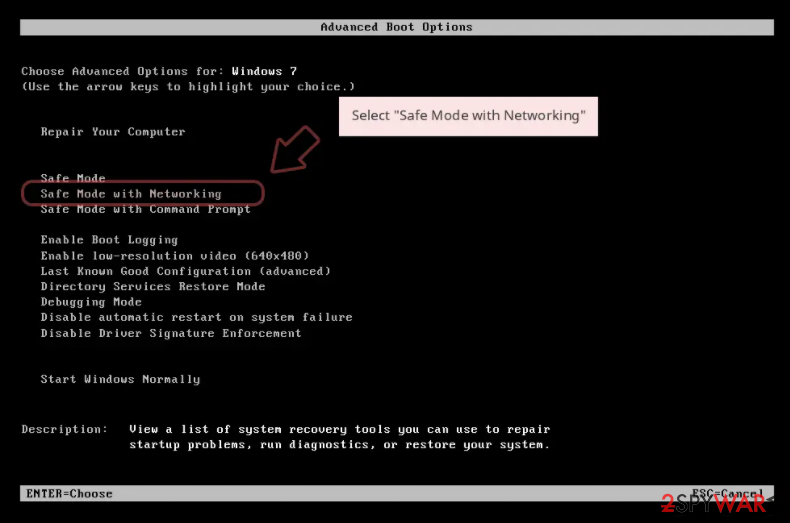
- When your computer becomes active, start pressing F8 button (if that does not work, try F2, F12, Del, etc. – it all depends on your motherboard model) multiple times until you see the Advanced Boot Options window.
- Select Safe Mode with Networking from the list.

Windows 10 / Windows 8
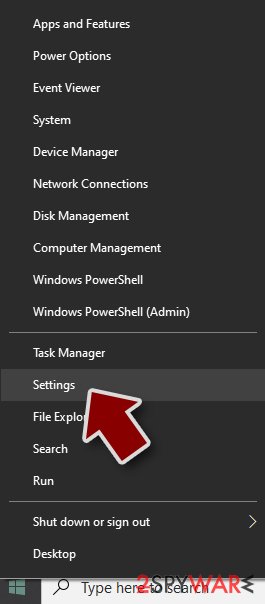
- Right-click on Start button and select Settings.
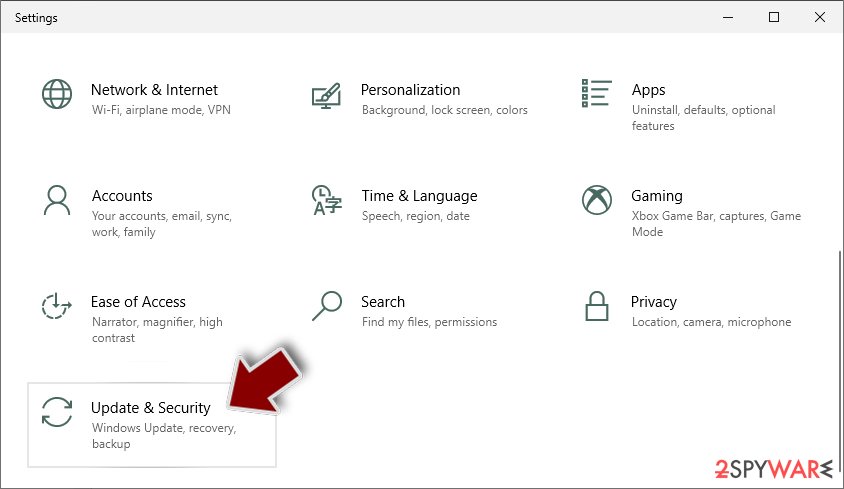
- Scroll down to pick Update & Security.
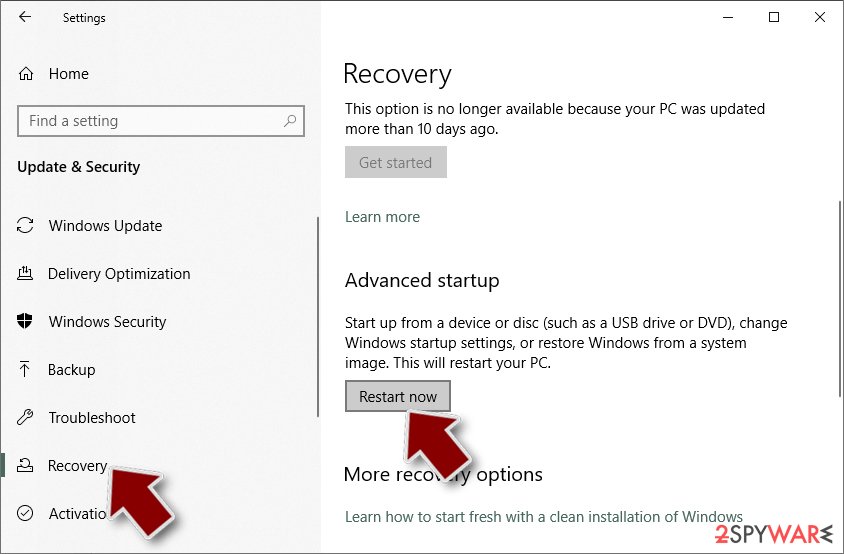
- On the left side of the window, pick Recovery.
- Now scroll down to find Advanced Startup section.
- Click Restart now.
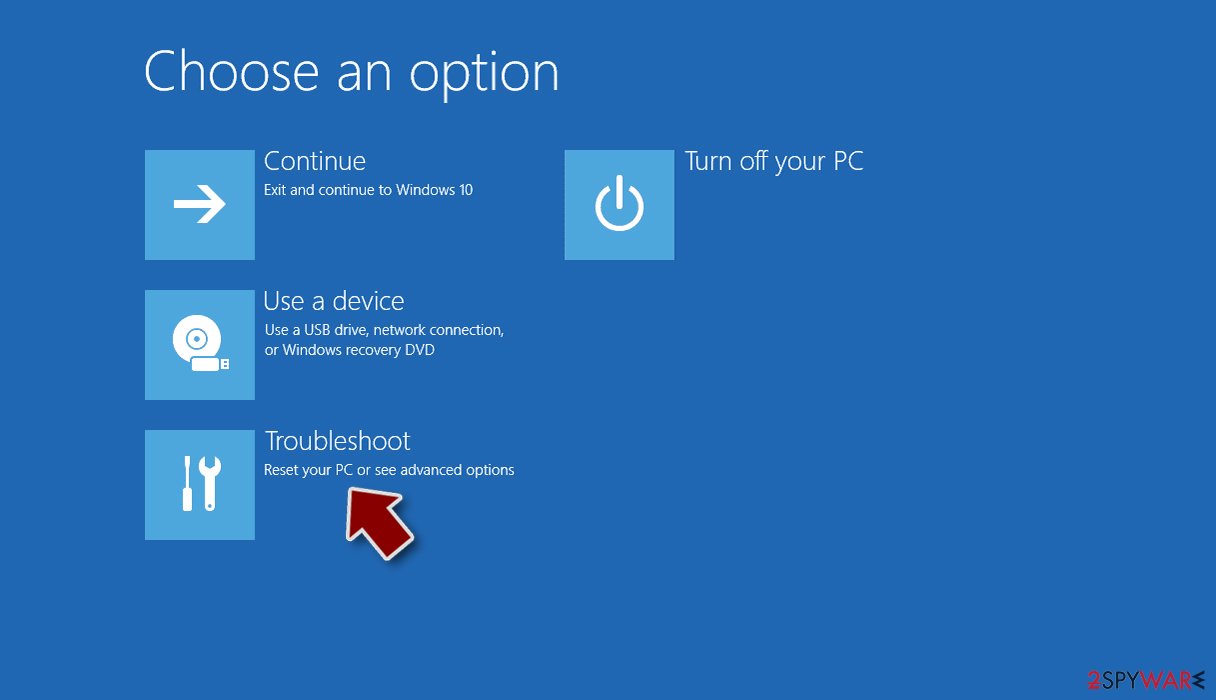
- Select Troubleshoot.
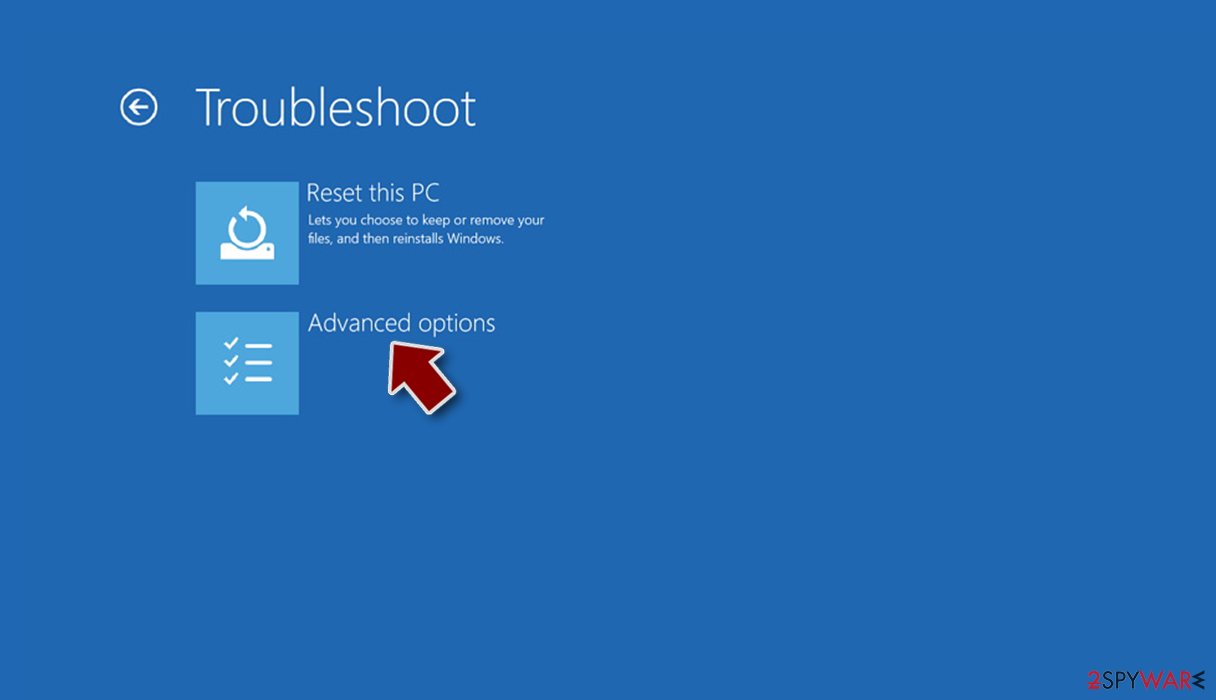
- Go to Advanced options.
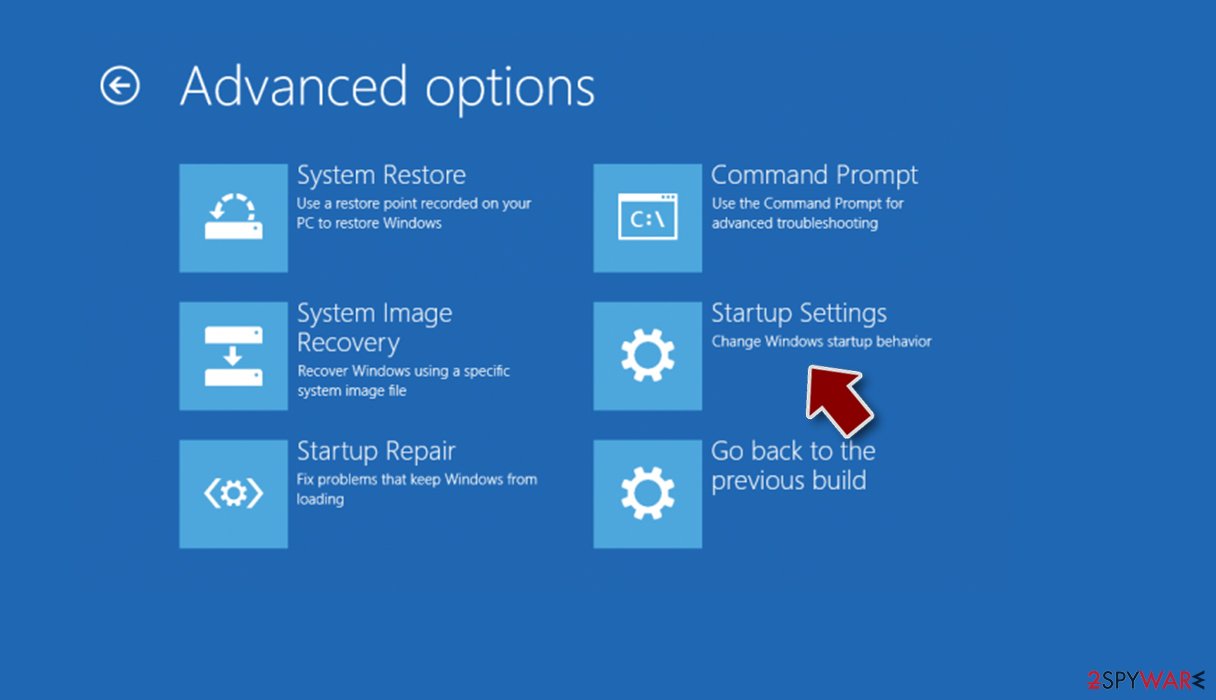
- Select Startup Settings.
- Press Restart.
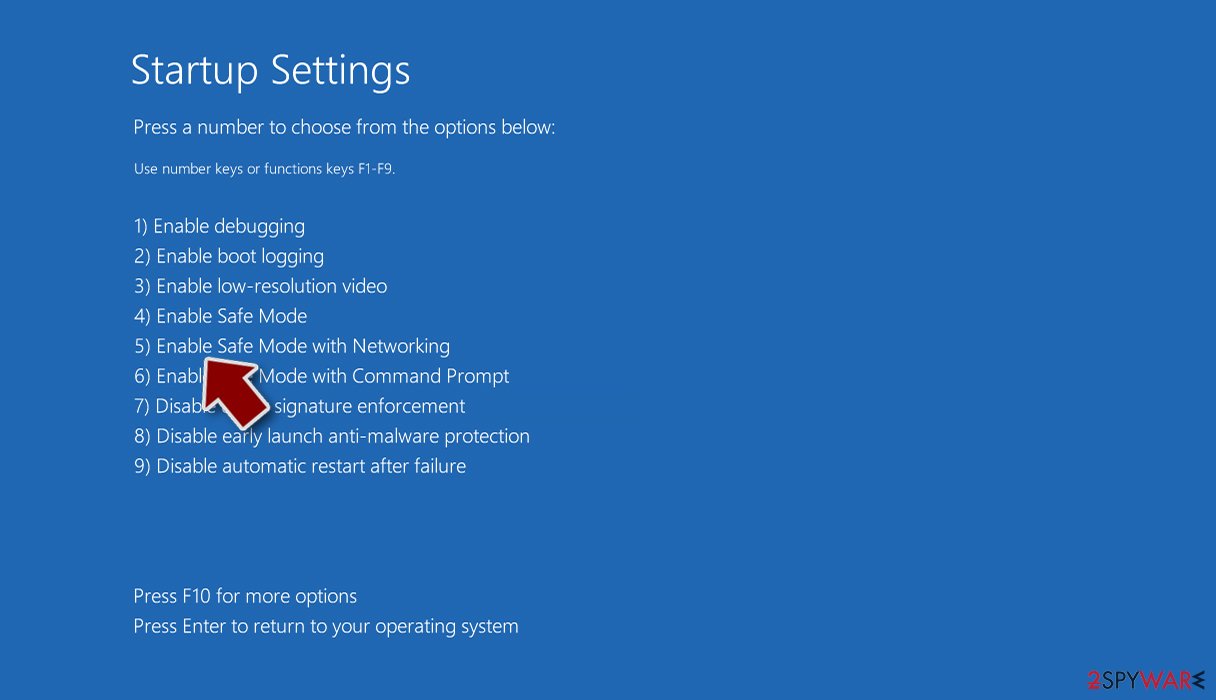
- Now press 5 or click 5) Enable Safe Mode with Networking.


Step 2. Shut down suspicious processes
Windows Task Manager is a useful tool that shows all the processes running in the background. If malware is running a process, you need to shut it down:
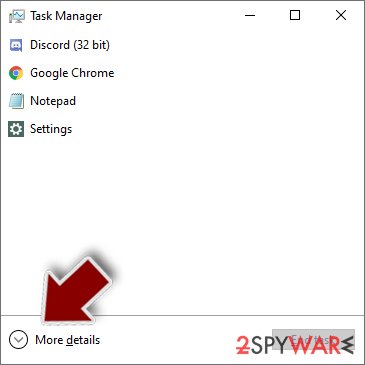
- Press Ctrl + Shift + Esc on your keyboard to open Windows Task Manager.
- Click on More details.
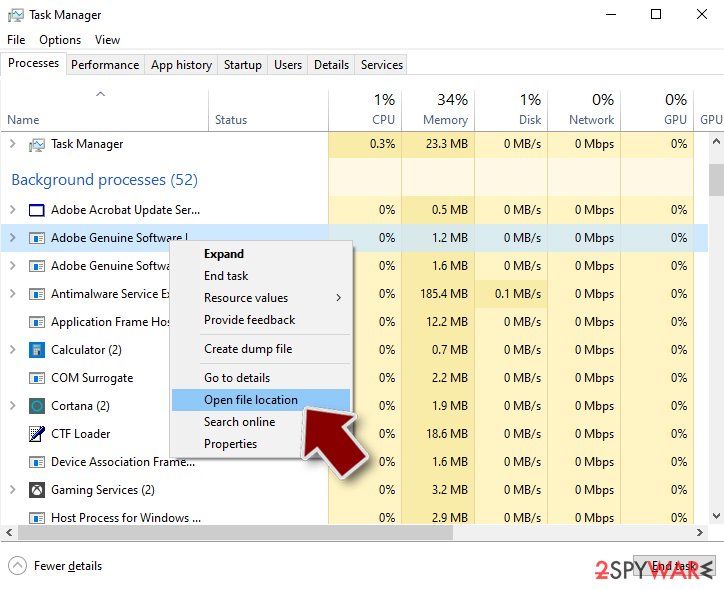
- Scroll down to Background processes section, and look for anything suspicious.
- Right-click and select Open file location.
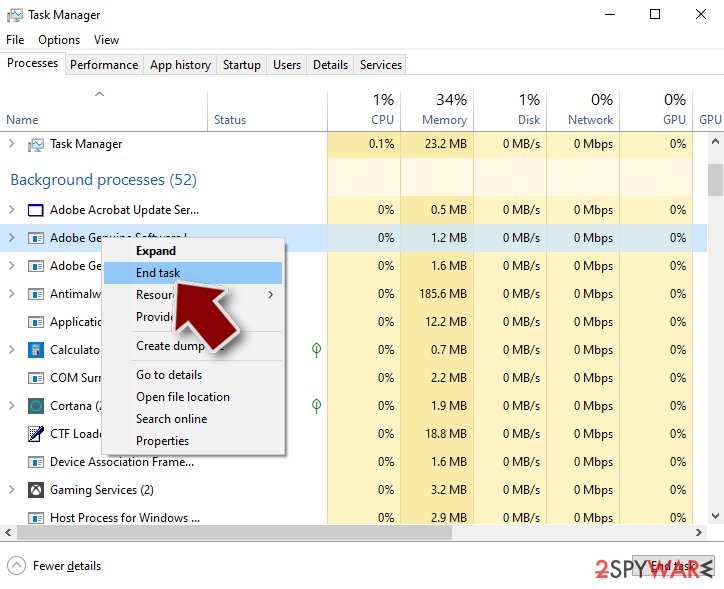
- Go back to the process, right-click and pick End Task.
- Delete the contents of the malicious folder.


Step 3. Check program Startup
- Press Ctrl + Shift + Esc on your keyboard to open Windows Task Manager.
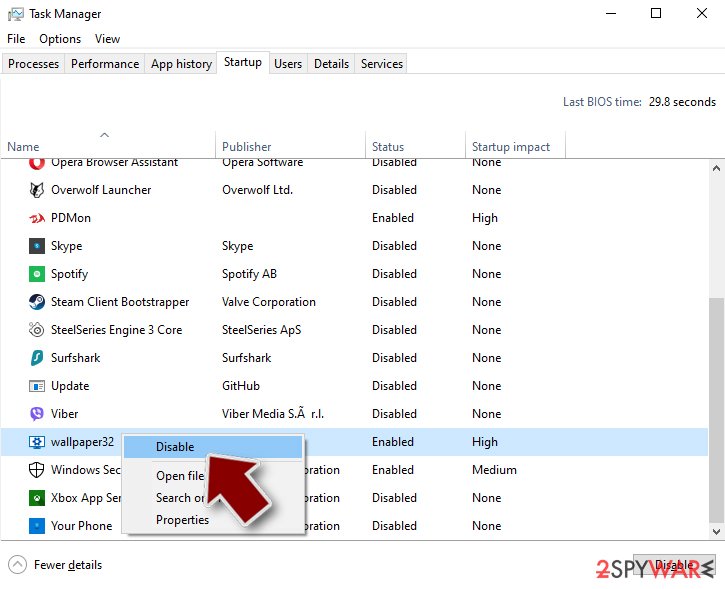
- Go to Startup tab.
- Right-click on the suspicious program and pick Disable.

Step 4. Delete virus files
Malware-related files can be found in various places within your computer. Here are instructions that could help you find them:
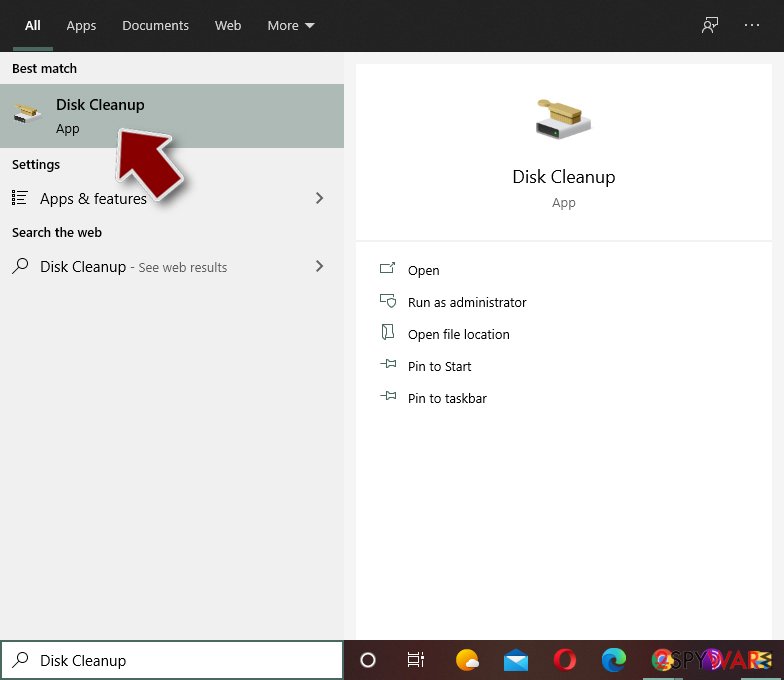
- Type in Disk Cleanup in Windows search and press Enter.
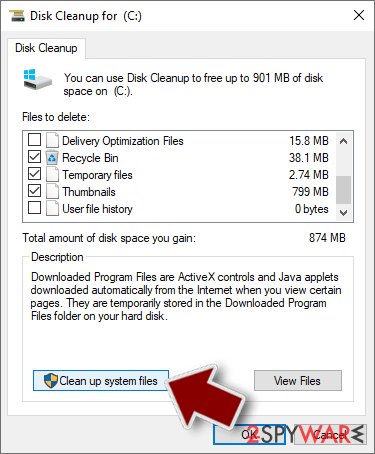
- Select the drive you want to clean (C: is your main drive by default and is likely to be the one that has malicious files in).
- Scroll through the Files to delete list and select the following:
Temporary Internet Files
Downloads
Recycle Bin
Temporary files - Pick Clean up system files.
- You can also look for other malicious files hidden in the following folders (type these entries in Windows Search and press Enter):
%AppData%
%LocalAppData%
%ProgramData%
%WinDir%


After you are finished, reboot the PC in normal mode.
Repair damaged system components
Once a computer is infected with malware, its system is changed to operate differently. For example, an infection can alter the Windows registry database, damage vital bootup and other sections, delete or corrupt DLL files, etc. Once a system file is damaged by malware, antivirus software is not capable of doing anything about it, leaving it just the way it is. Consequently, users might experience performance, stability, and usability issues, to the point where a full Windows reinstall is required.
Therefore, we highly recommend using a one-of-a-kind, patented technology of FortectIntego repair. Not only can it fix virus damage after the infection, but it is also capable of removing malware that has already broken into the system thanks to several engines used by the program. Besides, the application is also capable of fixing various Windows-related issues that are not caused by malware infections, for example, Blue Screen errors, freezes, registry errors, damaged DLLs, etc.
- Download the application by clicking on the link above
- Click on the ReimageRepair.exe

- If User Account Control (UAC) shows up, select Yes
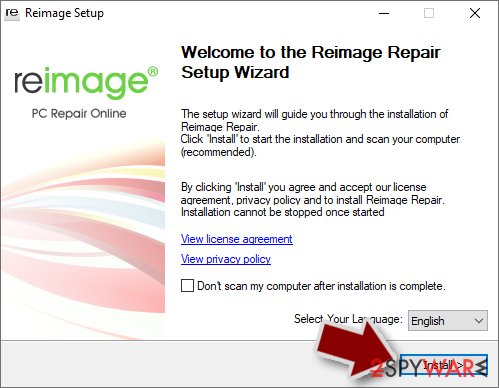
- Press Install and wait till the program finishes the installation process
- The analysis of your machine will begin immediately
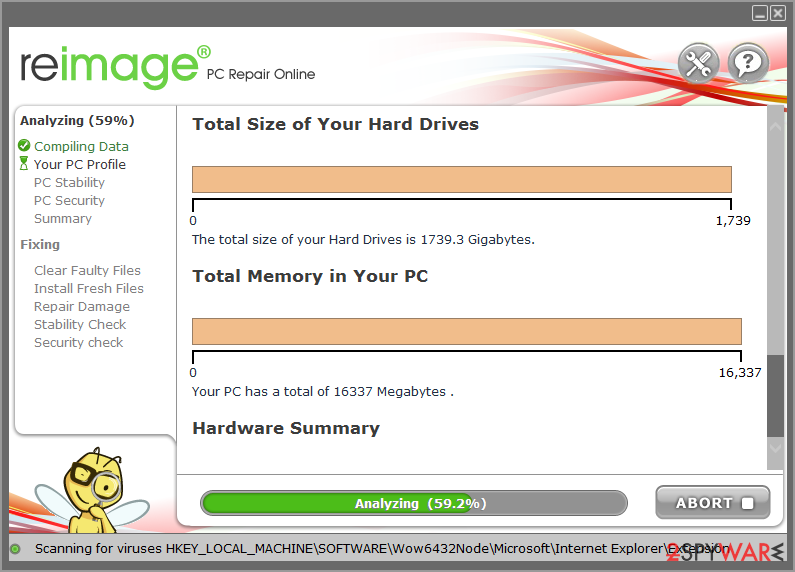
- Once complete, check the results – they will be listed in the Summary
- You can now click on each of the issues and fix them manually
- If you see many problems that you find difficult to fix, we recommend you purchase the license and fix them automatically.
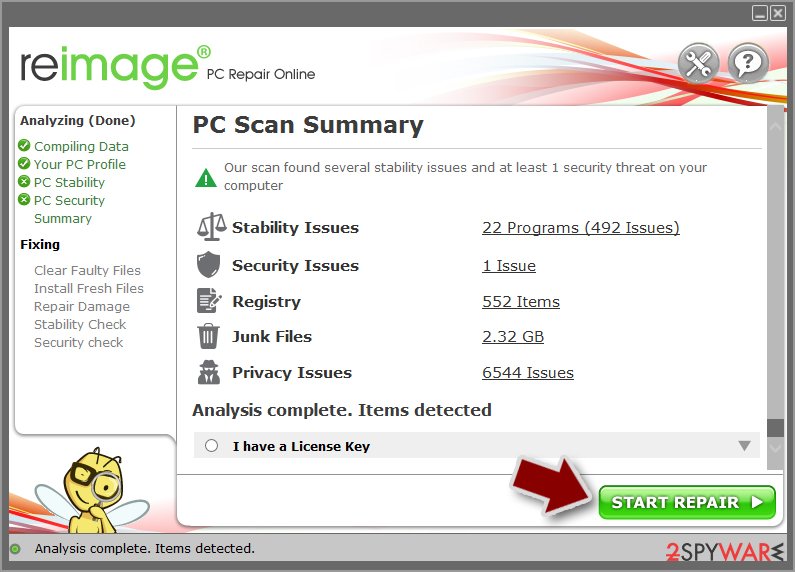


By employing FortectIntego, you would not have to worry about future computer issues, as most of them could be fixed quickly by performing a full system scan at any time. Most importantly, you could avoid the tedious process of Windows reinstallation in case things go very wrong due to one reason or another.
Finally, you should always think about the protection of crypto-ransomwares. In order to protect your computer from Security Central and other ransomwares, use a reputable anti-spyware, such as FortectIntego, SpyHunter 5Combo Cleaner or Malwarebytes
How to prevent from getting rogue antispyware
Access your website securely from any location
When you work on the domain, site, blog, or different project that requires constant management, content creation, or coding, you may need to connect to the server and content management service more often. The best solution for creating a tighter network could be a dedicated/fixed IP address.
If you make your IP address static and set to your device, you can connect to the CMS from any location and do not create any additional issues for the server or network manager that needs to monitor connections and activities. VPN software providers like Private Internet Access can help you with such settings and offer the option to control the online reputation and manage projects easily from any part of the world.
Recover files after data-affecting malware attacks
While much of the data can be accidentally deleted due to various reasons, malware is one of the main culprits that can cause loss of pictures, documents, videos, and other important files. More serious malware infections lead to significant data loss when your documents, system files, and images get encrypted. In particular, ransomware is is a type of malware that focuses on such functions, so your files become useless without an ability to access them.
Even though there is little to no possibility to recover after file-locking threats, some applications have features for data recovery in the system. In some cases, Data Recovery Pro can also help to recover at least some portion of your data after data-locking virus infection or general cyber infection.

If this free guide helped you and you are satisfied with our service, please consider making a donation to keep this service alive. Even a smallest amount will be appreciated.