
CoolWebSearch in 2026: The Infamous Browser Hijacker

- CoolWebSearch in 2026: the short answer
- Timeline: from CoolWebSearch to extension hijackers
- What changed since 2005
- Browser hijacker risks in 2026 (our analysis)
- How to remove a browser hijacker today
- What is still unknown
- Our original 2005 report
- CoolWebSearch – it does more than a regular browser hijacker
- Infection symptoms of the browser hijacker
- CoolWebSearch authors engaged in DDoS attacks
- Related guides on 2-Spyware
CoolWebSearch in 2026: the short answer
CoolWebSearch, also called CoolWWWSearch or CWS, is a family of Windows spyware and browser hijackers that first appeared in May 2003.[6] It changed the browser home page to coolwebsearch.com, showed pop-up ads, redirected users to adult and pay-per-click sites, collected private information and slowed the connection.[6]
It is mostly a piece of history today. It was built around Internet Explorer and old Windows versions, and we found no current security report of new CoolWebSearch variants as of 2026. The same business model lives on, though. Modern hijackers arrive as browser extensions that redirect searches and track what you visit.[7][8]
| Question | Answer |
|---|---|
| What it is | A family of spyware and browser hijackers for Windows[6] |
| First seen | May 2003[6] |
| Main target | Internet Explorer, with later variants reported on Firefox and Chrome[6] |
| How it spread | Bundled software and drive-by installs from infected web pages[6] |
| Best-known removal tool | CWShredder, created in 2004 by a Dutch student[4] |
| Still active in 2026? | We found no reports of new variants; extension hijackers took its place[7][8] |
Timeline: from CoolWebSearch to extension hijackers
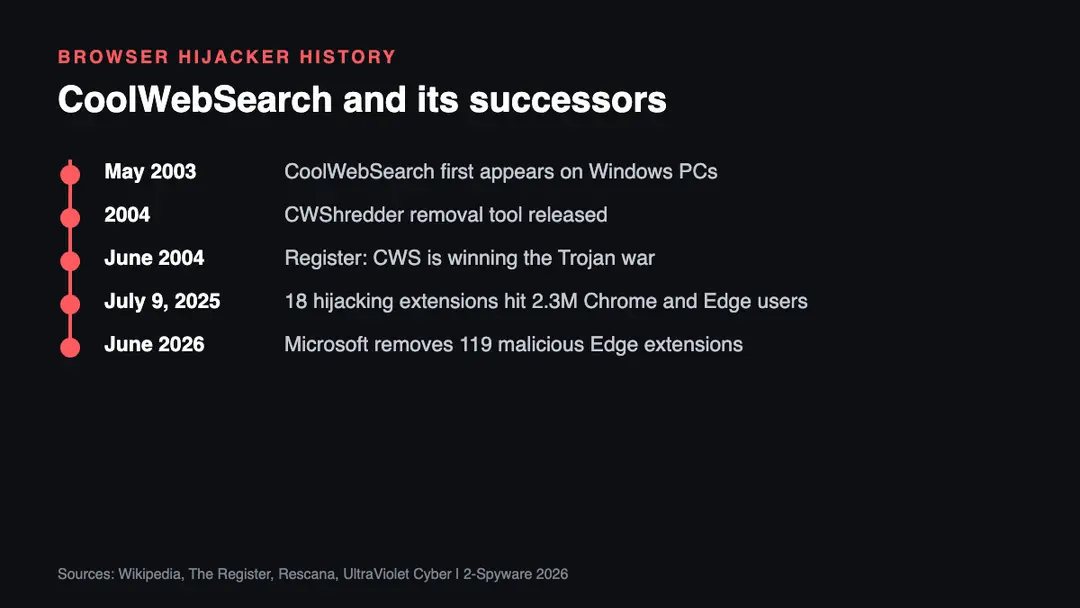
| Date | Event |
|---|---|
| May 2003 | CoolWebSearch first appears[6] |
| 2004 | CWShredder is released to remove CWS variants[4] |
| June 29, 2004 | The Register reports that CoolWebSearch is winning the Trojan war[4] |
| July 9, 2025 | Koi Security discloses 18 hijacking extensions with about 2.3 million users on Chrome and Edge[7] |
| Late June 2026 | Microsoft removes 119 Edge extensions tied to credential theft and ad fraud, with up to 2.6 million installs[8] |
What changed since 2005
The main change is where hijackers live. CoolWebSearch dug into the Windows registry and Internet Explorer settings, which is why our original report said some variants were close to impossible to remove by hand. Today's hijackers usually sit inside the browser as extensions, which are easier to remove once you know which one it is.
They are not easier to spot, though. In the Operation RedDirection case disclosed on July 9, 2025, 18 extensions started out harmless and later turned malicious through updates. They captured every URL a user visited and redirected people to attacker sites, and they reached about 2.3 million users through the official Chrome and Edge stores.[7]
In late June 2026, Microsoft removed 119 Edge extensions linked to one long-running actor active since at least 2021. They hid malicious code inside image and font files to steal credentials and commit ad fraud, across up to 2.6 million installs.[8]
Some things did not change. Wikipedia notes that CoolWebSearch came bundled with other unwanted software, so it could return unless those programs were removed too.[6] The same is true for many hijackers today.
Browser hijacker risks in 2026 (our analysis)
The points below are our own analysis of how hijackers like CoolWebSearch and their modern successors cause harm.
- Search and traffic theft. Redirects send your searches to pages that pay the operators, the same affiliate model that CoolWebSearch.com used.[6]
- Browsing surveillance. Modern extensions can log every URL you visit and send it to a remote server.[7]
- Credential theft. Redirects to phishing pages and hidden code can steal passwords.[7][8]
- Trusted updates turned bad. An extension you installed long ago can turn malicious after an update.[7]
- Fake removal tools. Pages that promise a quick fix may push more unwanted software. Use a known security product.
How to remove a browser hijacker today
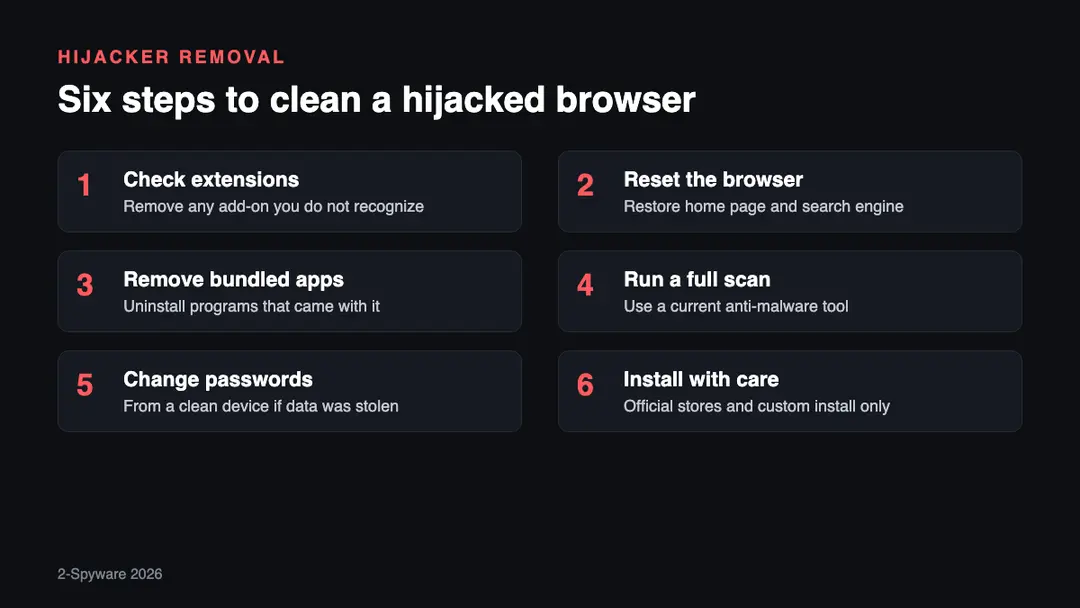
1. Check extensions. Open the extensions page of every browser you use and remove any add-on you did not install on purpose or no longer need.
2. Reset the browser. Restore the home page, new tab page and default search engine. A strange about:blank page or a search engine you never chose are classic hijacker symptoms.
3. Remove bundled apps. Uninstall free programs that arrived at the same time, or the hijacker may come back, as happened with CoolWebSearch.[6]
4. Run a full scan. Use a current anti-malware program to scan the whole computer. Our virus and malware removal guides cover many hijackers by name.
5. Change passwords. If the hijacker could see your browsing, change important passwords from a clean device and check whether your email appeared in a leak.
6. Install with care. Use official stores, read the permissions an extension asks for, and choose the custom install option for free software so you can refuse bundled offers.[1]
What is still unknown
- Who exactly built CoolWebSearch. Wikipedia cites a SophosLabs investigation that linked Stanislav Avdeyko, the Koobface hacker, to it, but no court ever confirmed this.[6]
- Whether any CoolWebSearch variant still runs on old, unpatched Windows machines. We found no current infection data.
- How many of the 2025 and 2026 extension hijackers remain on users' computers after store removal.[7]
Our original 2005 report
The text below is our report as first published in 2005. We keep it unchanged for the record; the sections above bring it up to date.

The term "potentially unwanted program" is highly controversial still up to this day, as countless legal battles were raised by consumers, security experts, and PUP developers. A browser hijacker is a name that its authors refrain from using, while some security experts go as far as calling it "legal malware."
While the debate is still on, one thing is clear: there are very few regular users that prefer a hijacked browser, since it diminishes browsing experience by displaying ads, redirecting users to questionable websites, displaying sponsored links within search results and changing browser settings (usually) without asking for permission.
Users are especially unhappy that the dubious applications, which come in forms of browsers extensions, toolbars, add-ons, etc., show up on their computers seemingly out of nowhere. However, speaking in legal terms, software bundling[1] is a legitimate marketing scheme, and users are often blamed for "not reading ToC and the text in small text."
From the first sight, hijackers appear to be relatively harmless: browser settings can be quickly restored. But some hijackers are just worse than the others and getting rid of them becomes a nightmare scenario for countless users. One of such applications is CoolWebSearch[2] – a notorious browser hijacker with over 100 versions.
CoolWebSearch – it does more than a regular browser hijacker
CoolWebSearch is a single name for the entire family of different hijackers that all attempt to redirect users' browser to coolwebsearch.com domain or other related sites. CoolWebSearch.com claims that it is not responsible for the hijacking. Apparently, that is true. The company has an affiliate program and pays its clients for every user redirected to its site.
Since the pest's creation in 2003, over 100 CoolWebSearch variants emerged which infected 8.2% of computers worldwide.[3] Only about 15 of them can be less or more easily removed from the system. Others require deep registry editing, searching for and deleting many files and numerous modifications of the infected system.
Moreover, some CWS parasites are virtually impossible to remove manually. They use specialized techniques that sometimes are more complex than those used in dangerous viruses. Even special anti-spyware software is unable to get rid of certain Cool Web Search hijackers. Spyware experts say that the most effective way to fight the CWS infection is to restore the Windows registry from unaffected copy or even to erase all the data from hard disk and reinstall the OS.
Infection symptoms of the browser hijacker
Here are the symptoms of most common CWS infections:
- Microsoft Internet Explorer runs very slowly. Browser doesn't respond immediately to taken actions. Text that you enter into various web forms or fields appears with huge latency. Page scrolling is sluggish.
- Default browser settings have been modified. Default start or search pages are changed (for example, address about:blank doesn't belong to the standard blank page anymore). Miss-typed or even correct Internet addresses direct to unknown sites. Suspicious domains are listed in the browser's Trusted sites zone.
- New bookmarks to suspicious Internet resources have appeared in the Favorites or Bookmarks. Usually, such bookmarks lead to adult and advertising sites.
- Following a legitimate link on legal website results in automatic redirection to a different resource.
- Your system shows strange error messages. Some of them are caused by system components or third-party executables.
- Security-related software crashes or closes without any messages.
CoolWebSearch authors engaged in DDoS attacks
While many users were struggling with constant attacks of the Cool Web Search, in 2004 a student Merjin Bellekom from the Netherlands created a tool called CWShredder.[4] The removal tool was continually updated and helped victims battle the unpleasant computer infection.
While it is now much known about the authors of malware, they were unhappy about such an event, as their product was being compromised. Therefore, crooks launched a series of Distributed Denial of Service[5] (DDoS) attacks aimed at websites that host the virus-battling software. Nevertheless, the CWShredder was regularly updated and kept destroying new versions of CWS.
It's been 15 years since CoolWebSearch creation and malware battling techniques changed, as well as anti-spyware tools' capabilities significantly increased. Therefore, in case you managed to catch this notorious PUP, make sure to eliminate it using modern anti-malware solutions.
Related guides on 2-Spyware
Frequently asked questions
What is CoolWebSearch?
CoolWebSearch is a family of Windows spyware and browser hijackers that first appeared in May 2003. It changed the home page to coolwebsearch.com, showed pop-up ads, redirected users to adult and pay-per-click sites, collected private data and slowed connections. It is also known as CoolWWWSearch or CWS.{6}
Is CoolWebSearch spyware?
Yes, security sources classify it as spyware. Microsoft's malware encyclopedia lists CoolWebSearch entries under spyware and adware names, and Wikipedia describes it as a spyware or virus program that collects private information and hijacks the browser.{6}
What was CWShredder?
CWShredder was a free tool made in 2004 by a student from the Netherlands to remove CoolWebSearch variants. It was updated again and again as new variants appeared, and The Register reported that the authors of CWS answered with DDoS attacks on sites that hosted the tool.{4}
What are the symptoms of a browser hijacker?
The most common symptoms are a changed home page or search engine, redirects to sites you did not choose, extra ads in search results, and new toolbars or extensions you did not install. A slow browser and an odd about:blank page were classic CoolWebSearch signs, as our original report lists.
What is an about:blank hijacker?
It is a hijacker that changes what the blank page shows. CoolWebSearch did this so that about:blank no longer opened the real empty page but loaded its own content. Resetting the browser and scanning the computer usually fixes it today.
Is CoolWebSearch still around in 2026?
We found no reports of new CoolWebSearch variants as of 2026. The family targeted Internet Explorer and old Windows versions. Its role is now filled by malicious browser extensions, such as the 18 that reached about 2.3 million Chrome and Edge users in 2025.{7}
Sources
- Webopedia. Online Tech Dictionary
- 2-spyware. Cybersecurity news and articles
- ZDnet. Cybersecurity and tech news (no longer online)
- The Register. IT website
- Cloudflare. Helps building a better internet
- Wikipedia
- Rescana
- UltraViolet Cyber
Log in to comment
No comments yet. Be the first.