Pokemon Go virus: what it is and how to remove it
Pokemon Go virus is a type of dangerous cyber threat that inifltrates users' Android devices when they are trying to download the unofficial version of the mega-popular Pokemon Go video game published by Niantic, Inc. As evident, the malicious version of the game has nothing to do with the original one, as it is safe to use and play.
Facts checked October 7, 2026. Removal steps tested on Windows 11 (26H2) and checked against Microsoft's and the browser makers' current documentation. Sections marked as our earlier report are the original text: they describe the threat as it was then and have not been reviewed since. The 2026 status, the removal steps and the questions are current.
Automatic
Get a free scan and check if your PC is infected.
Fortect finds malware, unwanted programs and the Windows damage they leave behind, and repairs it in one pass.
If Pokemon Go virus keeps coming back after uninstalling, a scan can find what reinstalls it.
Do it yourself · free Remove Pokemon Go virus yourself 5 steps, about 15 minutes, no software needed.
Start the steps
Pokemon Go virus: summary
| Name | Pokemon Go virus |
|---|---|
| Type | Trojan, RAT (Remote access trojan) |
| Infiltration methods | Fake Pokemon Go app from third-party sites, cheat programs, malicious apps in Google Play |
| Date introduced | July 2016 |
| Targeted devices | Android and iOS |
| Risk factors | Infiltration of other malware, loss of money, sensitive information disclosure to cybercriminals, etc. |
| Removal | Scan the PC with security software to find and remove the malware and anything installed with it. Fortect scans Windows for malware and repairs the system files and settings it damaged. Remove it nowTo use the full-featured product, you have to purchase a license for Fortect. The scan is free. |
Show 9 more facts
| Related malware | Droidjack |
|---|---|
| Termination | Use reputable security solution to delete Pokemon Go malware |
| Detection names | No Microsoft detection name is known |
| Distribution | Not recorded in the old report |
| Damage | Not recorded in the old report |
| Symptoms | An unknown program in Installed apps |
| Evidence | 7 write-ups by security sites; details still limited |
| First seen | 11 June 2019 |
| Facts checked | 7 October 2026 |
What Pokemon Go virus does on an infected PC
From our report of Jun 2019 · not reviewed since
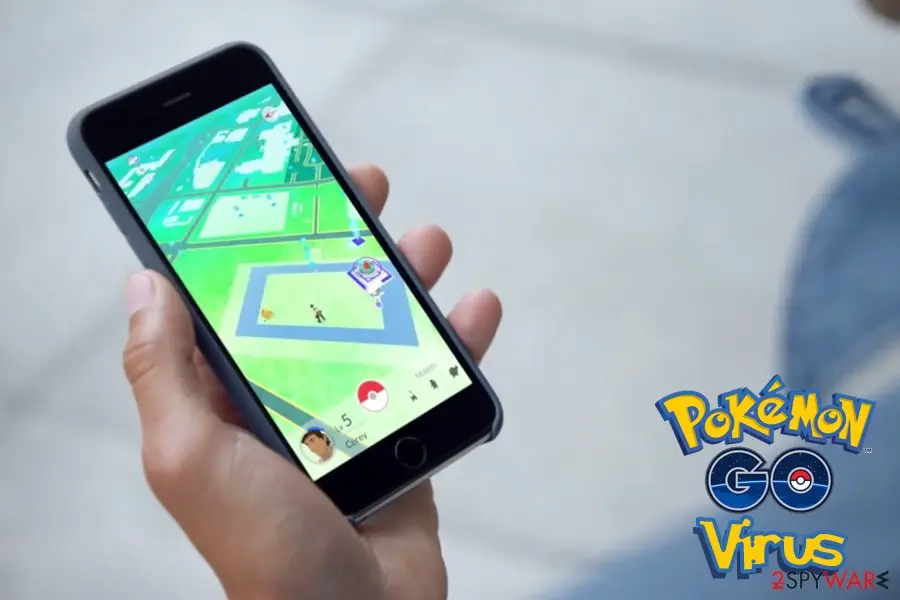
Pokemon Go virus is a term used to describe cyber infection that pretends to be the original video game
Pokemon Go virus is a type of dangerous cyber threat that inifltrates users' Android devices when they are trying to download the unofficial version of the mega-popular Pokemon Go video game published by Niantic, Inc. As evident, the malicious version of the game has nothing to do with the original one, as it is safe to use and play.
Nevertheless, cybercriminals are often abusing the most popular titles and, due to the gaming industry becoming one of the leading among entertainment sectors, bad actors are looking for ways to infect players with malware. However, Pokemon Go is not the only hacking victim, as titles like Fortnite and Apex Legends are widely abused by cybercriminals.
Besides illegitimate versions in the game, which usually results in Remote Access Trojan (RAT) or ransomware installation, the cheat apps and cracks are also present and pose a significant threat to many users. If you downloaded any of such fake versions of cheats, you should remove Pokemon Go virus by scanning your device with reputable security software immediately.
Another variant of malicious Pokemon Go apps include "Install Pokemongo" and "Guide & Cheats for Pokemon Go" - these apps charged considerable amounts of money to help the users collect Pokecoins, Pokeballs, and Lucky Eggs. Google Play reacted quickly, and these apps are no longer available to obtain.
Do not be deceived, though, because not all of the programs related to the original app are dangerous. For instance, "Poké Radar" and "Helper for Pokémon Go" are completely legitimate programs which only help the users enhance their gaming experience.
What significantly increases the possibility of smartphones and tablets being infected with a fake Pokemon Go version is that the original one is not yet released in all countries, such as Japan, China or South Korea. The impatient users might be looking for the non-existing game in the app store and that is where the creators of malicious apps have a chance of stepping in.
From our report of Jun 2019 · not reviewed since
The very first Pokemon Go virus infections go back to 2016
The first sightings of Pokemon Go virus occurred in July 2016, when users downloaded a fake version of the game on third-party sites.
This payload consisted of RAT (remote access trojan) payload called Droidjack, which essentially served as a secret passage to the device, and would allow the attacker to take over it completely.
This malicious version of Pokemon Go was tracked to a dynamic IP that originated in Turkey, which is often used to start botnet chains or used for spam campaigns. The domain name was traced to No-IP.org - am an underground site that was used by cybercriminals for their shady activities previously.
Upon installation, the Pokemon Go virus asks for the following permissions:
Besides these extra permissions, the Pokemon Go virus looked identical to the real game version. If you noticed that the app is asking you to allow the features mentioned above, immediately terminate the installation process as you will be infected with malware.
- To connect and disconnect from the WiFi;
- View WiFi connections;
- Change network connectivity;
- Retrieve the information about running apps.

From our report of Jun 2019 · not reviewed since
Pokemon Go virus was used by cybercriminals to root the device, upload other malicious files and show intrusive ads
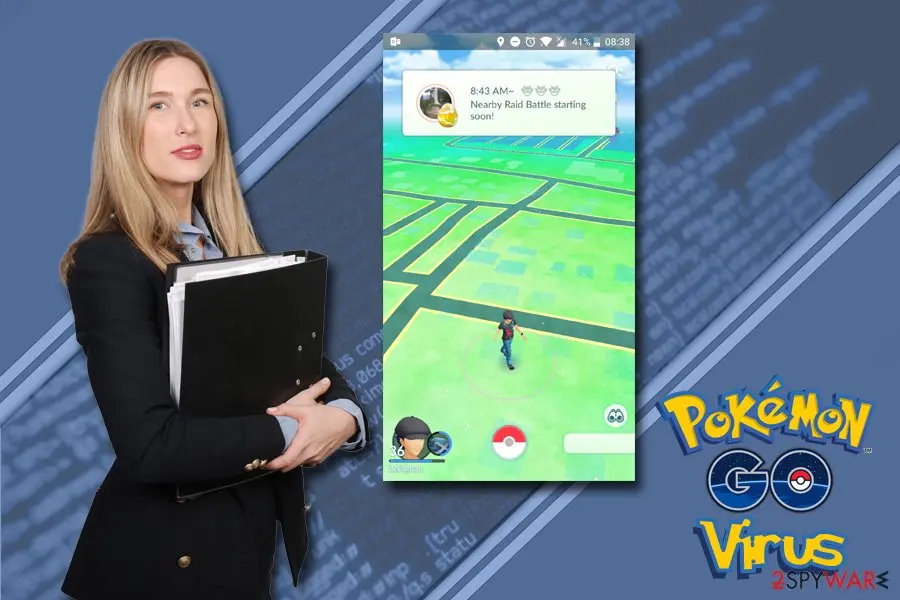
This version of Pokemon Go virus installed an obfuscated malware payload via the app called "Guide for Pokemon Go New" - it is a supposed helper for the users who want to learn more about Pokemon Go gaming peculiarities. However, what users did not know is that they will allow the malicious payload to root the device, download more malicious files, and display intrusive ads on every site that they visit.
However, malware's capabilities do not end there. This Pokemon Go virus did an excellent job while trying to hide its presence from anti-malware tools by idling before contacting it's Command & Control servers.
In the meantime, the infection would determine whether the machine is virtual or not (it is an environment experts analyze malware samples in). After that, the Pokemon Go virus would send information about the infected device, such as its set language, model, software version, etc.
From our report of Jun 2019 · not reviewed since
PokemonGo ransomware - a Pokemon-themed cryptovirus that took the code from Hidden Tear
It did not take long for crooks to create a ransomware type virus based on Pokemon Go.
Just as previous malware that was based on the game, this threat also used a fake installer to infiltrate players' devices.
As soon as first samples emerged, security researchers noticed right away that PokemonGo ransomware is based on HiddenTear - an open source ransomware project that was initially released for educational purposes, although cybercriminals quickly adapted it as well.
Upon infiltration, PokemonGo ransomware creates a backdoor "Hack3r" account that is assigned to the administrator group, although it is not visible on the login screen due to the registry modification. It also copies its main executable to all removable drives.
PokemonGo virus then encrypts all personal files with AES and uses encryption key "123vivalalgerie." The ransom note is written in Arabic and demands victims to write an email to blackhat20152015@gmail.com. Nevertheless, the malware is still in development stages, as plenty of evidence suggests. For example, the virus tries to communicate with a C&C server, although it is not able to because its IP is set to private.
From our report of Jun 2019 · not reviewed since
Always be extra careful when installing new apps, even if they seem legitimate
One of the main reasons for mobile device cyber infections comes from the careless installation of various apps from third-party sites.
By default, mobile phones, be it iPhones or Androids, would not allow users to install apps from unofficial sources, not without certain modifications at least. Thus, users have to deliberately enable such feature to let potentially dangerous applications in.
Therefore, do not trust any third-party sites and download apps from Google stores or App Store instead. Even there, you cannot be 100% sure because cybercriminals always think of new ways how to bypass set security measures, and some malicious apps still manage to get into official stores. Therefore, always read reviews about the app and research it online.
Finally, it is just as vital keeping your phone updated and running a comprehensive security solution that would prevent malicious programs from entering your device.
From our report of Jun 2019 · not reviewed since
More from our earlier report on Pokemon Go virus
- To restore your mobile device to pre-infection state, scan it with
- Possibly the most renown version of Pokemon Go virus was spotted in September 2016, when Kaspersky security researchers discovered a trojan that slipped into Google Play and was downloaded more than 500,000 times before being taken down.
How to remove Pokemon Go virus
How to remove Pokemon Go virus and lock the attacker out
Someone may have had remote control of the PC.
Cut the connection first, then remove the trojan and secure your accounts.
Step 1: Remove remote access tools and lock the attacker out
Unplug the network cable or turn off Wi-Fi first, so any remote session drops.
In Settings > Apps > Installed apps (Windows 11) or Apps & features (Windows 10), uninstall remote access programs you did not set up yourself, such as AnyDesk, ScreenConnect, TeamViewer or an unknown "support" tool.
Check Settings > Accounts > Other users (Family & other users in Windows 10) for accounts you did not create. Turn off Remote Desktop under Settings > System unless you use it.
Full procedure with screenshots: Uninstall a program or app in Windows On uGetFix
Step 2: Delete scheduled tasks that bring it back
Open Task Scheduler from the Start menu and click Task Scheduler Library. Select each task you do not recognise and read the Actions tab:
- a task that starts a file in
%AppData%or%Temp% - runs
powershellwith a long encoded line - opens a web address belongs to Pokemon Go virus or a similar program
Right-click such a task and choose Delete, and check the subfolders too. Leave tasks from Microsoft, your PC's maker and programs you use. Task Scheduler is the same in Windows 11 and Windows 10.

Windows 11: Task Scheduler Library, the task selected, the Actions tab shows the file it runs. Full procedure with screenshots: Remove what malware leaves behind in Windows
- a task that starts a file in
Step 3: Remove it from startup
Whatever Pokemon Go virus installed usually starts with Windows.
Open Task Manager with Ctrl + Shift + Esc, go to Startup apps in Windows 11 or the Startup tab in Windows 10, and disable what you do not know, starting with entries that have an empty Publisher column.
Open file location on the right-click menu shows the file, which helps you decide and tells you what to delete later. Disabling is safe: if something you need stops working, switch it back on.
Full procedure with screenshots: Stop apps from opening at startup On uGetFix
Step 4: Scan the PC, then run the offline scan
Open Windows Security > Virus & threat protection > Scan options, run a Full scan and remove everything it finds. Then select Microsoft Defender Antivirus (offline scan) and click Scan now: the PC restarts and scans before Windows loads, which finds files that hide while Windows runs.
Save your work first, because the offline scan takes about 15 minutes. Both scans are built into Windows 11 and Windows 10, and a second scanner from another vendor is a useful extra opinion.

Windows 11: Windows Security > Virus & threat protection > Scan options. Full procedure with screenshots: Run a Microsoft Defender Offline scan
Step 5: Change passwords from another device and sign out other sessions
Assume that the passwords saved in this PC's browsers, and the accounts that were open in them, are known to the attacker. From a phone or a clean computer, change the e-mail password first, then banking, shopping, social and gaming accounts.
Use each service's option to sign out of all other sessions, because stolen cookies keep a session open even after a password change. Turn on two-step verification on each account. Wait with the infected Windows 11 or Windows 10 PC until the scans are clean.
Full procedure with screenshots: Turn on two-step verification / secure a hacked account
From our report of Jun 2019 · not reviewed since
Ways to remove Pokemon GO virus from Android and iOS devices
As we have already mentioned, Pokemon Go removal can be carried out using proper antivirus software.
Make sure that you obtain a utility compatible with your device. Otherwise, you may not be able to run the system scan. If the program is not malicious, though, antivirus utilities may not register it.
In such a case, you can simply remove Pokemon Go app from your device through the regular device settings. Most importantly, remember always to keep a close watch for potentially dangerous applications.
After removal: passwords, accounts and prevention
Secure your accounts after the clean-up
Assume that whatever was saved in the browsers on this PC while the PC showed pokemon Go virus in the list of installed apps has been copied:
- passwords
- cookies
- autofill data
Work from a clean device, or from this PC once the offline scan finds nothing.
Start with your main e-mail account, because it can reset everything else, then banking and payment, then social and gaming accounts. Change each password, sign out of all sessions and turn on two-step verification: Turn on two-step verification / secure a hacked account.
The full order, including crypto wallets and card replacement, is in securing your accounts after malware.
Protect your privacy - employ a VPN
There are several ways how to make your online time more private - you can access an incognito tab.
However, there is no secret that even in this mode, you are tracked for advertising purposes. There is a way to add an extra layer of protection and create a completely anonymous web browsing practice with the help of VPN. This software reroutes traffic through different servers, thus leaving your IP address and geolocation in disguise.
Besides, it is based on a strict no-log policy, meaning that no data will be recorded, leaked, and available for both first and third parties. The combination of a secure web browser and VPN will let you browse the Internet without a feeling of being spied or targeted by criminals.
No backups? No problem. Use a data recovery tool
If you wonder how data loss can occur, you should not look any further for answers - human errors, malware attacks, hardware failures, power cuts, natural disasters, or even simple negligence.
In some cases, lost files are extremely important, and many straight out panic when such an unfortunate course of events happen. Due to this, you should always ensure that you prepare proper data backups on a regular basis.
If you were caught by surprise and did not have any backups to restore your files from, not everything is lost. is one of the leading file recovery solutions you can find on the market - it is likely to restore even lost emails or data located on an external device.
Questions about Pokemon Go virus
Can I safely uninstall Pokemon Go virus?
If you did not install Pokemon Go virus yourself and it is not part of your hardware or a program you rely on, yes. Uninstalling an unwanted program does not harm Windows.
Before you do, search the exact name and publisher to be sure it is not a driver tool, a printer utility or a game launcher with an odd name. Then remove it from Settings, Apps, Installed apps.
Ignore any offers or warnings in its uninstaller about losing protection or performance. Afterwards check Startup apps and your browsers for leftovers, and restart once to confirm that it does not reinstall itself.
Pokemon Go virus will not uninstall. What can I do?
First restart the PC and try again, because the program may have been running and locked its own files. If the uninstaller is missing or fails, start Windows in Safe Mode, where most third-party programs do not start, and remove Pokemon Go virus from Installed apps there.
If it still refuses, delete its startup entry and its scheduled task, restart, and try once more. A program that actively prevents removal is behaving like malware, so finish with a Microsoft Defender offline scan. Avoid third-party uninstallers offered on search ads; several of them are unwanted programs themselves.
Can I keep using the PC while Pokemon Go virus is on it?
Not for anything that matters. As long as the program behind pokemon Go virus in the list of installed apps runs, it can see what you type and what the browser stores, and it may download more malware. Disconnect the PC from the internet while you remove it, and do your banking, e-mail and password changes from another device.
Once the offline scan finds nothing and the sign does not return after a few restarts, normal use is fine. If the scan keeps finding new items, or you cannot remove the startup entry, a reset of Windows is the safer choice.
Is a trojan infection worth reporting to the police?
If there was harm, yes. Unauthorised payments, accounts used for fraud, blackmail or a remote session during a scam call all belong in a report, and banks often ask for its reference number before they refund anything.
If antivirus caught Pokemon Go virus before it ran and nothing was misused, there is nothing to report. Keep the evidence anyway:
- protection history
- the original download
- the dates
Businesses may also have to notify a data protection authority if personal data could have been accessed.
Can a normal remote support program be a backdoor?
Yes. Tools such as AnyDesk, TeamViewer and ScreenConnect are legitimate, but whoever controls the account behind them controls the PC. Scammers install them during fake support calls, and some trojan campaigns install them silently because antivirus programs do not flag a genuine, signed product.
If you find one you did not set up, uninstall it, check Startup apps for related entries and change passwords from another device. If money or accounts were involved, call your bank and report the incident.
Can Pokemon Go virus spread to other devices on my network?
Most trojans aimed at home users stay on the PC they infected, but an attacker with remote access can look at the network, open shared folders and try passwords on other devices. Loaders sometimes deliver worms or ransomware that do spread.
Disconnect the PC while cleaning, run a full scan on other Windows PCs, change the router's admin password and the Wi-Fi password if they were saved on the infected PC, and update the router's firmware. If other PCs show the same detection, treat them as infected too.
Should I reset my PC because of Pokemon Go virus?
Only if the signs point to deeper access. Reset when you see pokemon Go virus in the list of installed apps again after removal, when Windows Security cannot start or update, when remote access tools you did not install keep appearing, or when you simply cannot trust the PC any more.
Otherwise, the plan in this guide plus an offline scan is enough. If you do reset, choose Remove everything and Cloud download for a fresh copy of Windows, restore only documents and photos, and reinstall programs from their official sites. Change important passwords from the clean system afterwards.
What are the signs of a trojan infection?
Most trojans try to leave no visible signs, so look for side effects. Common ones:
- Windows Security turned off or unable to update
- new entries in Startup apps or Task Scheduler
- programs in Installed apps you did not install
- browser settings that changed by themselves
- unusual network activity while the PC is idle
- password-reset or login-alert e-mails you did not trigger
None of these proves an infection on its own. Together with an antivirus alert naming Pokemon Go virus, they are a strong reason to follow the full plan.
Why can't I find Pokemon Go virus in antivirus databases?
Because it is new or because it is listed under a different name. Antivirus companies name threats after the family they belong to, and a program that appears as Pokemon Go virus on your PC may carry a generic or unrelated label in their databases.
Many new samples are first detected only by behaviour, without a family name. What you saw, pokemon Go virus in the list of installed apps, is enough to act on:
- end the program
- remove its startup entry
- run a Microsoft Defender offline scan
- secure your accounts
A detection name from a scan is worth noting for later.
Will Fortect remove Pokemon Go virus?
Fortect scans Windows for malware and unwanted programs and repairs the system files and settings they change, and its free scan shows what it finds on your PC before you decide anything.
For Pokemon Go virus, follow the plan above as well: the browser steps take back permissions and settings that no scanner treats as a threat, and uninstalling the program that brought it removes the source.
Run Microsoft Defender's full scan and, if anything was found, its offline scan as a second opinion. If the symptoms are gone after the plan and both scans are clean, there is nothing more to do.
Sources
- PC Gamer: Scammers are targeting Fortnite cheaters with data-stealing malware (read October 7, 2026)
- Hackers Terminal: What is remote access trojan? (read October 7, 2026)
- Proofpoint: DroidJack Uses Side-Load…It's Super Effective! Backdoored Pokemon GO Android App Found (read October 7, 2026)
- Kaspersky daily: Guide for Pokémon Go Trojan catches Pokémon trainers (read October 7, 2026)
- SearchSecurity: Advanced Encryption Standard (AES) (read October 7, 2026)
- Trend Micro: New Pokemon Go Ransomware Creates Windows Backdoor Account (read October 7, 2026)