
What Is the Safest Browser in 2026? Our Updated Answer
- The safest browser in 2026: the short answer
- Timeline: browser security from 2024 to 2026
- What changed since 2024
- Risks and scams around browser choice
- Six steps to make any browser safer
- What is still unknown
- Our original 2024 report
- 2024 update: unexpected events bring new insights
- Google Chrome provides high protection against malicious sites, although struggles with user privacy
- Firefox keeps improving user online experience not forgetting about safety
- Opera includes a built-in VPN
- Microsoft Edge is the winner of 2024 in blocking phishing sites
- Safari offers to customize safe browsing options
- Epic Privacy Browser disables Google services
- Comodo Dragon Internet Browser is similar to Chrome, but Windows users can feel safer
- Tor browser offers anonymity
- The verdict: choosing the most secure browser 2024
- Related guides on 2-Spyware
The safest browser in 2026: the short answer
There is no single safest browser in 2026. For most people the safest choice is a mainstream browser that updates itself quickly: Firefox, Microsoft Edge, Google Chrome, or Safari on Apple devices. We still rate Firefox first for privacy by default, and Tor Browser first for anonymity.
The update speed matters more than the brand. In 2026 Google again had to patch Chrome flaws that attackers were already using, such as CVE-2026-5281 in March.[21] The same engine powers Edge, Brave and Opera, so those browsers need the same fix.[21] A browser that waits days to restart is the weak point, not the logo.
| Browser | Best for | Main caveat |
|---|---|---|
| Mozilla Firefox | Privacy by default, full ad blockers | Smaller share, so some sites test it less |
| Microsoft Edge | Windows users, phishing filter | Same Chromium bugs as Chrome[21]; Microsoft account tracking |
| Google Chrome | Fast patching, wide support | Manifest V2 ad blockers phased out[22] |
| Apple Safari | Mac, iPhone and iPad | Only on Apple devices |
| Tor Browser | Anonymity | Slow; using Tor itself can draw attention |
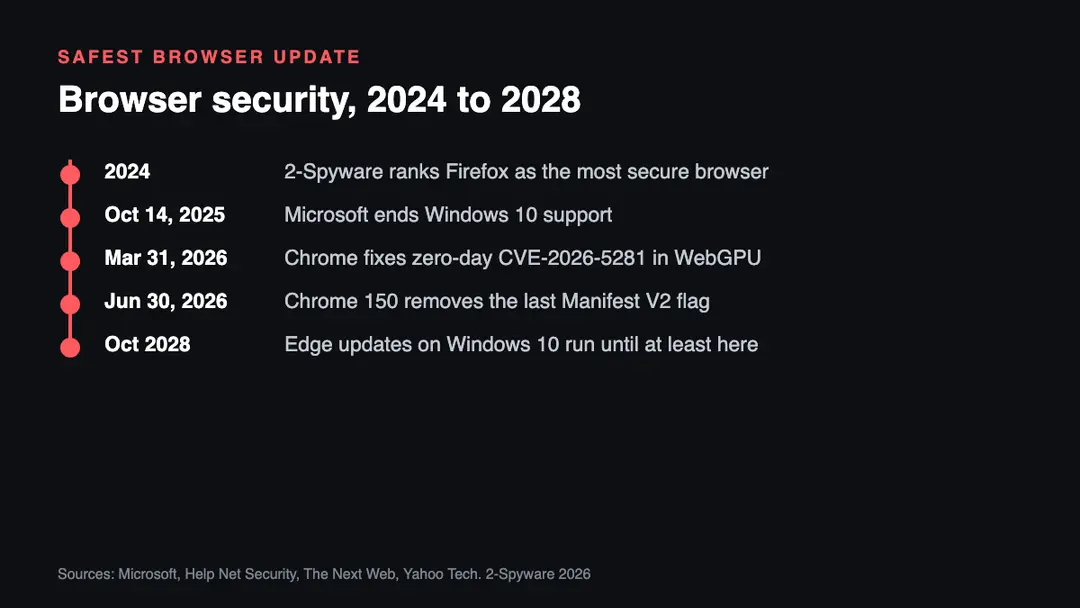
Timeline: browser security from 2024 to 2026
| Date | Event |
|---|---|
| 2024 | Our last ranking names Firefox the most secure browser |
| October 14, 2025 | Windows 10 support ends; no more security fixes for the system[20] |
| March 31, 2026 | Google fixes CVE-2026-5281, a Chrome zero-day with an in-the-wild exploit[21] |
| June 30, 2026 | Chrome 150 removes the last override for Manifest V2 extensions[22] |
| October 2028 | Microsoft says Edge keeps updating on Windows 10 until at least this date[23] |
What changed since 2024
The biggest change is in Chrome. Google moved extensions to Manifest V3, and Chrome 150 removed the last flag that kept older Manifest V2 add-ons running.[22] That ended the full version of uBlock Origin and other blockers that rely on dynamic filtering.[22] Firefox still supports them, which is one reason we keep it in first place.
The second change is Windows 10. Microsoft ended support on October 14, 2025, and the system no longer gets security fixes.[20] Microsoft said Edge will keep updating on Windows 10 until at least October 2028.[23] So the safest browser for Windows 10 is an updated one, but an unpatched system under it stays a risk.
The third change is the pace of attacks. Chrome zero-days that were exploited before a fix existed kept coming in 2026.[21] Each one also touched other Chromium browsers that had to ship their own patch.[21] The lesson from 2024 still holds: turn on automatic updates and restart the browser when it asks.
Risks and scams around browser choice
This list is our own analysis of what we see in malware cases, not a vendor report.
- Fake browser updates. Pop-ups that say your browser is out of date and offer a file. Real updates come from the browser menu, never from a website download.
- Clone browsers. Unknown browsers that promise privacy or free VPN but bundle adware or change your search engine.
- Fake ad blocker extensions. After the Manifest V2 change, people searched for uBlock Origin replacements, and copycat add-ons with similar names appear in stores.
- Old systems. A current browser on an unpatched Windows 10 PC still sits on top of known system flaws.
- Unblocker and privacy tools from file hosts. Many carry information stealers that read saved browser passwords.
Six steps to make any browser safer
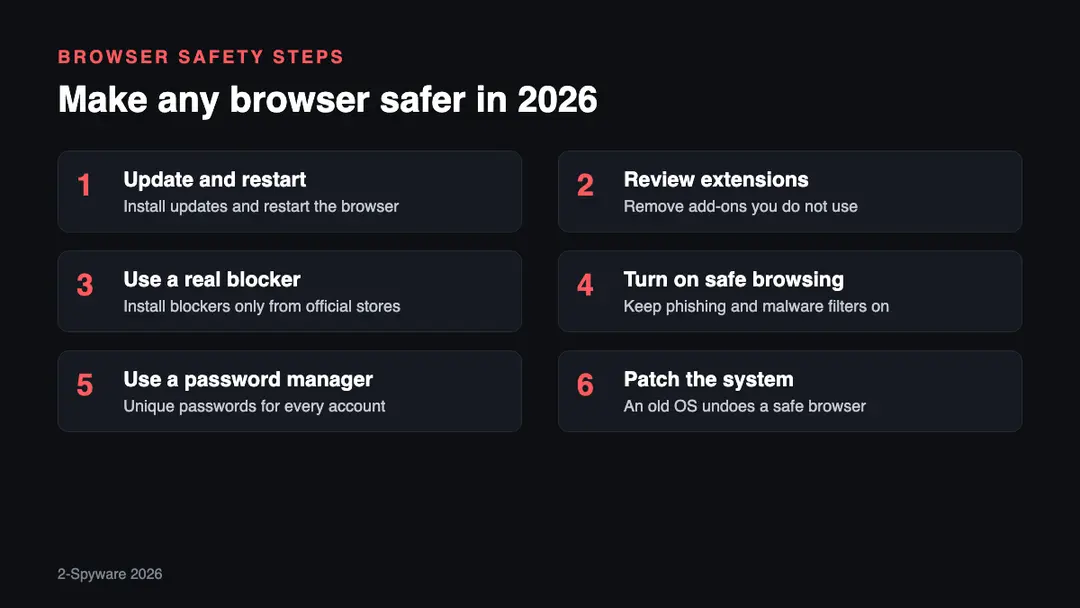
1. Update and restart. Open the browser menu and check for updates. A downloaded update only protects you after the restart, so do not leave it waiting for days.
2. Review extensions. Remove every add-on you do not use. Extensions can read the pages you visit, so fewer is safer.
3. Use a real blocker. Install ad and tracker blockers only from the official store, and check the publisher name. In Chrome, expect the lighter Manifest V3 versions.[22]
4. Turn on safe browsing. Keep the built-in phishing and malware filter on in Chrome, Edge, Firefox or Safari. It warns before many known scam pages load.
5. Use a password manager. Unique passwords limit the damage when one site leaks. You can check whether your email appeared in a leak.
6. Patch the system. If your PC runs Windows 10, the browser alone is not enough, because the system gets no security fixes.[20] Plan an upgrade or a supported system.
What is still unknown
- How long Google Chrome will keep updating on Windows 10. We found no fixed end date from Google as of 2026.
- Whether Firefox will keep full support for older blocking extensions in the long term. We found no announced end date.
- How many more Chrome zero-days will appear in 2026. The count changes with each emergency update.
We will update this page when a browser vendor changes support or security policy.
Our original 2024 report
The text below is our report as first published in 2024. We keep it unchanged for the record; the sections above bring it up to date.
Internet security and privacy were the two things frequently discussed in 2023. The never-ending growth of cybercrime, data breaches, and inappropriate data tracking cases have already made netizens concerned about online security. Taking into account that a browser is a tool that you have to use to surf the web daily, we decided to find the most secure browser of the year.
Nowadays, users can choose between numerous popular and less popular web browsers – they promise a better browsing experience, increased privacy, personalized search results, and other features. While not much can be done from users' point of view when it comes to massive data breaches which occurred at First American, TrueDialog, MyFitnessPal, and many other high-profile companies,[1] choosing a right browser might define whether you get infected with malware, as well as if you get scammed by threat actors.
IT infrastructure of 2024 includes a lot of artificial intelligence-based technologies, improved IoT devices, 5G, quantum computing, the cloud, and much much more. While these factors will mostly not impact regular computer users, choosing a correct browser might make a huge difference when it comes to personalized experience and online safety in the upcoming year of 2024.
2024 update: unexpected events bring new insights
The year 2023 gathered momentum and has already switched to the other half. Unfortunately, but the flow of events aroused people's feelings of insecurity all around the world. The best example would be the Coronavirus pandemic, which forced millions of people to stay home in fear of the unknown hostile. The period of so-called Stay Home boosted online traffic 30% higher[2] than usual as people were craving for news and communication. While business was counting the money for the record traffic numbers, cybersecurity experts have been actively warning people about Coronavirus apps that use tracking software to spy on their users[3], Coronavirus spam emails infected with ransomware, fake news on the topic, and whatnot.
Apart from cookies that collect data for commercial purposes, more and more riots arise due to massive governmental spying[4] on the citizens. People divide into two parts – the majority don't mind being spied on, the bulk of community are strictly against being tracked regularly. Unfortunately, fighting against your government may sometimes be the same as the fight with the windmills, so people have to take precautionary measures and protect themselves somehow.
One of the measures – use the web browser that ensures anonymity and privacy security. The top 5 secure web browsers described below could be called the most popular, and, at the same time, secure web browsers. Most of them exhibit perfect security and performance ratio.
However, the beginning of the year 2024 triggered cybersecurity experts to provide people with extremely safe browsers that would help people to keep their data completely inaccessible. Therefore, we have submitted an additional article on The best private and secure web browsers of 2024, which names the VPN client browsers that can hide IP address and encrypt the connection. Those who aim at security in the first place can find great options in the mentioned article, while the below-described browsers are recommended for those seeking the equity of speed and security.
Google Chrome provides high protection against malicious sites, although struggles with user privacy
In 2024, Google Chrome celebrated its 13th birthday – each year proves to be an immense success to this web browser, as 63.4% of internet users choose it for its browsing activities regularly, as of September 2020. While it is only a few percent increase from the previous year,[5], it is still an increase and a win from Google's standpoint.
There's no doubt that user-friendly functionality and high-rate security gained the success of this browser, which, in 2020, presented several updates, making the browser faster, lighter, and even more secure. For example, with the release of Chrome 76 on December 10, 2019, users are warned directly after their passwords are cross-checked with those compromised in a data breach.[6]
Chrome ensures that it can be considered the most secure browser, thanks for these three features:
- Safe Browsing that alerts about possible threats when opening phishing or malicious website;
- Sandboxing that adds an extra layer of protection and prevents from automatic malware installation;
- Auto-updates that allow installing all updates automatically and eliminate security flaws;
- An easy way to manage shortcuts and an ability to receive answers straight to the bar;
- Unique passwords are generated and saved within the web browser automatically.
The browser has Incognito mode and offers customizing privacy preferences manually. However, Google's ability to track each user's step and click still seems concerning. Therefore, even if Chrome is considered as one of the most secure web browsers, its data tracking, and usage capabilities are the biggest disadvantages.
Firefox keeps improving user online experience not forgetting about safety
Mozilla Firefox used to be one of the closest competitors of Google Chrome – currently holds around 4.5% of the global market share. Despite that, the browser is worth to be paid attention to, as its developers are constantly keeping up with the improvements, security updates, and new features. Mozilla released Firefox Quantum, which included the following specifications:
- Linux Sandboxing[7] that prevents hacking attempts;
- Tracking protection [8] that blocks tracking components on visited websites;
- Improved Control Center that allows accessing and customizing numerous settings to ensure the most secure and private browsing sessions the browser can offer;
- Contextual Feature Recommender (CFR) – system that recommends add-ons and features based on people's browsing experience;
- Enhanced Tracking Protection that disables tracking which is identified as "Trackers";
- Firefox Monitor that warns the victim if his or her email was involved into the breach.
While trying to become the most secure browser, developers have also been providing frequent security updates and fixes. With the latest upgrade, they fixed numerous security vulnerabilities, including flaws that allow spoofing attacks or exploitation of arbitrary code. In the latest version of Firefox, 72.0.1, developers are focusing on user's privacy like never before:[9]
Firefox's Enhanced Tracking Protection marks a major new milestone in our battle against cross-site tracking: we now block fingerprinting scripts by default for all users, taking a new bold step in the fight for our users' privacy.
The newest version also got rid of the annoying pop-up notifications that always ask whether want to receive updates from the visited site directly on their screens – this feature has been drastically abused by malicious actors promoting the push notification viruses like Roboverify.xyz.
Opera includes a built-in VPN
Opera is another search tool that has been included in to "most secure browser" list. Since 2016, the desktop version of this Chromium-based browser includes a built-in adblocker.[10] However, the ad-blocking feature is disabled by default, and users have to enable it manually via Opera's settings.
In 2015, Opera was acquired by North American online privacy company SurfEasy.[11] Thus, they were able to offer better privacy for the users by adding a built-in virtual private network (VPN). However, it only provides random locations in Europe, the Americas, and Asia – you cannot pre-pick the country you would like to connect to. While it is not much customization for a VPN, considering it has unlimited transfer data and is completely free, it makes it an excellent option for many.
Other security features provided by the developer:
- Security badges – offers valuable information about the page;
- Fraud and malware protection – warns about sites that pose a potential danger;
- Ad-blocker – operates like any other third-party application that allows blocking ads and cryptominers.
To sum up, the browser offers some serious advantages: you can avoid third-party ads that might contain malicious processes and access particular sites anonymously. However, the browser itself collects some information about users and might share it with trusted partners.
Microsoft Edge is the winner of 2024 in blocking phishing sites
Microsoft Edge was presented to the Internet community together with Windows 10 as its default browser. It has been positioned as a safer version of Chrome and offers numerous advantages. In December 2018, its developers announced a Chromium-based browser release, which they are expecting to use to rebuild the browser and provide more web compatibility for its customers.[12] Currently, the new Edge is regarded as one of the fastest, feature-packed, privacy-focused, and secure browsers out here – its rise in user count proves it.
Nevertheless, there have been numerous opinions supporting Microsoft Edge and taking it as one of the most secure ways to surf the web. For example, the Security Council of Certificate Authorities has named Edge the fastest and most secure browser on the market. According to them, the main problem in 2024 will be encrypted phishing sites that can be mixed with the real ones.[13] During their test, Microsoft Edge was the one that blocked the biggest number of phishing sites. These results were reached by using the following features:
- Microsoft Defender SmartScreen technology – helps to detect phishing and malicious sites better than Chrome or Firefox;[14]
- Sandboxing technique – used to separate running programs to prevent software vulnerabilities;
- Password management feature – works together with Windows 10 Passport security system.
Microsoft Edge also receives automatic updates through Windows Update service. However, users who disabled automatic Windows 10 updates cannot get the latest security patches and vulnerability fixes for the browser. Talking about privacy protection, Edge includes Do Not Track feature. However, the majority of websites ignore these requests. The browser also allows InPrivate browsing mode, which does not track browsing history, cookies, and temporary files.
Microsoft's browser also has another advantage related to the privacy where it beats Google Chrome and could help it become the most secure web browser -the company does not generate revenue from selling targeted ads.
Safari offers to customize safe browsing options
For more than a decade, macOS users have been finding Safari pre-installed on their macOS and iOS devices. Could it be the most secure browser for 2024? When compared to other popular web browsers, Safari has more security flaws and bugs that can be exploited by cybercriminals.[15] Additionally, because Safari employs a custom WebKit engine, it disallows ad-blocking extensions such as Ublock since early 2018 – the move that cost a huge community backlash, and some developers even discontinued their products for Safari.[16]
However, Apple keeps working on its browser – Safari 14 was released in February 2024, which included security features like asking users to change their weak passwords, Sign with Apple feature, FIDO2 USB security key authentication support, as well as other security and stability improvements.
The browser includes useful privacy and security measures to protect users from cyber threats:
- Intelligent tracking prevention – allows identifying advertisers and preventing cross-site tracking;
- Built-in sandboxing for the website – helps to detect malicious codes and avoid infiltration of malware;
- Harmful sites alert – shows up before you visit a potentially dangerous or infected website;
- Private browsing feature – prevents from collecting and storing your browsing-related information.
Additionally, Safari offers a wide range of security and privacy settings[17], helping you to disable location, enable "Ask websites not to track me" feature, and many more. However, for its max security, you should also don't forget to choose the required settings, e.g., disable Java, block cookies, etc.
Epic Privacy Browser disables Google services
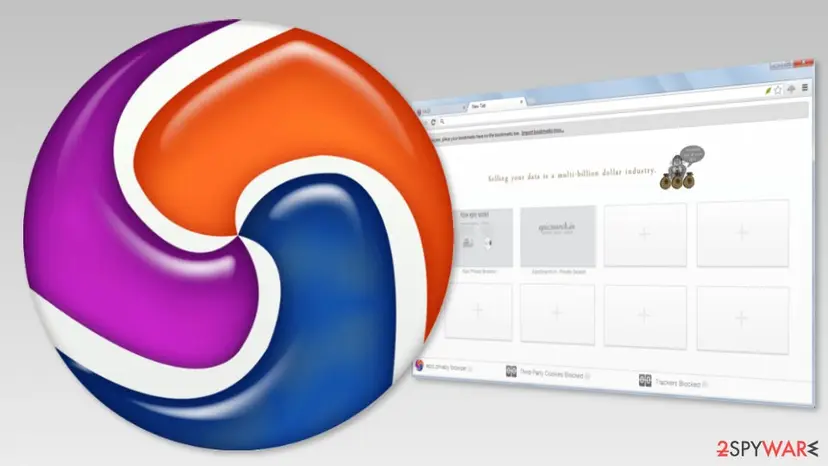
Epic Privacy Browser by Hidden Reflex is based on the Chromium open source project – just like Google Chrome. However, the main difference is that Epic disabled and removed all Google services. Therefore, the search giant cannot track users' steps (unless you log in to Gmail and continue browsing the web).
The main reason to include Epic to the most secure browser list is that the browser operates in private browsing mode only and has Do Not Track feature enabled by default. After each browsing session, cookies, trackers, and search-related data are deleted. Additionally, the browser allows turning on the encrypted proxy that can protect you from revealing the IP address and other information from anyone online.
If it's possible, Epic uses SSL connections, protects public Wi-Fi connections, and includes built-in ad-blocker. Additionally, the program does not collect any information about users. The only information they are interested in is IP address "in order to get search results that are geographically relevant."[18]
However, one of the main disadvantages is that this browser does not allow you to install add-ons. The company claims that extensions are one of the most dangerous components that put users' privacy at risk. Therefore, they support only a few add-ons that can be trusted. It has also been reported for website loading time or skipping standard search modifiers.
Comodo Dragon Internet Browser is similar to Chrome, but Windows users can feel safer
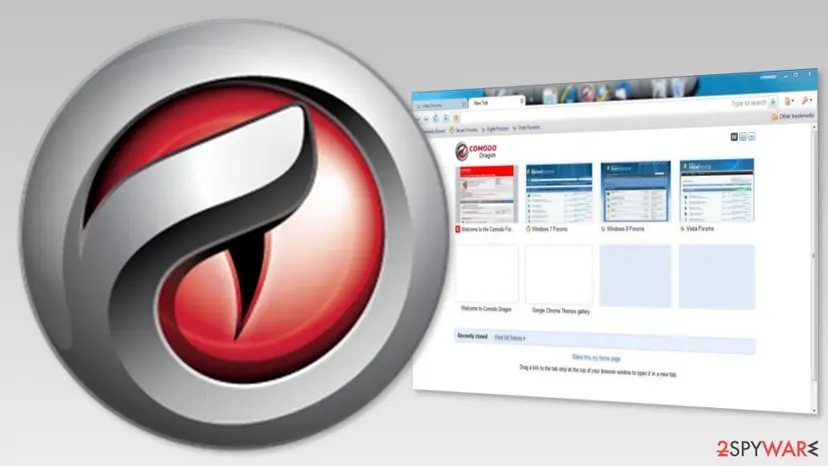
Just like the Epic Privacy Browser, Comodo Dragon is based on the Chromium project. The browser includes all Chrome's features but provides better security and privacy when browsing the web. So, if you are not a huge fan of Chrome and prefer Mozilla instead, you can choose Comodo Ice Dragon version as your most secure browser.
The main advantage of the browser are:
- Domain Validation technology that identifies secure SSL certificates;
- Blocks cookies and other tracking technologies;
- Stops Browser download tracking.
Additionally, the browser supports plug-ins and add-ons that make it more user-friendly and convenient to use. However, the browser has one major disadvantage. It is only compatible with old versions of Windows OS, including Windows 8, 7, Vista, and XP.
Tor browser offers anonymity
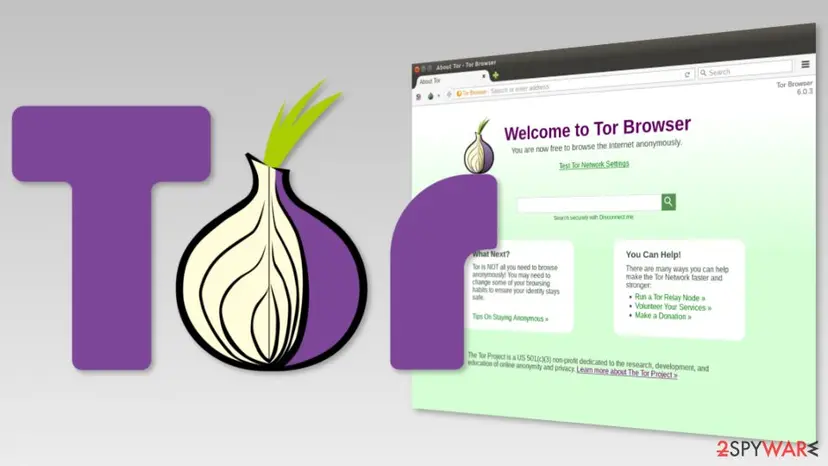
Tor web browser has been notoriously used by hackers. However, it does not mean that there's something shady or dangerous about it. It's the safest search engine that is currently available for free, so we have to present it as one of the most secure browsers.
The whole Tor project is managed by volunteers and is dedicated to letting netizens browsing the web anonymously. The program hides IP address, location, browsing-related information, and uses multiple layers of encryption to prevent anyone from seeing your online activities. However, it is not a VPN service.
The browser is based on Firefox. It uses HTTPS connection, allows accessing locked websites, and even visiting the dark web. However, we do not recommend taking advantage of this feature, as the dark web is filled with insecure, illegal, and even disturbing content.
However, Tor disadvantages include sluggish performance, inconvenient, and slightly complicated usability. Additionally, the browser falls flat when it comes to streaming or torrenting activities, which can even disclose your original IP address.[19] While the ISP and government cannot see what you are doing on Tor, these entities do know that you are using it, and it can arouse some unwanted suspicions and undesired attention, even if the browser is used to visit legitimate websites.
The verdict: choosing the most secure browser 2024
"The most secure browser" review reveals the main fact – none of the aforementioned browsers is perfect. While some of these search tools offer maximum safety from malware, others ensure the best privacy settings and can easily help you become anonymous online. However, they may not be very user-friendly and convenient.
In our opinion, the top 5 most secure browsers of 2024 are:
- Microsoft Edge
- Mozilla Firefox
- Safari
- Google Chrome
- Tor
Firefox wins the race of the most secure browser of 2024 with a distinct focus on users' privacy as multiple updates were released to improve it in the past year. However, you should always choose the browser based on your preferences – think about how much personal information you are willing to reveal to developers, Google or third-parties, do you mind seeing personalized ads while browsing, etc. All mentioned browsers can ensure the protection from cybercriminals, although keep in mind that no browser is perfect.
Related guides on 2-Spyware
Frequently asked questions
What is the safest browser in 2026?
The safest browser is the one you keep fully updated, and for most people that means Firefox, Edge, Chrome or Safari. We rate Firefox first for privacy by default, because it still supports full ad blockers. For anonymity, Tor Browser is the stronger choice, though it is slower.
Which browser is safest for Windows 10?
An updated Edge, Firefox or Chrome is the safest browser for Windows 10, but the system itself is the weak point. Microsoft ended Windows 10 support on October 14, 2025.{20} It said Edge keeps updating there until at least October 2028.{23} Upgrade the system when you can.
Is Chrome a secure browser?
Yes, Chrome is a secure browser if you let it update and restart. Google patches quickly, but in 2026 it still had to fix flaws already used by attackers, such as CVE-2026-5281.{21} Chrome also dropped Manifest V2 extensions, which limits some ad blockers.{22}
Is Firefox safer than Chrome?
Firefox is safer for privacy, while both are similar on core security when updated. Firefox blocks many trackers by default and still allows full blocking extensions. Chrome removed the last Manifest V2 option in Chrome 150.{22} For daily safety, update speed matters more than the choice between them.
Is Tor the most secure browser?
Tor Browser is the most private browser, but not the best daily choice for most people. It hides your IP address through several encrypted relays. It is slow, breaks some sites, and your provider can still see that you use Tor. Use it when anonymity matters.
Are Edge, Brave and Opera as safe as Chrome?
They are about as safe, because they use the same Chromium engine. A Chrome zero-day such as CVE-2026-5281 also affects other Chromium browsers, which must ship their own patch.{21} Check that your browser installed its fix, not only that Chrome did.
Sources
- Security Magazine. Security industry news
- TheNewStack. The content about services and infrastructures
- Technology Review. Massachusetts Institute magazine
- Reuters. International news organization
- Statista. The statistics portal
- Silicon Angle. Digital media platform
- Morbo. Garf's blog
- Mozilla. MDN Web Docs
- Mozilla. Official website
- Opera blogs. The official blog
- Opera Software. Operator products and solutions
- A community where more than 31 million* people learn, share, and work together to build software
- The Register. Biting the hand that feeds IT
- Naked Security. Computer security news, opinion, advice and research
- CVE Details. The Ultimate Vulnerability Database
- ZDNet. Technology News, Analysis, Comments
- MacRumors. News about Mac devices
- Epic Browser. The official website (no longer online)
- vpnMentor. CPN reviews, tips and tutorials
- Microsoft
- Help Net Security
- The Next Web (no longer online)
- Yahoo Tech
Log in to comment
No comments yet. Be the first.