
PayPal Selfie and Photo ID Phishing: 2026 Warning
- PayPal selfie phishing in 2026: the short answer
- Timeline: selfie theft from Android trojans to phishing pages
- What changed since 2017
- How the selfie scam works and where it goes next (our analysis)
- What to do if you sent a selfie or card details
- What is still unknown
- Our original 2017 report
- The phishing website is reportedly compromised by a member of Syrian Electronic Army
- Same strategy used by Acecard Android banking Trojan
- Related guides on 2-Spyware
PayPal selfie phishing in 2026: the short answer
If an email or a web page asks you to send PayPal a selfie holding your ID card and your payment card, treat it as phishing. That was the trick in the 2017 campaign described below, and the same idea still turns up in identity theft scams.[1]
PayPal does confirm identities for regulatory reasons. It says it first tries national databases, and only if that fails asks you to upload documents to your PayPal account.[7] So a real request lives inside your account after you log in yourself, not behind a link in an email. PayPal advises logging in directly to check any message, and it takes reports of fake emails at phishing@paypal.com.[5][6]
| Question | Real PayPal check | Selfie phishing |
|---|---|---|
| Where it starts | Inside your account after you log in[7] | A link in an email about a suspended account[1] |
| Why | Regulatory identity confirmation[7] | To steal card data and identity documents[1] |
| What it asks | Personal details, documents if databases fail[7] | Full card details plus a selfie with ID and card[1] |
| Tone | Explains which features you may lose[7] | Urgency and threats of suspension[5] |
| Where to report | Not needed | phishing@paypal.com[6] |
Timeline: selfie theft from Android trojans to phishing pages
| Date | Event |
|---|---|
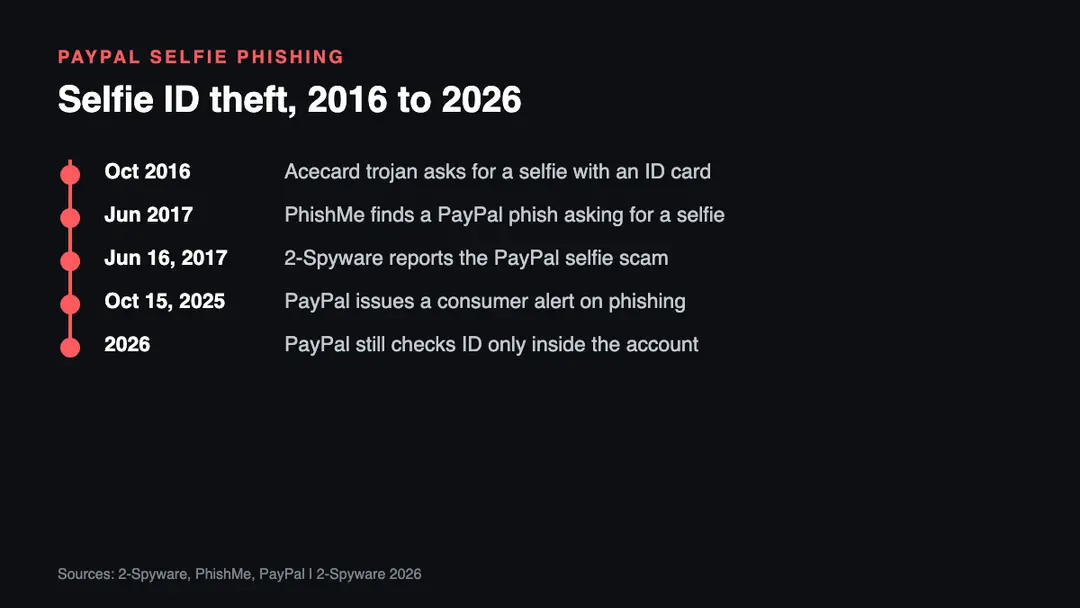
| October 2016 | The Acecard Android banking trojan asks victims for photos of their ID and a selfie holding it[4] |
| June 2017 | PhishMe reports a PayPal phishing page that asks for a selfie with ID and card[1] |
| June 16, 2017 | 2-Spyware publishes the original report below |
| October 15, 2025 | PayPal publishes a consumer alert about socially engineered phishing scams[8] |
| 2026 | PayPal help pages describe document uploads only inside the PayPal account[7] |
What changed since 2017
The scam idea aged well for criminals. In 2017 a selfie with an ID and a card was unusual, and PhishMe noted it as a new step in a PayPal phish.[1] Since then many real services ask for selfies and document photos during sign-up. That makes the fake request look more normal, which helps the scammers.
PayPal's own guidance became more specific. Its help center lists generic greetings, suspicious links, unknown attachments and false urgency as signs of a fake message, and tells users to log in directly to check.[5] It asks people to forward suspicious emails to phishing@paypal.com.[6] In October 2025 PayPal issued a public alert to help consumers spot socially engineered phishing scams.[8]
What the stolen selfie is worth also grew, in our view. A photo of your face, your ID and your card together gives a criminal much of what is needed to pass identity checks elsewhere. That is why this scam is more dangerous than a plain password phish. We found no 2026 report of the exact 2017 campaign, so treat the details below as patterns, not one active wave.
How the selfie scam works and where it goes next (our analysis)
Based on the 2017 case and current PayPal guidance, these are the steps and risks we see. This list is our analysis.
- The hook. An email says your account is limited or suspended and gives a button to restore it.[1][5]
- The fake login. A copy of the PayPal sign-in page collects your email and password.
- The card form. A "verify your account" page asks for name, address and full card details, including the security code.[1]
- The selfie. A last page asks for a photo of you holding your ID and your card, with "correct" and "wrong" examples to look official.[1]
- The exit. You are sent on to the real PayPal site, so nothing looks wrong.[1]
- The damage. Card fraud, new accounts opened in your name, and messages to your contacts. Your email address may also end up in leak lists, which you can check with our leak check.
What to do if you sent a selfie or card details
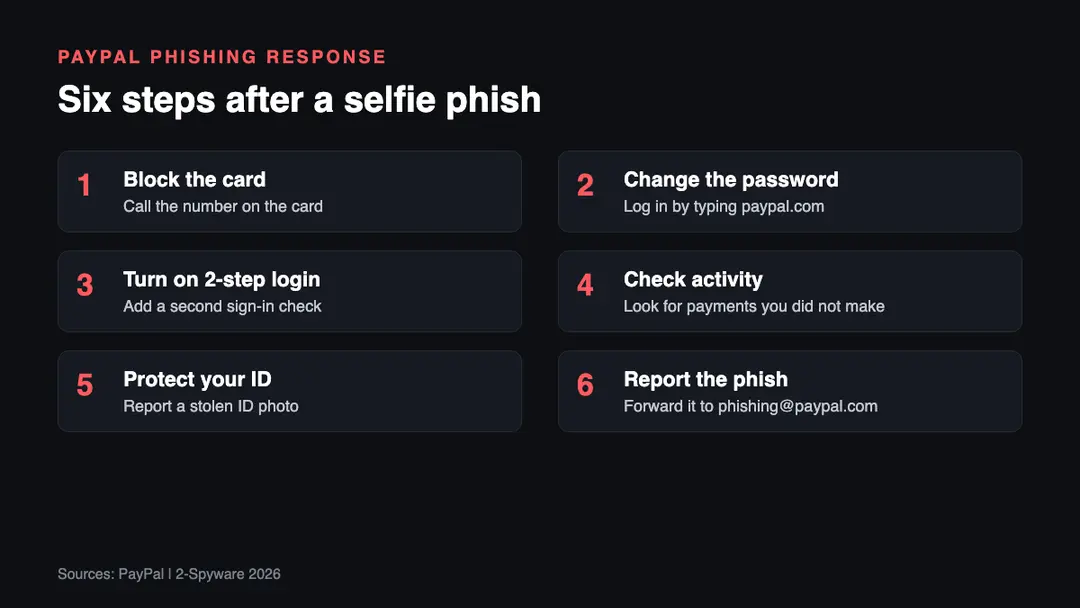
1. Block the card. Call your bank on the number printed on the card and ask for a new card. The scam collects the full card number and security code, so the old card is no longer safe.[1]
2. Change the password. Log in by typing the PayPal address yourself, as PayPal advises, and change your password.[5] Change it anywhere else you used the same one.
3. Turn on 2-step login. Add a second sign-in check to your PayPal and email accounts, so a stolen password alone is not enough.
4. Check activity. Review recent PayPal and card activity and report any payment you did not make.
5. Protect your ID. A photo of your identity document is the most lasting loss. Tell the authority that issued it, and consider a fraud alert or credit freeze where your country offers one.
6. Report the phish. Forward the email to phishing@paypal.com.[6] Our guide on how to report phishing lists other places to report it.
What is still unknown
- Who ran the 2017 campaign. Our original report names a nickname and an email address, but we found no arrest or charge.
- How many people sent a selfie. PhishMe did not publish a number.[1]
- Whether the selfies were used to open crypto accounts, as suspected in 2017. We found no confirmed case in the sources we read.
Our original 2017 report
The text below is our report as first published in 2017. We keep it unchanged for the record; the sections above bring it up to date.
PayPal users were always the primary targets for cybercriminals. Recently, experts from Phish.me spotted[1] yet another phishing scam campaign that aims at inexperienced PayPal users. This time scammers decided to use a new technique – they ask victims to provide a selfie of themselves holding both identity and credit cards. Such audacious demand comes right after the victim types in required personal information into a phishing website accessed via a deceptive URL provided in fraudulent emails.
Firstly, scammers spam victims with phishing emails[2] stating that user's account was temporarily suspended. According to the letter, the user has to recover the account by following the link provided in the message. After clicking the "Let's get going" button, the victim visits a phishing website that is believed to be hacked a while ago.
The phishing website is reportedly compromised by a member of Syrian Electronic Army
The scammer who compromised the site uses Mr.Dr3awe nickname and is suspected to be a member of the Syrian Electronic Army[3]. The group of hackers is known to be using spamming, malware, phishing, DDoS attacks, website defacement and other illegal techniques and tools to attack their targets.
The scam site then suggests logging into a PayPal account. Then victims are taken to "Verify your account" page that suggests updating billing address as well as card information. The phishing page requires users:
- Legal full name;
- Address;
- Cardholder's name;
- Card number;
- Expiration date;
- CSC.
After entering all of those details, the victim has to click Agree & Proceed which takes him or her to a page that asks to take a selfie of oneself holding credit card and identicy card. There are even correct and incorrect example of the photo provided. It is believed that scammers need such photo to launch cryptocurrency accounts and use them to launder money stolen from victims.
Once the victim provides all of the information to scammers, the phishing site automatically redirects him/her to official PayPal site, making the victim believe that the account was successfully recovered.
In the meantime, all collected data gets transferred to the victim via email. Apparently, the criminal uses oxigene.007@yandex.com email address that is connected to a Skype account of someone named Najat Zou who claims to be from Mansac, France.
Same strategy used by Acecard Android banking Trojan
The strategy of asking the user to provide a selfie to "verify the identity" has been used in October 2016 by an Android banking Trojan dubbed Acecard[4] The malicious virus acts silently and monitors what apps the user launches. It specifically looks for apps that allow making online payments. Once the victim attempts open one of them, the Trojan displays a deceptive overlay that demands credit card information and three pictures: one of victim's identity document's front side, then the back side, and finally a photo of the victim himself holding the ID card.
Scammers can use collected data to steal victim's identity, empty one's bank accounts, log into social media networks and scam one's friends. Therefore, we suggest you double check sender's email address whenever you receive a letter from someone who asks for your private information. Remember that a few logos of legitimate companies is not a sign of trustworthiness and you shouldn't click on links or attachments included in such emails.
Related guides on 2-Spyware
Frequently asked questions
Does PayPal ask for a photo ID?
Sometimes, but only inside your account. PayPal says it must confirm customers' identity for regulatory reasons, first tries national databases, and if that fails asks you to upload documents to your PayPal account.{7} It does not need a selfie sent through a link in an email. Log in by typing the address yourself to check any request.{5}
Is a PayPal request for a selfie with my ID and card a scam?
Yes, treat it as a scam. The 2017 PayPal phishing campaign asked victims for exactly this, a photo of themselves holding an identity card and a payment card.{1} Such a photo, together with card details, lets criminals commit fraud and pass identity checks in your name. Report the message to phishing@paypal.com.{6}
How do I spot a fake PayPal email?
Look for a generic greeting, suspicious links, unexpected attachments and false urgency, which PayPal lists as warning signs.{5} Do not click buttons in the message. Instead, open a new browser tab, type the PayPal address yourself and log in to see whether any notice is really waiting for you.
What is an identicy card?
It is a misspelling of identity card. Our original 2017 report used the typo when describing the scam page, which asked victims for a selfie holding their credit card and identity card.{1} There is no special document called an identicy card, and PayPal does not ask for one.
Where do I report PayPal phishing?
Forward the suspicious email to phishing@paypal.com, as PayPal asks on its reporting page.{6} Then delete it. If you already entered data, change your PayPal password, call your bank about the card, and see our guide on how to report phishing for more places to report.
Can PayPal steal money through a fake verification page?
PayPal itself does not, but criminals using a fake page can. Once they have your login, full card details and an ID photo, they can make purchases or open accounts in your name.{1} Block the card, change your password and check your PayPal activity as soon as you notice.
Sources
- PhishMe. Covers Topics Ranging from Spear Phishing and Risk Management to Security Management and Mobile Security Topics (no longer online)
- PayPal. Customer Support
- Wikipedia. The Free Encyclopedia
- 2-Spyware. Fighting against Spyware
- PayPal Help Center
- PayPal
- PayPal Help Center
- PayPal Newsroom
Log in to comment
No comments yet. Be the first.