

Nelocker virus appears to be ransomware written in JavaScript
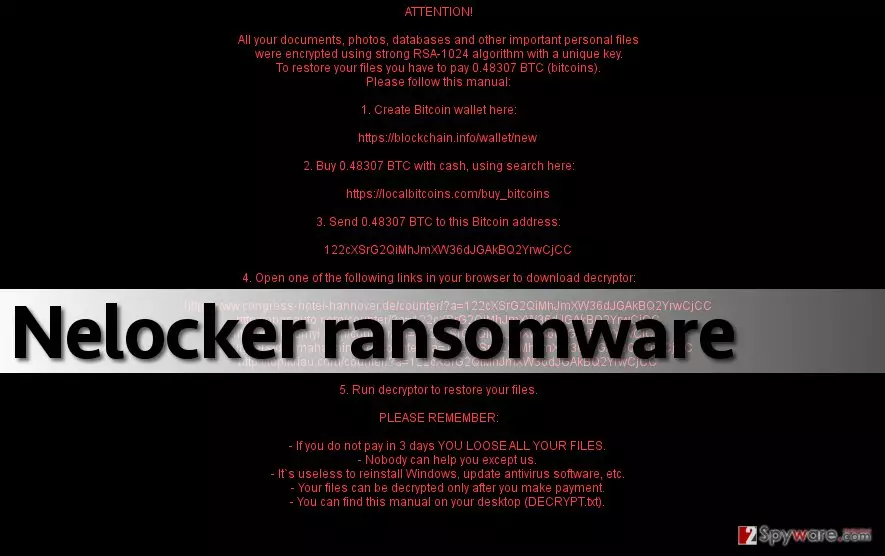
Nelocker virus is a noxious software example that is used to encrypt files on a target computer and demand a ransom payment. This virus is developed by the same criminal who has been working on Kovter and Miuref Trojan distribution. Lately, the criminal started delivering malware via email spam, which typically carries Label_[random numbers].zip attachment. If the victim opens this .ZIP file and double-clicks on an identically named .js file, Nemucod Trojan gets installed, and it compromises the system by launching two executable files. Now the criminal has improved Nemucod Trojan and uses 7ZIP and PHP command line utilities to encrypt victim’s data. After encrypting victim’s files, Nelocker ransomware creates a text file that explains what happened to the personal data.
ATTENTION!
All your documents, photos, databases and other important personal files were encrypted using strong RSA-1024 algorithm with a unique key.
To restore your files you have to pay 0.48307 BTC (bitcoins).
The virus employs a legitimate program 7ZIP to encrypt files on victim’s computer drives. It targets a wide range of file types, uses a randomly generated password and AES-256 encryption to corrupt data, and then sends the password to a C&C server (the same one that malware was downloaded from). Moreover, malware researchers have discovered that the Trojan downloads a PHP file and a legal PHP command line tool. In this case, Nelocker malware employs PHP command line tool to run an obscure PHP file. This file scans drivers and encrypts target files with XOR cipher. However, no matter how confusing this explanation sounds, we have some good news for you. There is a tool that can decrypt files encrypted by Nelocker ransomware. You should firstly scan the system with a tool like FortectIntego or SpyHunterCombo Cleaner and remove Nelocker virus and related malware for good. After successful Nelocker removal, start the decryption procedure.
Dissemination of this virus
Computer users should stay away from malicious emails that the author of this malware spreads via email spam. Below, you can see some examples of email attachments that the perpetrators distribute.
- 000534364.zip
- FedEx_ID_00000435461.zip
- 00000875525.doc.js
- Label_00684596.doc.js
- FedEx_ID_00000432471.doc.js
If you receive an electronic letter from unknown individual – do not open it. As you can see, examples above show that criminals tend to hide the original .js file extension by adding a safe-looking file extension to the filename (for instance, .doc). Do not be deceived! Besides, such dangerous malware is actively distributed via exploit kits, so stay away from questionable websites, avoid clicking on ads in gambling and adult-content sites, and never explore content of emails that your email provider filters as “Spam.” Your computer system should always be guarded by an up-to-date anti-malware software, too. Creating backups is always a good idea, so create them and keep them in safe place so that you could use them in case ransomware manages to enter your computer system.
Nelocker removal tips
You can remove Nelocker virus along with Nemucod Trojan and related malware using anti-malware tools. If your computer has been infected with such type of malware, you should clean the system immediately. It is very dangerous malware that can spy on you and collect sensitive data, add additional malware and destroy your personal files, so please do not try to delete this virus manually. This way, you will do more harm than good. Start Nelocker removal procedure by restarting your computer and loading it in a Safe Mode with Networking.
Did this guide help?
4 comments
Kostner
This one seems sophisticated...
Hailie
Its so scary. You can use an infected computer and not even know that its infected. I feel that malware industry evolves too fast...
Lucy
I know right? Even with anti-malware software I dont feel safe. Im afraid to click on certain links, watch videos, but i guess im just being paranoid. or maybe not. No idea
Razorblades
I think my computer might be infected with this...