
XP AntiMalware: what it is and how to remove it
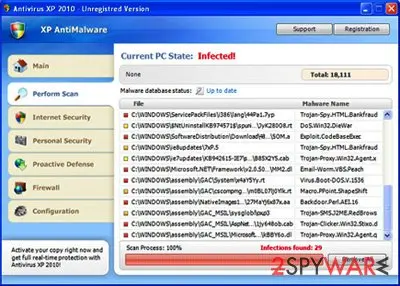
XP AntiMalware is a rogue anti-malware program that is promoted through the use of Trojans, browser hijackers, and other similar malware. When your computer is infected with this bogus software, you will see many fake security alerts and notifications stating that your computer is infected.
Facts checked October 7, 2026. Removal steps tested on Windows 11 (26H2) and checked against Microsoft's and the browser makers' current documentation. Sections marked as our earlier report are the original text: they describe the threat as it was then and have not been reviewed since. The 2026 status, the removal steps and the questions are current.
Automatic
Get a free scan and check if your PC is infected.
Fortect finds malware, unwanted programs and the Windows damage they leave behind, and repairs it in one pass.
An automatic scan can look at HKEY_CURRENT_USERSoftwareClasses.exe and the other programs installed around the same time.
Do it yourself · free Remove XP AntiMalware yourself 5 steps, about 15 minutes, no software needed.
Start the steps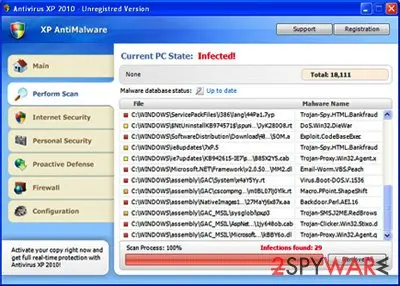
XP AntiMalware: summary
| Name | XP AntiMalware |
|---|---|
| Type | Malware, rogue antispyware |
| Infiltration | Fake scanners, spam emails, Trojan downloaders, etc. |
| Operation | Shows fake virus infection notifications and interferes with normal Windows functions; asks to buy a full license in order to get rid of the allegedly installed malware |
| Detection names | No Microsoft detection name is known |
| Distribution | Not recorded in the old report |
| Removal | Scan the PC with security software to find and remove the malware and anything installed with it. Fortect scans Windows for malware and repairs the system files and settings it damaged. Remove it nowTo use the full-featured product, you have to purchase a license for Fortect. The scan is free. |
Show 6 more facts
| Damage | Not recorded in the old report |
|---|---|
| Symptoms | An unknown process in Task Manager |
| Files and processes | HKEY_CURRENT_USERSoftwareClasses.exe |
| Evidence | One write-up by a security site; details still limited |
| First seen | 26 April 2021 |
| Facts checked | 7 October 2026 |
Is XP AntiMalware a real security program?
- File:
HKEY_CURRENT_USERSoftwareClasses.exe
From our report of Apr 2021 · not reviewed since
More from our earlier report on XP AntiMalware
- Rogue antispyware can alter Windows system files and damage its functions; to fix virus damage automatically, use
How to remove XP AntiMalware
Nothing it reports is real.
These steps remove it and undo a payment if you made one.
Step 1: Do not pay, and undo a payment if you made one
XP AntiMalware reports problems to sell a licence: the "threats" or "errors" it lists are invented or harmless leftovers. If you already paid, ask your card issuer to dispute the charge and cancel the subscription both in the seller's account and through your bank.
If you called a phone number it showed and let someone connect, treat the PC as remotely accessed and remove the remote tool. Uninstalling it from Windows 11 or Windows 10 does not cancel a subscription by itself.
Full procedure with screenshots: What to do after paying a scammer
Step 2: Uninstall programs you did not mean to install
Open Settings > Apps > Installed apps in Windows 11, or Settings > Apps > Apps & features in Windows 10, and sort the list by install date. Look at what appeared around the day the problem started and uninstall every program you do not recognise or did not choose.
Free converters, PDF and video tools, "system optimizers" and unknown browsers are the usual carriers of XP AntiMalware. If a name is unclear, search for it before you remove it, so you do not uninstall a driver or a Windows component.
Full procedure with screenshots: Uninstall a program or app in Windows On uGetFix
Step 3: Remove it from startup
Whatever XP AntiMalware installed usually starts with Windows. Open Task Manager with Ctrl + Shift + Esc, go to Startup apps in Windows 11 or the Startup tab in Windows 10, and disable what you do not know, starting with entries that have an empty Publisher column.
Open file location on the right-click menu shows the file, which helps you decide and tells you what to delete later. Disabling is safe: if something you need stops working, switch it back on.
Full procedure with screenshots: Stop apps from opening at startup On uGetFix
Step 4: Delete the folders left behind
What the uninstaller leaves behind is usually in the user folders. Open File Explorer, switch on View > Show > Hidden items (in Windows 10 View > Hidden items), and go through
%LocalAppData%,%AppData%, %ProgramData% and the two Program Files folders.Sort by Date modified and delete folders that appeared together with the problem and belong to no program you use. Folders with random names that hold
.exe,.dll, .js or .ps1 files are the strongest sign.Full procedure with screenshots: Remove what malware leaves behind in Windows
Step 5: Scan the PC, then run the offline scan
Open Windows Security > Virus & threat protection > Scan options, run a Full scan and remove everything it finds. Then select Microsoft Defender Antivirus (offline scan) and click Scan now: the PC restarts and scans before Windows loads, which finds files that hide while Windows runs.
Save your work first, because the offline scan takes about 15 minutes. Both scans are built into Windows 11 and Windows 10, and a second scanner from another vendor is a useful extra opinion.

Windows 11: Windows Security > Virus & threat protection > Scan options. Full procedure with screenshots: Run a Microsoft Defender Offline scan
Choose a proper web browser and improve your safety with a VPN tool
Online spying has got momentum in recent years and people are getting more and more interested in how to protect their privacy online.
One of the basic means to add a layer of security - choose the most private and secure web browser. Although web browsers can't grant full privacy protection and security, some of them are much better at sandboxing, HTTPS upgrading, active content blocking, tracking blocking, phishing protection, and similar privacy-oriented features.
However, if you want true anonymity, we suggest you employ a powerful VPN - it can encrypt all the traffic that comes and goes out of your computer, preventing tracking completely.
Lost your files? Use data recovery software
While some files located on any computer are replaceable or useless, others can be extremely valuable.
Family photos, work documents, school projects - these are types of files that we don't want to lose. Unfortunately, there are many ways how unexpected data loss can occur:
- power cuts
- Blue Screen of Death errors
- hardware failures
- crypto-malware attack
- even accidental deletion
To ensure that all the files remain intact, you should prepare regular data backups. You can choose cloud-based or physical copies you could restore from later in case of a disaster. If your backups were lost as well or you never bothered to prepare any, can be your only hope to retrieve your invaluable files.
From our report of Apr 2021 · not reviewed since
XP AntiMalware is a fake security app you should delete
XP AntiMalware is a rogue anti-malware program that is promoted through the use of Trojans, browser hijackers, and other similar malware.
When your computer is infected with this bogus software, you will see many fake security alerts and notifications stating that your computer is infected.
Do not believe the scan results of this application and never purchase the license for it, as you might end up not only losing your money but also providing your credit card details to cybercriminals. If you have spotted it running scans on your Windows computer, delete it immediately.
The scan results are false, and you can safely ignore them. The same could be said about fake system security alerts - you should ignore them too.
To make things even worse, this rogue will hijack Internet Explorer so that you will be constantly redirected to various misleading websites that promote malicious software or display misleading online ads. The rogue application will also block security-related websites and antivirus software to protect itself from being deleted.
As you can see, the program is nothing more but a scam. Please use the removal guide below to remove XP AntiMalware from your PC as soon as possible.
From our report of Apr 2021 · not reviewed since
XP AntiMalware removal instructions
Windows Registry Editor Version 5.00 [-HKEY_CURRENT_USERSoftwareClasses.exe] [-HKEY_CURRENT_USERSoftwareClassessecfile] [-HKEY_CLASSES_ROOTsecfile] [-HKEY_CLASSES_ROOT.exeshellopencommand] @=""%1" %*" [HKEY_CLASSES_ROOT.exe] @="exefile" "Content Type"="application/x-msdownload"
- Click Start->Run (or WinKey+R). Input: "command".
- Press Enter or click OK.
- Type "notepad" as shown in the image below and press Enter.
- Notepad will open
- Copy and past the following text into Notepad:
- Save file as "exefix.reg" (without quotation-marks) to your Desktop. NOTE: choose Save as type: All files
- Double-click to open exefix.reg.
- Click "Yes" for Registry Editor prompt window.
- Download or an automatic removal tool below. Update the app and run a full system scan.
Questions about XP AntiMalware
What is HKEY_CURRENT_USERSoftwareClasses.exe and why is it running?
Every process is started by something:
- a program you installed
- a Windows service
- a scheduled task
- a startup entry
To learn why HKEY_CURRENT_USERSoftwareClasses.exe runs, find its file with Open file location in Task Manager, then look for an entry pointing to that file in Settings > Apps > Startup and in Task Scheduler.
Sort Installed apps by date to see what arrived when the process first appeared. Once you know the owner, you can decide whether to keep it, switch it off at startup or uninstall it completely.
HKEY_CURRENT_USERSoftwareClasses.exe keeps coming back. What should I do?
A process that returns after you end it has a restart mechanism, and that is a reason to treat HKEY_CURRENT_USERSoftwareClasses.exe as unwanted. Check Settings > Apps > Startup, Task Scheduler and the Services list for entries pointing to its folder, and disable them.
Look in Installed apps for anything added the same day and uninstall it. Then delete the folder and run a Microsoft Defender Offline scan, which works before Windows starts and can remove files that are locked or hidden while the system is running.
Did XP AntiMalware steal my information?
Not by itself, as far as reports show. Programs that display an unfamiliar process called HKEY_CURRENT_USERSoftwareClasses.exe in Task Manager are built to scare people into paying or calling; they rarely take data on their own.
The risk comes from what you did in response: typing card details into the program, or letting a caller connect to your PC. If you did neither, uninstalling the program is enough. If you did either, treat that information as exposed:
- block the card
- change passwords from another device
- remove any remote-access tool that was installed
I let a technician connect to my PC because of XP AntiMalware. Is it safe now?
Not until you check. While connected, the caller could install other programs, create a user account or look at saved passwords. Disconnect from the internet, uninstall the remote access program and anything else installed during the call, and run a full scan and the Microsoft Defender offline scan.
From another device, change your e-mail and banking passwords and turn on two-step verification. If the caller opened your online banking, call the bank today. A reset of Windows is the safest option if you cannot tell what was done.
Do I need to buy antivirus after removing XP AntiMalware?
No. Windows 11 and Windows 10 include Microsoft Defender in Windows Security, which provides real-time protection, scheduled scans, the offline scan and protection against unwanted apps at no cost. Keep it switched on and updated, and turn on Reputation-based protection under App & browser control.
If you prefer a third-party product, buy it from the vendor's own site after reading independent test results, never from a pop-up or a phone call. The lesson of XP AntiMalware is that security offers which arrive unasked are the ones to avoid.
Should I reset my PC because of XP AntiMalware?
Only if the signs point to deeper access. Reset when you see an unfamiliar process called HKEY_CURRENT_USERSoftwareClasses.exe in Task Manager again after removal, when Windows Security cannot start or update, when remote access tools you did not install keep appearing, or when you simply cannot trust the PC any more.
Otherwise, the plan in this guide plus an offline scan is enough. If you do reset, choose Remove everything and Cloud download for a fresh copy of Windows, restore only documents and photos, and reinstall programs from their official sites. Change important passwords from the clean system afterwards.
How do I know XP AntiMalware is fake?
Three things give it away. It appears as an unfamiliar process called HKEY_CURRENT_USERSoftwareClasses.exe in Task Manager, a window from a program rather than from Windows Security. It pushes you to act quickly by calling, paying or downloading.
And the threats it reports never show up when you run a scan in the real Windows Security app. Microsoft does not put phone numbers in warnings or charge for removing threats through pop-ups. Close the window, do not call, and follow the steps to find and uninstall the program behind it.
What should I do if I already clicked or replied to XP AntiMalware?
Stop all contact, do not click anything else and secure your accounts right away. If you typed a password, change it at once from a clean device, then turn on two-factor authentication.
If you gave card or bank details, call the bank on the number printed on your card and ask to block or replace it. If you installed something or allowed remote access, disconnect from the internet and follow the removal plan. Keep screenshots and the message, because they help when you report it.
Will Fortect remove XP AntiMalware?
Fortect scans Windows for malware and unwanted programs and repairs the system files and settings they change, and its free scan shows what it finds on your PC before you decide anything.
For XP AntiMalware, follow the plan above as well: the browser steps take back permissions and settings that no scanner treats as a threat, and uninstalling the program that brought it removes the source.
Run Microsoft Defender's full scan and, if anything was found, its offline scan as a second opinion. If the symptoms are gone after the plan and both scans are clean, there is nothing more to do.
Sources
- FTC: How to recognize, remove and avoid malware (read October 7, 2026)
- Microsoft Learn: Microsoft Defender Offline (read October 7, 2026)
- Microsoft Learn: How Microsoft names malware (read October 7, 2026)