
Nahwhyme.live e-mail scam: how to spot it and what to do
Nahwhyme.live is an untrustworthy website that employs deceptive tactics to trick users. While browsing the internet, users may encounter this site either by inadvertently clicking a link or due to adware installed on their systems.
Facts checked October 7, 2026. Removal steps tested on Windows 11 (26H2) and checked against Microsoft's and the browser makers' current documentation. Sections marked as our earlier report are the original text: they describe the threat as it was then and have not been reviewed since. The 2026 status, the removal steps and the questions are current.
Automatic
Get a free scan and check if your PC is infected.
Fortect finds malware, unwanted programs and the Windows damage they leave behind, and repairs it in one pass.
Do it yourself · free Remove Nahwhyme.live e-mail scam yourself 4 steps, about 12 minutes, no software needed.
Start the steps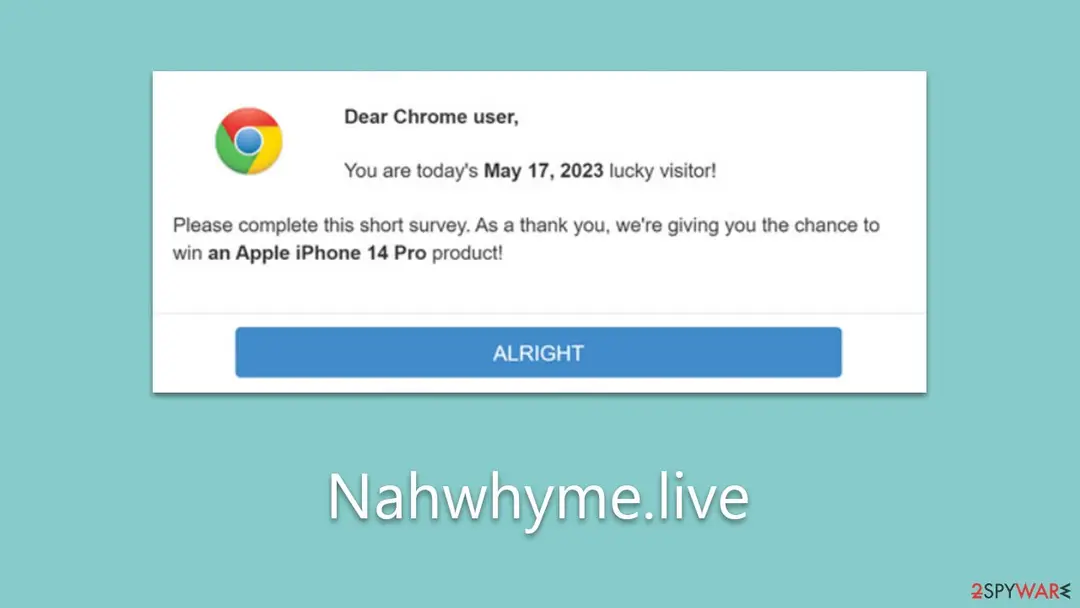
Nahwhyme.live e-mail scam: summary
| Distribution | Adware, redirects from other websites, malicious links |
|---|---|
| Name | Nahwhyme.live |
| Type | Scam, phishing, adware |
| Operation | Claims that the user has been selected for a free gift; those who proceed to reclaim the alleged gift are asked to provide personal details |
| Dangers | Make people provide personal information, subscribe to useless services, download malicious software, or subscribe to push notifications |
| Symptoms | A phishing e-mail asking you to sign in |
| Removal | Scan the PC with security software to find and remove the malware and anything installed with it. Fortect scans Windows for malware and repairs the system files and settings it damaged. Remove it nowTo use the full-featured product, you have to purchase a license for Fortect. The scan is free. |
Show 7 more facts
| Evidence | One write-up by a security site; details still limited |
|---|---|
| Arrives as | |
| Pretends to be | Amazon |
| Claim | Your account needs urgent attention |
| Asks for | Your password |
| First seen | 17 May 2023 |
| Facts checked | 7 October 2026 |
Is Nahwhyme.live e-mail scam dangerous? What the senders want
From our report of May 2023 · not reviewed since
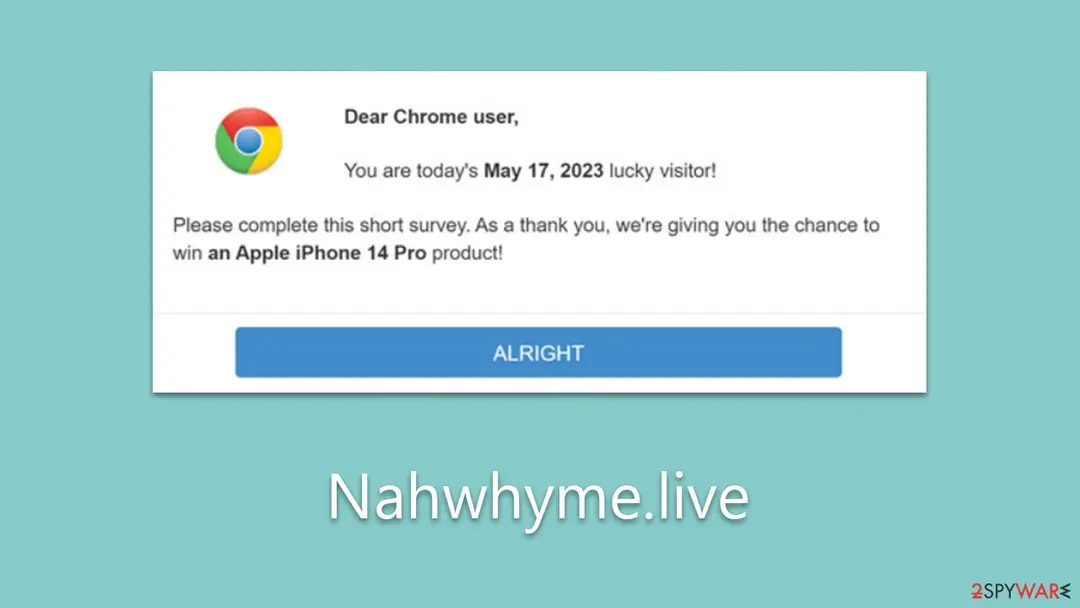
Nahwhyme.live is a scam website that attempts to trick you with attractive gifts
Nahwhyme.live is an untrustworthy website that employs deceptive tactics to trick users.
While browsing the internet, users may encounter this site either by inadvertently clicking a link or due to adware installed on their systems. This scam site primarily exhibits counterfeit surveys and lures users with the promise of winning valuable gifts from acclaimed companies like Google or Amazon.
Nahwhyme.live often asserts that users have been arbitrarily selected to receive high-ticket items such as an iPhone, PlayStation, or TV. This pretense can bewitch some individuals, making them believe they've stumbled upon a stroke of luck.
However, the site's true objective is more nefarious: to dupe users into divulging personal details like home addresses and email addresses, which can later be misused by cybercriminals. In many instances, they even demand payment for these "free" gifts, further exploiting the users.
It is strongly advised to avoid engaging with any content on Nahwhyme.live. Instead, scrutinize your system for potential adware infection, which could be a reason for the redirection to such phishing sites. If you've already provided your personal information, we'll provide guidance on how to mitigate the risks associated with such scams.
From our report of May 2023 · not reviewed since
The broader picture
Nahwhyme.live is a deceptive website that is part of a wider network of online scams.
The operation of this site often takes users by surprise, as they usually find themselves redirected to it inadvertently. This redirection could occur due to multiple reasons, such as clicking on a seemingly harmless link on a different website or due to the presence of malicious adware on their systems.
The latter, in particular, can be especially troublesome as it can constantly lead users to such fraudulent sites without their knowledge or intent.
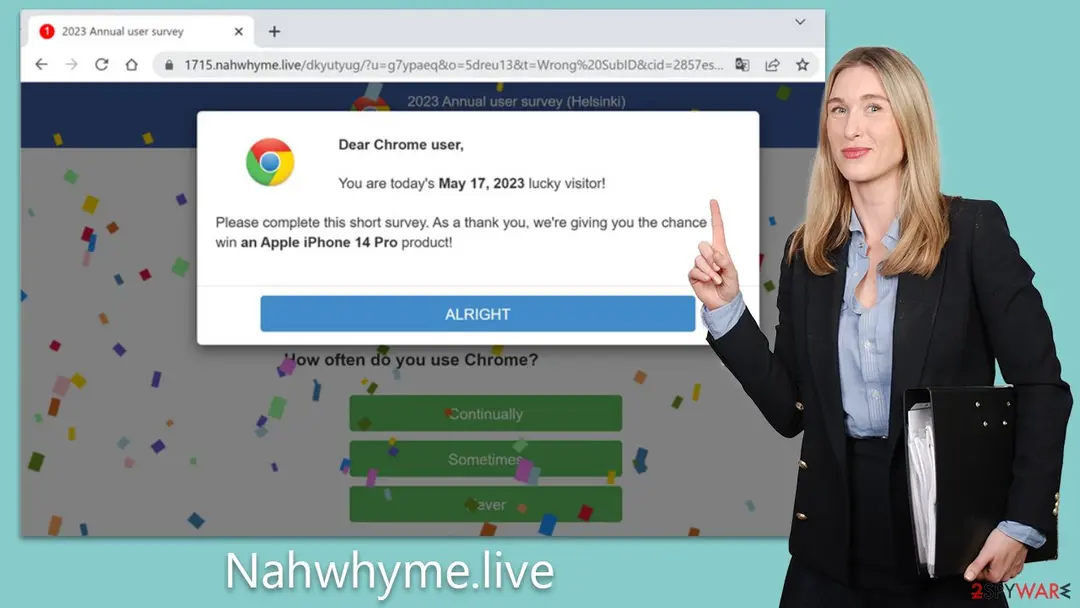
Upon landing on Nahwhyme.live, users are typically greeted with a proposition that seems too good to pass up. They might be asked to participate in a survey or complete a simple questionnaire. The task, on the surface, appears harmless and straightforward, which can easily lower the guard of unsuspecting users.
To sweeten the deal further, the site often tempts users with an offer of the latest iPhone, purportedly for free. The idea of receiving a valuable gift for a small investment of time can entice many into taking the bait.
However, to claim this alleged prize, users are required to provide personal details. These may range from credit card information and contact details to their residential address, under the guise of confirming their place of residence or for shipping purposes.
In other instances, users might be urged to download certain software, claiming it to be necessary for the completion of the process. Unbeknownst to them, this software can often be malicious, designed to compromise their systems.
Compliance with these requests can lead to a myriad of severe consequences. Users may suffer financial losses due to unauthorized charges on their credit cards, or their systems may become infected with malware, leading to further security and privacy breaches.
Moreover, the personal information provided can be exploited for further fraud or sold on the dark web, increasing the risk of identity theft. In essence, Nahwhyme.live employs a series of manipulative tactics to exploit users' trust, leading to potentially severe repercussions.
What to do after the Nahwhyme.live e-mail
If you only received the message and clicked nothing, step 3 is all you need.
If you clicked the link or typed anything on the page it opened, do every step, starting with the password.
Step 1: Change the password you typed on the fake page
If you entered a password after clicking the link in the Nahwhyme.live message, treat that account as known to the sender.
Open the provider's real site by typing its address yourself, not through any link in the e-mail, and change the password there. Choose a new one you have never used before, and change it on every other account that shared the old one.
Then use the option to sign out of all other sessions or devices, if the provider has one. This works the same in any browser on Windows 11 and Windows 10.
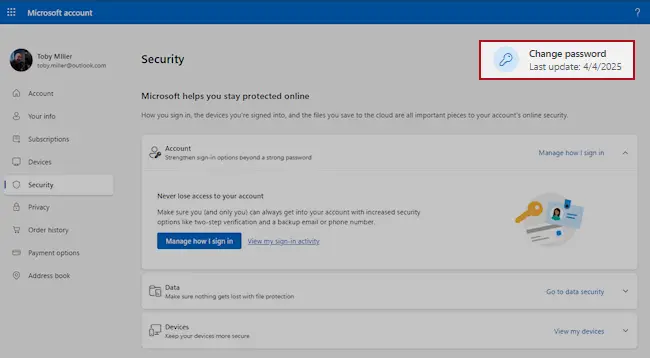
Microsoft account, Security page (account.microsoft.com/security): Change password. Full procedure with screenshots: Turn on two-step verification / secure a hacked account
Step 2: Turn on two-step verification
Two-step verification asks for a code from your phone or an authenticator app whenever someone signs in from a new device. A stolen password alone is then not enough to open the mailbox.
Turn it on in the security settings of the e-mail account first, then for the bank, shop and social accounts that send their reset links to that address.
While you are there, check the recovery e-mail and phone number and the forwarding rules, which attackers sometimes change to keep access. The settings pages look the same on Windows 11 and Windows 10.
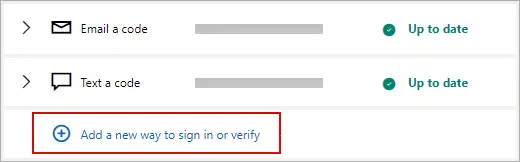
Microsoft account: Manage how I sign in, where two-step verification and the sign-in methods are. Full procedure with screenshots: Turn on two-step verification / secure a hacked account
Step 3: Report the e-mail and delete it
Report the message instead of only deleting it. In Outlook choose Report > Report phishing, in Gmail the three-dot menu > Report phishing; the provider then blocks the same message for other people.
Do not reply and do not click anything else in it. On a work account, forward it to your IT team as an attachment first. Web mail and the mail apps on Windows 11 and Windows 10 offer the same options.
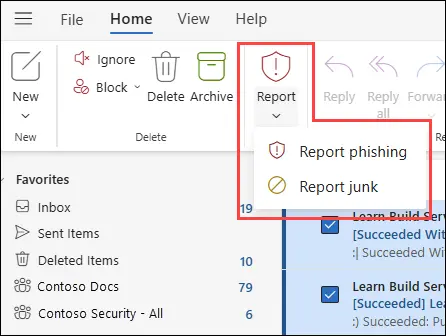
New Outlook for Windows and Outlook on the web: Report > Report phishing. Full procedure with screenshots: Report a phishing e-mail
Step 4: Scan the PC if you opened a file from the message
A page that only asked for a password installs nothing, so most readers can skip this step.
If the Nahwhyme.live e-mail or the page it opened made you download or open a file, delete it and run a full scan, then a Microsoft Defender Offline scan.
In Windows 11 and Windows 10 open Windows Security > Virus & threat protection > Scan options, select Microsoft Defender Antivirus (offline scan) and click Scan now. The PC restarts and the scan takes about 15 minutes, so save your work first.

Windows 11: Windows Security > Virus & threat protection > Scan options. Full procedure with screenshots: Run a Microsoft Defender Offline scan
Choose a proper web browser and improve your safety with a VPN tool
Online spying has got momentum in recent years and people are getting more and more interested in how to protect their privacy online.
One of the basic means to add a layer of security - choose the most private and secure web browser. Although web browsers can't grant full privacy protection and security, some of them are much better at sandboxing, HTTPS upgrading, active content blocking, tracking blocking, phishing protection, and similar privacy-oriented features.
However, if you want true anonymity, we suggest you employ a powerful VPN - it can encrypt all the traffic that comes and goes out of your computer, preventing tracking completely.
Lost your files? Use data recovery software
While some files located on any computer are replaceable or useless, others can be extremely valuable.
Family photos, work documents, school projects - these are types of files that we don't want to lose. Unfortunately, there are many ways how unexpected data loss can occur:
- power cuts
- Blue Screen of Death errors
- hardware failures
- crypto-malware attack
- even accidental deletion
To ensure that all the files remain intact, you should prepare regular data backups. You can choose cloud-based or physical copies you could restore from later in case of a disaster. If your backups were lost as well or you never bothered to prepare any, can be your only hope to retrieve your invaluable files.
From our report of May 2023 · not reviewed since
Tips to avoid being a victim of online fraud
Avoiding scams related to surveys or fake gift offers requires vigilance and proactive steps.
Here are some tips to help protect yourself:
- Be skeptical. Always maintain a healthy degree of skepticism when encountering offers that seem too good to be true. If a deal promises high rewards for minimal effort, it's likely a scam.
- Check the URL. Carefully examine the website's URL. Scammers often use slight misspellings or alterations of well-known URLs to trick users.
- Avoid sharing personal information. Never share personal information such as credit card details, social security numbers, or your home address unless you are certain the site is legitimate, and the information is necessary.
- Research the site. Do a quick online search of the site name followed by "scam" to see if others have reported it as fraudulent.
- Update your security software. Regularly updating your security software can help detect and prevent redirection to malicious sites.
- Install a reputable Ad-Blocker. Many scams come from intrusive ads. Installing a reliable ad-blocker can help prevent exposure to these scams.
- Beware of pressure tactics. Scammers often create a sense of urgency to pressure you into acting without thinking. Always take your time to consider the situation.
From our report of May 2023 · not reviewed since
Taking care of adware and other infections
If you've encountered scams or suspicious content online, it's crucial to check your system for potential infections, commonly in the form of adware.
Two recommended security software are and .
These tools provide comprehensive protection against a range of threats, including adware, malware, ransomware, and phishing attempts. They are equipped with advanced scanning capabilities to detect and remove infections. Additionally, their real-time protection features can prevent future threats, keeping your system secure.
After ensuring your system is infection-free, it's advisable to clean your browser caches. This helps remove traces of potentially harmful websites and reduces the risk of future infections. It's a powerful tool that can clear cache, cookies, and browsing history across various browsers in a few simple clicks. By routinely using helpful software, you can further secure your system and enhance your online privacy.
Regularly checking your system for infections and cleaning browser caches are essential steps in maintaining a secure digital environment.
From our report of May 2023 · not reviewed since
If you have already been scammed
If you've unfortunately become a victim of the Nahwhyme.live scam, it's crucial to act swiftly to minimize any potential damage.
The first step is to contact your bank or credit card provider. Inform them about the fraudulent activity and request them to block any suspicious transactions. They may also guide you on how to replace your card if it's necessary.
Next, if you shared any passwords, change them immediately. It's advisable to use strong, unique passwords for each of your accounts to enhance security. Keep a vigilant eye on your financial and personal accounts for any unauthorized activities in the upcoming weeks.
You should also report the scam to the appropriate authorities. This includes notifying your local law enforcement and filing a complaint with your country's cybercrime unit. You can also alert your national consumer protection agency about the fraudulent website.
If you haven't already done so, install security software and run a full system scan to eliminate any potential malware from your system. If you're uncertain about the extent of the compromise or how to proceed, it's advisable to consult with a cybersecurity professional. The key to handling such incidents is swift and decisive action to protect your personal and financial information.
Questions about Nahwhyme.live e-mail scam
Is Nahwhyme.live really from Amazon?
No. It is sent by scammers who copy the name and look of Amazon. The sender address and the links do not belong to it, and the message asks for your password, which a real company does not request through an unexpected message.
If you want to be sure about your account, open the website or app of Amazon the way you normally do, not through the message, and look for notices there. Then delete the message and report it as phishing. If you already followed its instructions, use the steps in this guide for your case.
Is it true that your account needs urgent attention?
No. The claim that your account needs urgent attention is the hook of Nahwhyme.live, invented to give you a reason to act quickly. Scammers pick a story that could plausibly apply to many people, so it may feel relevant to you, but nothing in the message is based on your real accounts or devices.
If the claim concerns a service you use, check it there directly, by opening the website or app yourself. You will find no such problem. Then delete the message and report it as phishing.
What happens if I do what Nahwhyme.live asks?
The scammers get your password, and they use it quickly. Passwords are tried on the real service within minutes, cards are charged or added to phone wallets, remote access is used to open your bank, and crypto is moved on at once.
Documents surface later as accounts in your name. If you already did what the message asked, do not wait to see what happens; follow the steps in this guide for your case today. Speed matters more than anything else here.
Will Amazon refund me if I fell for Nahwhyme.live?
Amazon did not send the message and is not responsible for it, so a refund usually comes from your bank or card issuer, not from the brand. Call the bank first if you paid.
It still helps to tell the real company: they can secure your account, add notes for their fraud team and take down pages that use their name. Contact them through their official website or app only, never through the message or a search ad. Keep the message as evidence.
How do I report Nahwhyme.live to my mail provider?
Use the built-in button. In Outlook, select the message and choose Report > Report phishing. In Gmail, open the message, click the three-dot menu and choose Report phishing.
Scam text messages can be forwarded to your carrier's spam number, which is 7726 in the US and the UK.
On social networks, use the report option on the message or the profile. Reporting trains the filters that protect you and other users, and it takes a few seconds. Then delete the message.
Should I reply or unsubscribe?
No. A reply confirms that your address is active and read, which leads to more scams. The unsubscribe link in a scam message is part of the scam and may lead to a phishing page. Mark the message as spam or phishing and delete it.
Block the sender if your mail app allows it, though scammers change addresses often. If the scam came by text message, do not reply STOP either. If it came through social media, use the platform's report function and block the account.
How can I spot messages like Nahwhyme.live in future?
Check the sender's actual address, not only the name. Hover over links before clicking and compare the domain with the real one. Be suspicious of urgency, threats, prizes, unexpected invoices and requests for passwords, codes, card data or crypto.
Do not call phone numbers from unexpected messages; use the number on the official site or your card. When in doubt, go to the service directly through its app or a bookmark. Phishing protection and two-step verification limit the damage when a scam gets through.
How quickly do scammers use a phished password?
Often within minutes. Phishing kits send each password to the operators as soon as it is typed, and many test it automatically on the real service. Some kits also pass the two-step code through in real time.
That is why the first hour matters: change the password, end all sessions and check that the recovery details are still yours. If nothing has changed by then, you were probably fast enough, but keep watching for login alerts and password-reset e-mails for a few weeks.
Can just reading Nahwhyme.live harm my PC?
No. Reading the e-mail does nothing to the PC. The risk lies in what the message wants you to do: your password. Every one of those needs an action from you, such as a click, a typed password, a payment or a call.
If you stopped at reading, you are fine. Delete it and report it. If you are unsure whether you clicked something, check your browser history for the time you read the message, and act on what you find there.
Will Fortect remove Nahwhyme.live?
Fortect scans Windows for malware and unwanted programs and repairs the system files and settings they change, and its free scan shows what it finds on your PC before you decide anything.
For Nahwhyme.live, follow the plan above as well: the browser steps take back permissions and settings that no scanner treats as a threat, and uninstalling the program that brought it removes the source.
Run Microsoft Defender's full scan and, if anything was found, its offline scan as a second opinion. If the symptoms are gone after the plan and both scans are clean, there is nothing more to do.
Sources
- FTC: How to recognize and avoid phishing scams (read October 7, 2026)
- CISA: Recognize and report phishing (read October 7, 2026)
- Microsoft Support: Protect yourself from phishing (read October 7, 2026)
- NCSC: Phishing attacks, dealing with suspicious e-mails and messages (read October 7, 2026)
- FTC: How to recognize, remove and avoid malware (read October 7, 2026)