

Review of PC Clean Plus virus
PC Clean Plus is distributed as a registry fixer and optimization tool. Despite its promoted features and benefits, IT experts have doubts about the benefits of this application. If you have a vigilant eye, you might notice the exaggerated advertising texts and users‘ testimonials about the usefulness of such program. However, such comments are most likely counterfeited by the very authors of this program to convince users to purchase the full version. What is more, the privacy policy is the key aspect which causes worries. According to it, it may transmit your personal information not only to credit card companies but to other shady companies. Likewise, IT professionals have labeled it as a potentially unwanted program[1]. Therefore, PC Clean Plus removal might be a wiser option.
Ransomware might be the key problem that forces users to arm up their devices with proper protection[2]. It also serves as the source where users of various ilk seek to make a profit out of it. If you are interested in securing your device and eliminating possible system vulnerabilities[3], you might get tempted to install PC Clean Plus. It claims to speed up the overall PC performance, make it more secure. Besides a registry fixer, it offers in-built scheduler scanner to main the proper state of registry entries. It also offers backup services. In order to get users on a hook, the system shows an unexpectedly high number of issues and problems. Users, who are not aware of such marketing tricks, might purchase the full version.
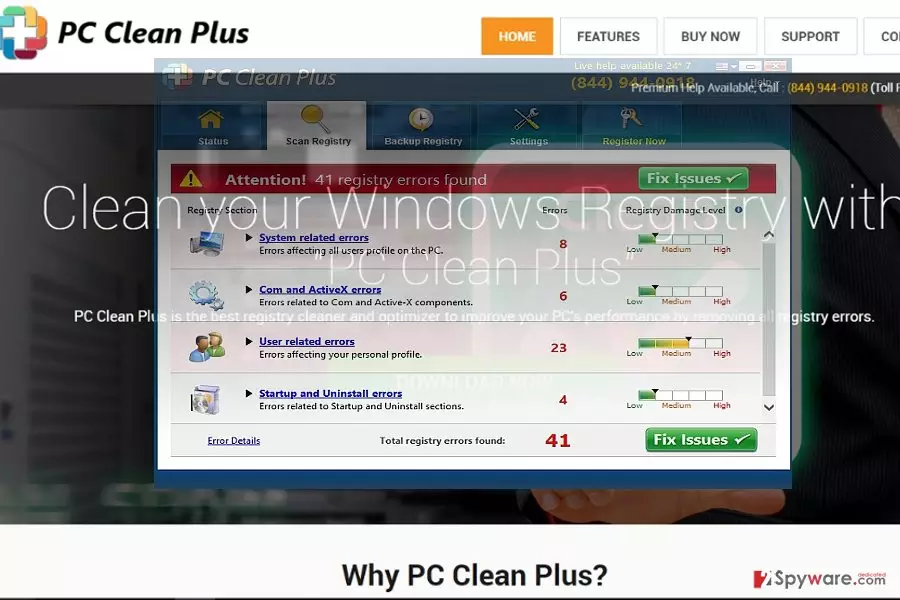
After acquiring the full edition, PC Clean Plus ceases displaying alarming notifications. Nonetheless, the presence of such questionable software may only make the device sensitive to virtual threats. Meddling with registry keys may lead to severe outcomes as well[4]. Such marketing tricks suggest that developers only aim at maximizing their profits at any cost. The privacy policy[5] sparks concerns as well. It openly states that Jawego Partners Ltd, the owners of this app, can share your personal information with business partners and third parties to deliver personalized content. Such trade of information only creates more data leak possibilities. Eventually, the data might fall into the hands of cyber criminals. In order o reduce the risk of such scenario, it is time for you to remove PC Clean Plus.
PC Clean Plus transmission methods
Since this software owns its official web page, you are likely to have downloaded the program there in the hope of improving your PC‘s efficiency. Additionally, this application might have been distributed by partner companies in less popular domains or via ads. Concerning the latter method, there are more chances to install a corrupted version of an app. In rare cases, such apps might be encountered s add-ons to freeware. Likewise, despite what program you download from what source, opt for the “Advanced” mode. It reveals optional programs and users can deselect the unnecessary ones.
PC Clean Plus removal options
Here you can find an alternative to removing PC Clean Plus manually. For users who do not intend to waste time on meddling with this PUP, may install FortectIntego to help with the process. Such software comes in handy battling exquisite virtual threats. Do not forget to update it and start a scan. When choosing a new app or enable new features, review users‘ reviews and comments about them. Taking a privacy policy also comes in handy and reduces the risk of installing potentially fraudulent content.
For Windows users:
- Click “Start” button.
- Enter “Control Panel.”
- Find “PC Clean Plus” and select “Uninstall” function.
- Finish the process by clicking “OK.”
For Mac System:
- Click “Go” button and select “Applications.”
- Find the “PC Clean Plus” in the list.
- After selecting the program, choose “Move to Trash.”
Did this guide help?
2 comments
erniew
Again fake program?
Caroline145
Had it for a while, but it did not prevent from a system crash...too bad.