

Important facts about X3M ransomware
Continuing the trend to launch new ransomware every day, the crooks present you another their creation – X3M virus. It draws cyber experts’ attention as it appends three different types of file extensions. The ransomware is suspected of doing so in order to disguise its origin and trouble the virus researchers with the confrontation strategy. If you encounter ransomware for the first time, make a rush to remove X3M from the device. FortectIntego assists in the eradication process.
A couple of years ago, crypto-malware threats were a threatening novelty in the cyber space. Now the Internet is full of elaborate such infections which do not encode valuable documents but may lock your smart TV‘s screen [1]. Luckily, X3M malware is not so exquisite but it surely causes a headache for the virtual community. In comparison with other threats, the infection acts quite interestingly. After occupying the device, it locates potentially important files and encodes them with a standard encryption algorithm. Furthermore, it attaches .id-[random numbers]_locked, .id-[random numbers]_r9oj, and .id-[random numbers]_x3m. Then, the netizens may notice the ransom message which informs them to pay 700 USD in bitcoins. Later on, they can contact the authors and ask for the decryption tool via deyscriptors1@india.com or server-support@india.com. Naturally, as there have been a series of file-encrypting threats which utilize @india.com email address, one might guess that the same gang is behind these virtual infections.
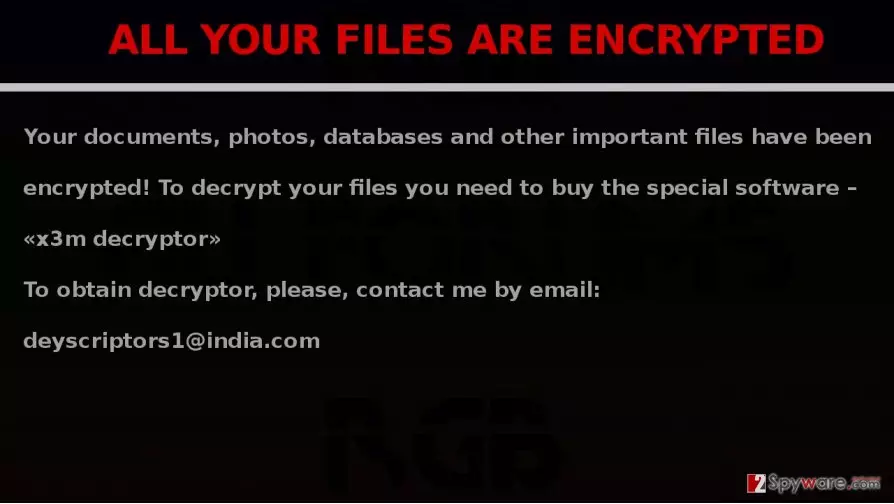
What is more, the threat is able to infect the entire server. It does so via Remote Desktop Protocol [2]. Likewise, X3M ransomware leaves an aggravating damage on all of the computers connected to one server. Such features are no novelty as IT experts predict that ransomware developers will add worm-like features to make crypto-malware more terrifying and damaging [3]. Similarly, tech support scam elements are incorporated in the ransomware to puzzle victims even more [4]. Despite warnings from cybersecurity companies, users still dial the number of a Windows technical support impersonator. At the best case scenario, he will remove the adware elements which displayed fake alerts of the infected system. In the worst case, the racketeer will corrupt the device with crypto-malware. Fortunately, the current ransomware is not so elaborate. However, it does not mean that you should delay X3M removal.
How does the virus infect devices?
Being aware of the distribution methods is no less important than the very effectively eradicating the threat. .x3m file extension virus might have sneaked into the device via a spam email. It is a popular technique to enwrap the binary of file-encrypting malware in a fake delivery notification. If you are not careful enough and recklessly open the attachment, ransomware gets activated. In the case of X3M hijack, after executing the specific command, putty.exe will be placed on the device. Due to it, the virus paralyzes the effective performance of the computer. Note that some crooks opt for using exploit kits or trojans. They are especially dangerous as you can not prevent them on your own. If you are at a loss puzzled how to recover your data, we recommend eliminating the infection. Brush aside any ideas to pay the ransom as ransomware has become a profitable business for the crooks to wheedle out money [5]. In relation to this, only few ransomware developers are known for returning the data.
X3M elimination guide
You should entrust X3M removal to an anti-spyware application (FortectIntego or MalwarebytesMalwarebytes). After you completely eradicate the infection, you can proceed with the data encryption procedure. Some of the options are discussed below the article. Note that the following procedure should be performed only when you completely remove X3M virus. In addition, if you are able to access Task Manager, cancel any tasks related to putty.exe or other unknown tasks. On the final note, you should beware of so-called “abandoned” (outdated) or unnaturally well-rated applications or legitimate software which is distributed by unknown publishers. Likewise, you will avoid not only ransomware but trojans and computer worms as well.
Did this guide help?
3 comments
phi8.8
I wonder if so-called "virus researchers" have anything to do with these cyber threats..
TopGear8
When the heck I got infected with this...sh*t
DavesChillaxin
I think I got this one by enabling RDP and doing port forwarding to allow me to connect outside the network. I was testing and never set a "spoofed" port, and keep 3389 visible from the outside. Problem is from what I hear is attackers are always scanning for a computer with that specific port open. Turns out a month later I found my server off and the background telling me all my personal files are encrypted. I guess there is some vulnerability in the Remote Desktop Protocol that allows them to do this. Perhaps my password was hacked to by brute force (wasnt strong). Going to try all these out in hopes I can remove it. Then going to take extra precautions when setting everything up again I.e. formatting my server completely, reinstalling the OS, setting up specific firewall rules, opening port forwarding from X port to 3389 so they cannot scan for 3389 but I can still RDP in and setting up my server in a DMZ to protect our other devices on the network.