
All your data are encrypted! (CryptoApp ransomware): what it is and how to get files back
"All your data are encrypted!" is the message of CryptoApp, a Windows ransomware from 2015 that renames your files to end in .encrypted, deletes the originals and asks for 2 Bitcoin. The key was uploaded to a server that went offline, so we know of no decryptor:
- remove the program
- keep the encrypted copies
- restore from a backup
Facts checked October 5, 2026. Removal steps tested on Windows 11 (26H2) and checked against Microsoft's and the browser makers' current documentation.
Automatic
Get a free scan and check if your PC is infected.
Fortect finds malware, unwanted programs and the Windows damage they leave behind, and repairs it in one pass.
A free scan checks for the encryptor still on the PC; it does not decrypt .encrypted files.
Do it yourself · free Remove CryptoApp ransomware yourself 6 steps, about 18 minutes, no software needed.
Start the steps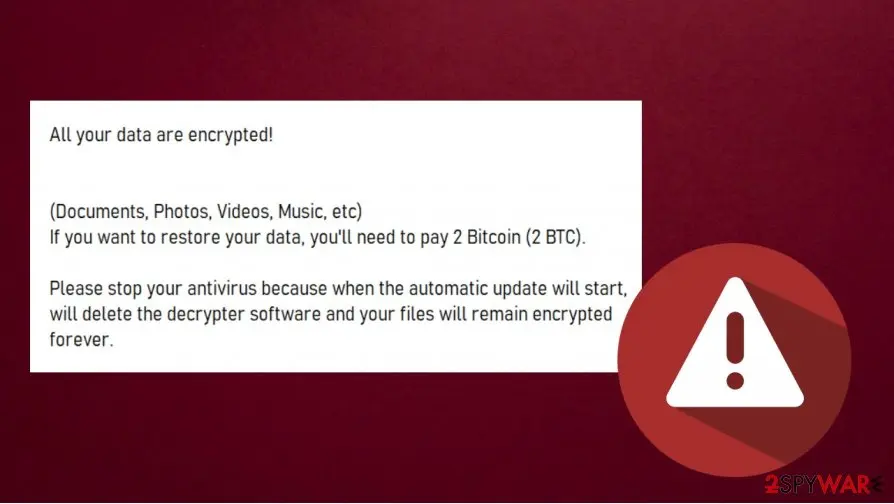
CryptoApp ransomware: summary
| Type | File-encrypting ransomware (CryptoApp), spread by e-mail in 2015 |
|---|---|
| Risk | High for files: originals deleted, key not on the PC; the program itself is easy to remove |
| Symptoms | A pop-up and wallpaper saying "All your data are encrypted!", files ending .encrypted |
| How to get rid of it | Go offline, scan with Microsoft Defender in Safe Mode, restore from backups; see the plan |
| Our check | Source check on 5 October 2026; we did not run the malware |
| First seen | May 2015 (test build); first analysis 17 August 2015 |
| Removal | Scan the PC with security software to find and remove the malware and anything installed with it. Fortect scans Windows for malware and repairs the system files and settings it damaged. Remove it nowTo use the full-featured product, you have to purchase a license for Fortect. The scan is free. |
Show 12 more facts
| Name | CryptoApp ransomware |
|---|---|
| Encrypted file extension | .encrypted |
| Ransom note | A pop-up window, an HTML page and a wallpaper asking 2 Bitcoin |
| Decryptor | None found; the keys were uploaded to a server that went offline in 2015 |
| Contact | None: the note names a Bitcoin address and no e-mail |
| Detection names | No Microsoft detection name is known |
| Distribution | Fake Western Union e-mails leading to a downloader |
| Damage | Originals deleted; 162 file types encrypted on every connected drive |
| Evidence | 0 write-ups by security sites; no sample analysed yet |
| Encrypted files | .encrypted |
| Free decryptor | No free decryptor is known (checked 5 October 2026) |
| Facts checked | 5 October 2026 |
Facts checked on 5 October 2026 against the 2015 technical analysis of CryptoApp, Microsoft's pages for Safe Mode and shadow copies, the No More Ransom tools list and our own 2021 screenshot. We did not run the malware.
What "All your data are encrypted!" is
"All your data are encrypted!" is the message of CryptoApp, a Windows ransomware from 2015: it adds .encrypted to your file names, deletes the originals and asks for 2 Bitcoin, and the key is not on your PC.
The name CryptoApp comes from analyst Yonathan Klijnsma, who found a folder of that name in the program's build paths (blog post, 17 August 2015).
- Extension
.encryptedadded to each file name- Encryption
- RSA key pair from Windows CryptoAPI, one random key per file
- Ransom
- 2 Bitcoin in the e-mail campaign; an earlier test build asked for 1
- Spread by
- Fake Western Union e-mails that led to a downloader
- Decryptor
- None found in the sources we read
How the CryptoApp story went
May 2015
A test version appears
A sample was uploaded to an online sandbox on 12 May. A payment of 1 Bitcoin reached its address on 15 May; the analyst took it for a trial of the decrypter.
2015
The Western Union e-mails
The campaign build asked 2 Bitcoin and had a red lock screen without the Tor address.
17 August 2015
First public analysis
Klijnsma published his write-up. The key server had already gone offline and the paying address had received nothing.
8 January 2021
Our guide
We said the files cannot be decrypted without the key and put the ransom at about 468 US dollars.
5 October 2026
Our recheck
We went back to the analysis and Microsoft's pages and rewrote the guide.
What we checked and what we did not
This is a check of sources: there is no website to test, and we did not run the malware.
CryptoApp ransomware · source check · 5 October 2026
- How it worksFrom the 2015 analysis of two samples.
- Message textFrom our own 2021 screenshot.
- DecryptorThe No More Ransom list showed no tool named CryptoApp in one lookup. The list is long, so that is not proof.
- Shadow copiesNothing we read says whether it deletes them.
- Modern WindowsThe analysis dates from 2015; we found no test of it on Windows 10 or 11.
Files are lost without a copy We found no decryptor, and the key went to a server that stopped answering in 2015. The program is easy to remove; the files are not easy to recover.
- File extension:
.encrypted - Note file:
the HTML instructions page
Look-alikes
Many families show similar words, so match your own files first.
| What you see | Likely cause | What to do |
|---|---|---|
.encrypted files and this pop-up | CryptoApp | Follow this guide |
Another ending such as .djvu | A different family | Identify it with ID Ransomware; its decryptor will not fit .encrypted files |
| The words in a browser tab, files open normally | A web page | Close the tab and scan the PC |
How CryptoApp ransomware behaves
What it does on the PC, step by step
The order comes from the 2015 analysis of two samples; we did not run the program, and other copies may differ.
- 1
A downloader arrives with a fake e-mail
The mail led to
transaction_certif_2412_installer.exe. It saved the payload into the Windows system folder and deleted itself with a batch file. - 2
The payload takes a Windows-like name
Download servers held
csrsss.exe, one letter off the realcsrss.exe, and the analyst saw the running payload listed ascsrss.exe. A value underSOFTWARE\Microsoft\Windows\CurrentVersion\Runstarts it with Windows. - 3
A helper restarts it
KeepAlive starts the payload again when it is stopped, so ending one process in Task Manager does not end the infection.
- 4
It waits 24 hours
A counter called
CryptoAppDelayis compared with 86,400 seconds, so in the analyst's reading nothing happened until the PC had run for a full day. - 5
It searches drives A: to Z:
A USB stick, external disk or mapped network drive that is connected is searched too.
- 6
Each file is copied, encrypted and deleted
The program writes
name.ext.encrypted, records it in a SQLite database and deletes the original. It then sends the RSA keys to its server over plain HTTP and shows the pop-up, an HTML page and a wallpaper.
Which files it targets
The old guide printed 162 file endings in one block.
Grouped, they show what is at risk.
Groups of the 162 endings (examples)
- Office: .doc .docx .xls .pdf
- Photos: .jpg .png .raw .psd
- Video: .avi .mov .mpeg
- Archives: .zip .rar .7z
- Databases: .sql .mdb .pst
- QuickBooks: .qbw .qbm .qbx
- Web code: .php .html .css .js
- Certificates: .pem .pfx .crt
What the note demands
The price changed between builds: 1 Bitcoin in the test version, 2 Bitcoin in the e-mail campaign.
| Item | What the sources say | What it means |
|---|---|---|
| Ransom | 2 Bitcoin, about 468 US dollars in 2015 | A 2015 figure; do not read it as today's price |
| Payment check | The decrypter checks the Bitcoin network for a payment from the address you type in | A program checks, not a person |
| "Stop your antivirus" | The note says an update would delete the decrypter | Nothing in the analysis supports it; it is pressure |
How it reaches PCs
- High
A fake Western Union e-mail
The documented route: a link to a downloader, which could fetch the payload from any of five web servers.
- Low
Attachments and adult sites
Our 2021 guide named them. No source we read ties them to this family.
Was anything stolen?
The program sent your computer name, IP address and encryption keys to its server; the analysis found no upload of documents.
- Medium
Computer name and IP address
Sent in clear text with the keys.
- Low
Documents and passwords
No file upload, leak site or password stealer is mentioned.
What to do in the first hour
Leave your antivirus on: the note tells you to switch it off, which only helps the attacker.
- 1
Photograph the screen
Keep the message text and the time you first saw it.
- 2
Disconnect and unplug
Pull the network cable and unplug USB and external drives: connected drives are searched.
The CryptoApp ransomware note
All your data are encrypted!
(Documents, Photos, Videos, Music, etc)
If you want to restore your data, you'll need to pay 2 Bitcoin (2 BTC).
Please stop your antivirus because when the automatic update will start, will delete the decrypter software and your files will remain encrypted forever.
Can CryptoApp ransomware files be decrypted?
Can .encrypted files be decrypted?
Not by any tool we know of: each file has its own key, those keys are locked with an RSA key the program uploaded, and that server went down in 2015.
The analyst wrote that recovery "would have been possible in a lot of different ways" but named none, so we promise no method. Keep the files: a key can surface years later.
Do
- Remove the malware before you restore anything
- Keep a few small
.encryptedfiles and a photo of the message
Don't
- Do not install a "free CryptoApp decryptor" from a search result
- Do not rename or edit the
.encryptedfiles
Should you pay the ransom?
No: the server that was meant to hand out the keys went offline in 2015, so a payment may buy nothing.
Our 2021 guide said paying means handing over card details. The note asks for Bitcoin, so the card risk lies with the exchange you would use.
- High
You may pay and get nothing
The decrypter asks the attackers' own server for the key.
- Medium
The program stays on the PC
The analyst found the decrypter to be a modified copy of the malware itself, so running it keeps the attacker's code on your PC.
How to remove CryptoApp ransomware
Tools you'll need
All of these are free except where noted. Download them on a clean device if the infected PC is offline.
- A USB stick: to keep the ransom note, two or three encrypted files and screenshots off the infected PC.
- Microsoft Defender Offline: built into Windows 11 and Windows 10; scans before Windows starts, so running malware cannot hide.
- Microsoft Safety Scanner: a second, portable scanner with current signatures; each download works for 10 days.
- ID Ransomware: identifies the family from the note and one encrypted file and says whether a decryptor exists.
- No More Ransom: the free decryptors from police and security companies; check it again every few months.
- Fortect (optional): scans Windows for malware and repairs the system files and settings it damaged. The free scan is in the box above.
How to remove All your data are encrypted! Virus (CryptoApp) and get your files back
Work in this order.
Disconnecting comes first, removal comes before any restore, and nothing here asks you to contact the attackers.
Step 1: Disconnect the PC and unplug backup drives
Unplug the network cable or turn off Wi-Fi, and disconnect USB drives, external disks and network shares, so All your data are encrypted!
Virus (CryptoApp) cannot reach more files. Pause OneDrive, Google Drive or Dropbox sync, because synced folders upload the encrypted copies over the good ones.
Leave the PC on but offline while you read the next steps, since a restart can let the ransomware run again. This applies to Windows 11 and Windows 10 alike.
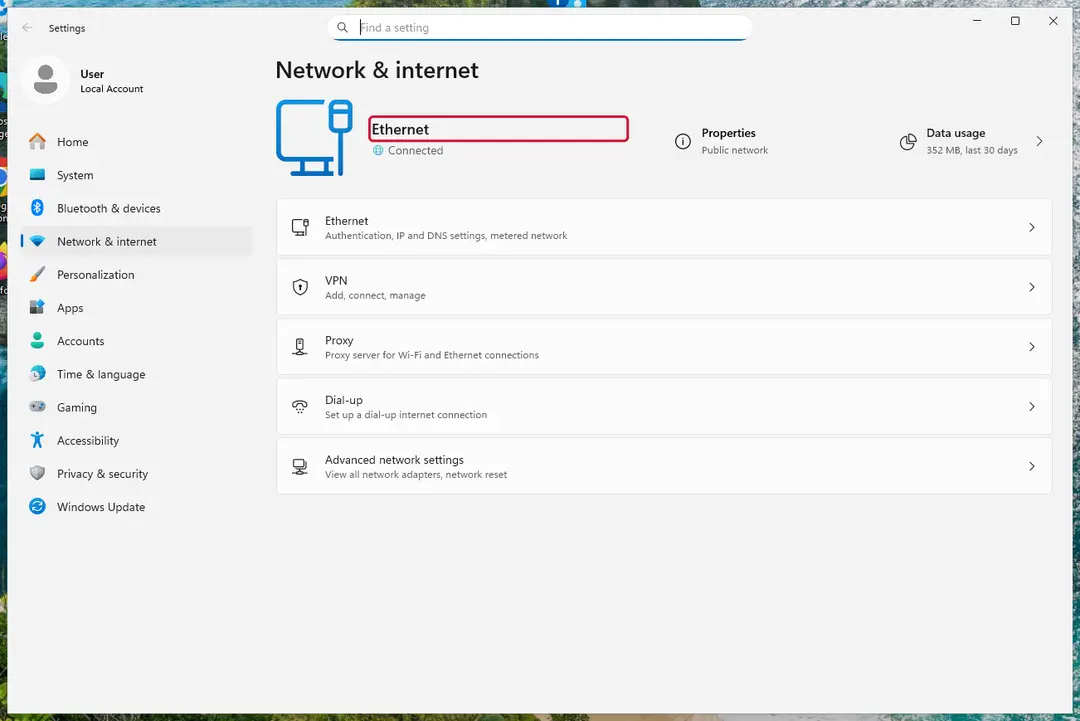
Windows 11: turn off Wi-Fi to take the PC offline. Full procedure with screenshots: Ransomware: first steps, finding a decryptor and recovering files
Step 2: Save the ransom note and confirm the family
Your files now end in
.encryptedand the instructions are inthe HTML instructions page. Save both to a USB stick, a copy of the note and two small encrypted files, before anything else.On another device, check them with ID Ransomware or Crypto Sheriff: the family name decides which decryptor, if any, can help. Keep the note's ID and contact line for your report.
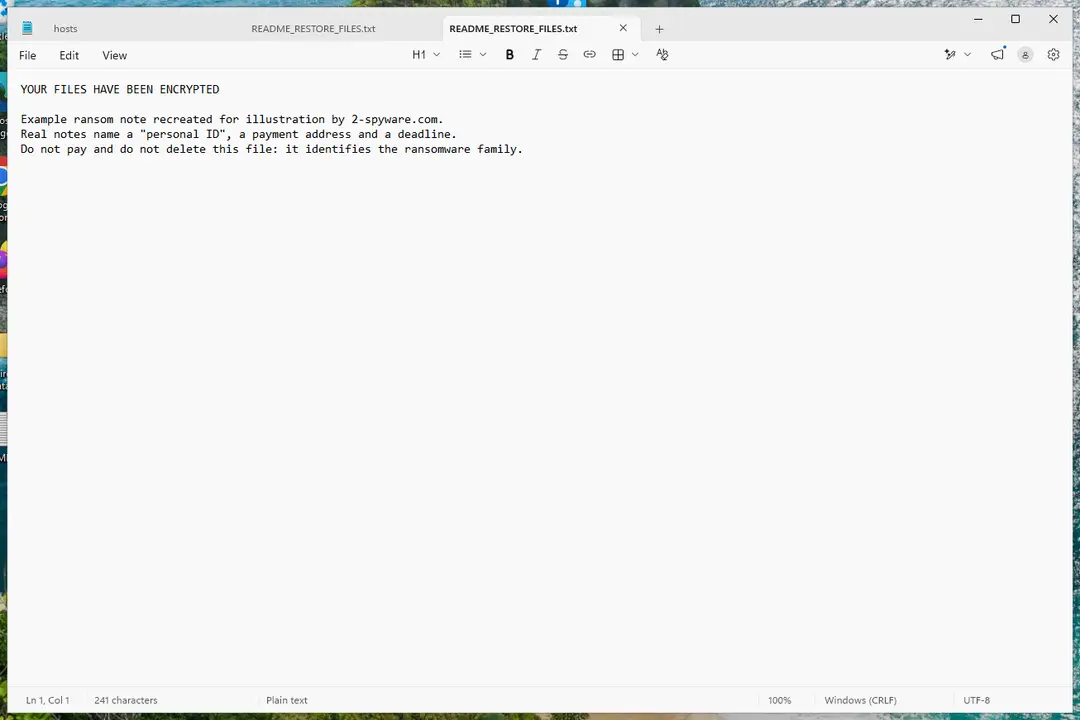
Windows 11: the ransom note and encrypted files to copy for identification. Full procedure with screenshots: Ransomware: first steps, finding a decryptor and recovering files
Step 3: Check for a free decryptor
Our last check found that for All your data are encrypted! Virus (CryptoApp), no free decryptor is known (checked 5 October 2026).
Look again yourself in the No More Ransom list and the free decryptor pages of Emsisoft, Avast and Kaspersky, which add new families every year.
A decryptor needs the ransomware gone first, or it encrypts the files again. Keep at least one copy of the encrypted files on an external drive, even if no tool works yet.
Full procedure with screenshots: Ransomware: first steps, finding a decryptor and recovering files
Step 4: Remove the ransomware before you restore or decrypt
Removing All your data are encrypted! Virus (CryptoApp) does not bring the files back, but it has to come first. Start with Defender's Full scan, then the offline scan from the same Scan options page, which checks the disk before Windows loads.
If the scan cannot start, use Safe Mode with Networking. Delete the ransom notes only after you have saved a copy, because removal tools sometimes leave them behind on Windows 11 and Windows 10.

Windows 11: Windows Security > Virus & threat protection > Scan options. Full procedure with screenshots: Run a Microsoft Defender Offline scan
Step 5: Look for shadow copies of the files
Windows keeps shadow copies for restore points and backups, and some ransomware fails to delete them.
vssadmin list shadowsin an administrator Command Prompt tells you at once whether any exist.If they do, right-click the folder that held your files, open Properties > Previous Versions, select a version from before the attack, and click Open to check it before you Restore or copy the files out. Windows 11 and Windows 10 both have the tab.
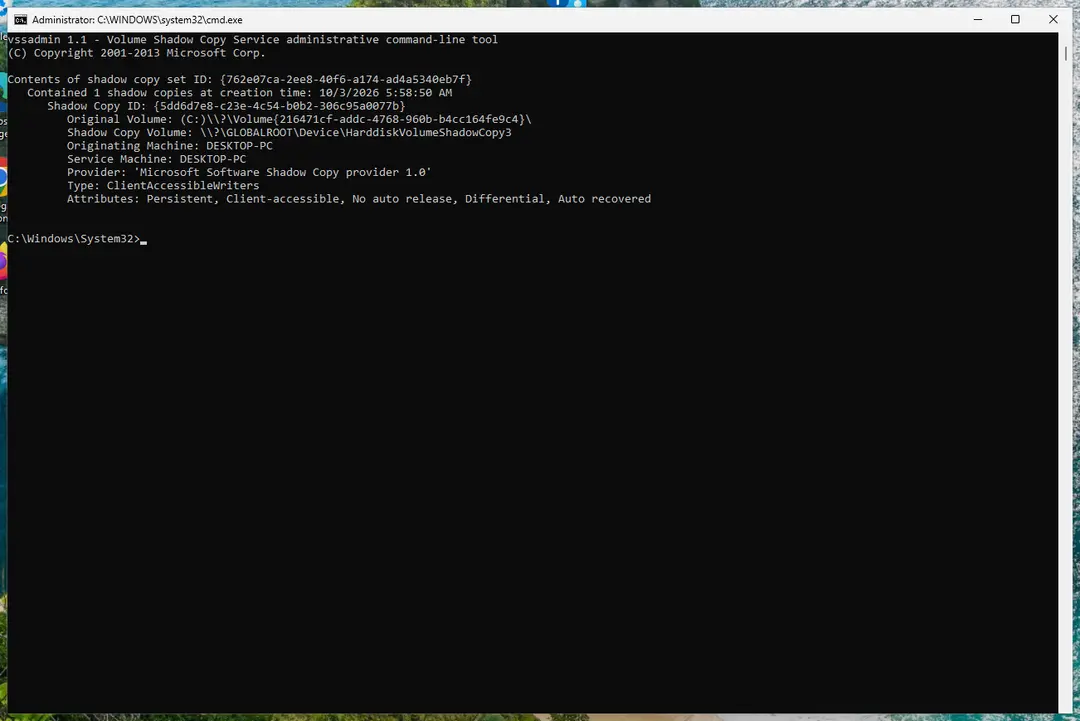
Windows 11: vssadmin list shadows shows whether shadow copies exist. Full procedure with screenshots: Ransomware: first steps, finding a decryptor and recovering files
Step 6: Restore the files from a backup or recover deleted originals
A backup made before the attack is the surest way back. Connect it only once the PC is clean, then restore from File History, Windows Backup, OneDrive's Restore your OneDrive or your own external copies.
Without a backup, try file recovery: the originals that All your data are encrypted! Virus (CryptoApp) deleted may still be on the disk until something overwrites them.
Install nothing new on the drive you want to recover from on the Windows 11 or Windows 10 PC.
Full procedure with screenshots: Recover deleted files (Recycle Bin, backups, OneDrive) On uGetFix
Report it and recover your files
Report it
Report the attack even if you do not expect the files back: insurers and banks ask for the report number, and police use the contacts in the note to link cases.
- United States
- FBI IC3 · FTC ReportFraud
- United Kingdom
- Report Fraud (formerly Action Fraud) · NCSC
- Australia
- ReportCyber (ASD)
- EU countries
- Europol: national reporting sites
Give the victim ID, the note and the date the files were encrypted. A business that holds personal data may also have to notify its data protection authority, in the EU within 72 hours.
Other ways to get files back
- 1
Your own backups
Connect an external disk or open cloud storage only after the PC is clean.
- 2
Previous Versions
Right-click the folder, choose Properties > Previous Versions (Windows 11: Show more options first) and copy files from a date before the infection. If nothing is listed, nothing was saved.
- 3
Shadow copies
In an administrator Command Prompt,
vssadmin list shadowslists the copies Windows holds (Microsoft Learn). If any are listed, a viewer such as ShadowExplorer can browse them.
Do
- Open a few restored files to check them
Don't
- Do not use System Restore for files: it covers system settings, not documents
Back up with the 3-2-1 rule
CISA recommends the 3-2-1 rule:
- three copies
- on two kinds of storage
- one away from the PC
Do
- Unplug the backup disk after each backup: this malware searched every connected drive
- Keep key photos in cloud storage such as Google Drive or Dropbox
Don't
- Do not leave the only backup plugged in
How to prevent CryptoApp ransomware and the next attack
Do
- Keep Windows and Microsoft Defender updated and keep the antivirus on
- Delete unexpected money-transfer e-mails without opening links
- Show file endings (View > Show > File name extensions) so
csrsss.exestands out
Don't
- Do not open attachments from unknown senders
- Do not run cracked software or visit illegal sites
Questions about CryptoApp ransomware
What does "All your data are encrypted!" mean?
It means the CryptoApp ransomware ran on your PC and replaced your files with encrypted copies ending in .encrypted. The message appears as a pop-up, an HTML page and a wallpaper, and asks for 2 Bitcoin.
The keys were sent to a server that went offline in 2015, according to the analyst who studied the program. Check one file: if its name ends in .encrypted, this guide applies. If your files open normally, the message may be a bluff or a web page, and you should still scan the PC.
Is "all your files are encrypted" in Google Chrome a real infection?
Not by itself: a message in a Chrome tab is a web page, and a web page cannot encrypt the files on your disk. CryptoApp ran as a program on Windows and wrote .encrypted files, so the proof is on the disk. Open a few documents and photos.
If they open, close the tab and block notifications for that site in Chrome. If their names end in .encrypted, a program is responsible and the steps in this guide apply. We did not test a site that shows this message, so we cannot name one.
How do I open .encrypted files?
You cannot open .encrypted files from this family, because the contents are encrypted and the program deleted the originals. Renaming them back does not help, and no program on your PC holds the key.
Copy a few files to a separate drive and keep that drive unplugged. Restore your documents from a backup, cloud version history, Previous Versions or shadow copies if those exist. Remove the malware first, or a running copy will encrypt what you restore.
Is there a decryptor for CryptoApp ransomware?
We found none. The analyst's write-up says each file has its own key and those keys were protected by an RSA key pair that was uploaded to the attackers' server, which went offline in 2015.
A lookup in the No More Ransom list on 5 October 2026 showed no CryptoApp tool, though the list is long. Keep your encrypted copies, because a tool may appear. Do not install a "free decryptor" from a search result: those are a common way to deliver more malware.
Should I pay the 2 Bitcoin ransom?
No. The decrypter asked the attackers' own server for the key after it checked the Bitcoin network for your payment, and that server stopped answering in 2015. A payment may therefore buy nothing, and the decrypter is a modified copy of the malware itself.
The 2 Bitcoin worth about 468 US dollars in 2015 is a figure from that year. Spend the effort on removing the program, then on backups, Previous Versions and shadow copies.
Can a data recovery company or paid service help?
Probably not with files encrypted by CryptoApp. A company would need the key, and the key lived on a server that went offline in 2015. The program deleted the originals after copying them, and everything written to the disk afterwards makes them harder to find.
Stop using the PC and ask for a price and a no-result policy in writing before you pay. We found no source that proves a service has decrypted CryptoApp files.
How did CryptoApp get on my PC?
Most likely through a fake Western Union e-mail. In the 2015 campaign the message led to a small downloader called transaction_certif_2412_installer.exe, which fetched the real program from one of five web servers and then deleted itself.
Our 2021 guide called it a spam attachment; the analysis describes a download. Other routes in older advice, such as illegal websites, are not tied to this family by any source. Look at the mail you opened the day before the files changed.
Was my data stolen by CryptoApp?
Probably not your documents. The program sent your computer name, IP address and the encryption keys to its server, but the analysis found no upload of files and no leak site. The keys matter more: they were the only way to unlock your files.
We found no password stealer in the sources. If you used the PC for banking, change the passwords from another device after the clean-up. We did not run the malware, so this is the analyst's finding for 2015 samples.
How is CryptoApp different from other ransomware with the same message?
CryptoApp adds .encrypted, asks 2 Bitcoin and came from fake Western Union mail in 2015. Other families use the same words with different endings, such as .djvu, and different notes. The difference matters, because a decryptor made for one family does not work on another.
Look at your file ending and the note, then check both with ID Ransomware on another device. If they do not match CryptoApp, this guide is the wrong one and its dates will not fit your case.
Will Fortect remove All your data are encrypted! Virus (CryptoApp)?
Fortect scans Windows for malware and unwanted programs and repairs the system files and settings they change, and its free scan shows what it finds on your PC before you decide anything. For All your data are encrypted!
Virus (CryptoApp), follow the plan above as well: the browser steps take back permissions and settings that no scanner treats as a threat, and uninstalling the program that brought it removes the source.
Run Microsoft Defender's full scan and, if anything was found, its offline scan as a second opinion. If the symptoms are gone after the plan and both scans are clean, there is nothing more to do.
Sources
- Klijnsma (0x3a blog): Analysis of a piece of ransomware in development, the story of CryptoApp (mirror, 17 August 2015) (read October 5, 2026)
- Microsoft Support: Windows startup settings (Safe Mode with Networking) (read October 5, 2026)
- Microsoft Learn: vssadmin list shadows (read October 5, 2026)
- No More Ransom: decryption tools (read October 5, 2026)
- CISA: StopRansomware (read October 5, 2026)