Remcos: what it is and how to remove it
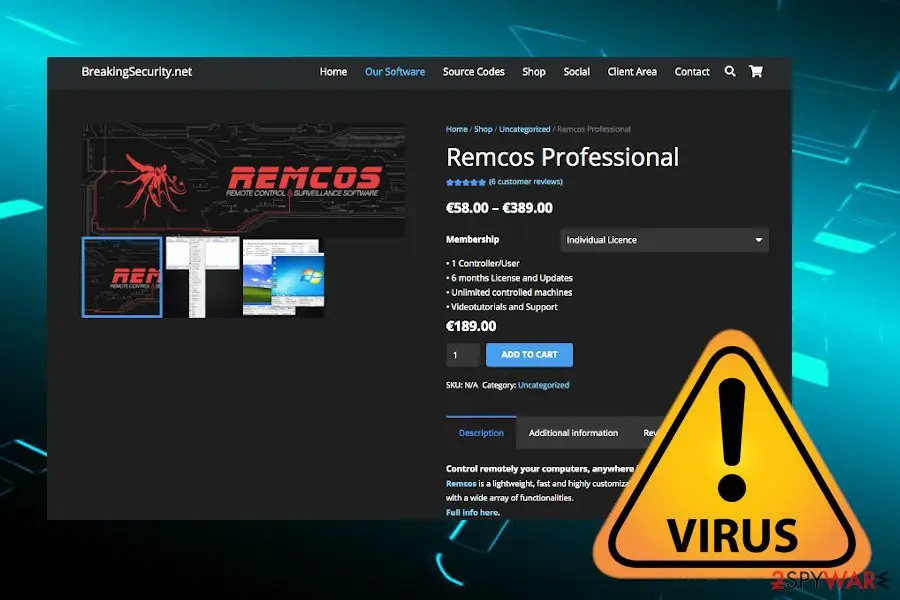
Remcos or Remote Control and Surveillance are promoted as a customizable remote administration tool by its developer Breaking Security. However, in 2016 cybersecurity researchers detected this tool being sold in hacking forums in various anonymous digital currencies by an Italian malware developer known as Viotto.
Facts checked October 7, 2026. Removal steps tested on Windows 11 (26H2) and checked against Microsoft's and the browser makers' current documentation. Sections marked as our earlier report are the original text: they describe the threat as it was then and have not been reviewed since. The 2026 status, the removal steps and the questions are current.
Automatic
Get a free scan and check if your PC is infected.
Fortect finds malware, unwanted programs and the Windows damage they leave behind, and repairs it in one pass.
Unsure whether filename1.vbs is safe? A free scan checks the file and what starts it.
Do it yourself · free Remove Remcos yourself 6 steps, about 18 minutes, no software needed.
Start the steps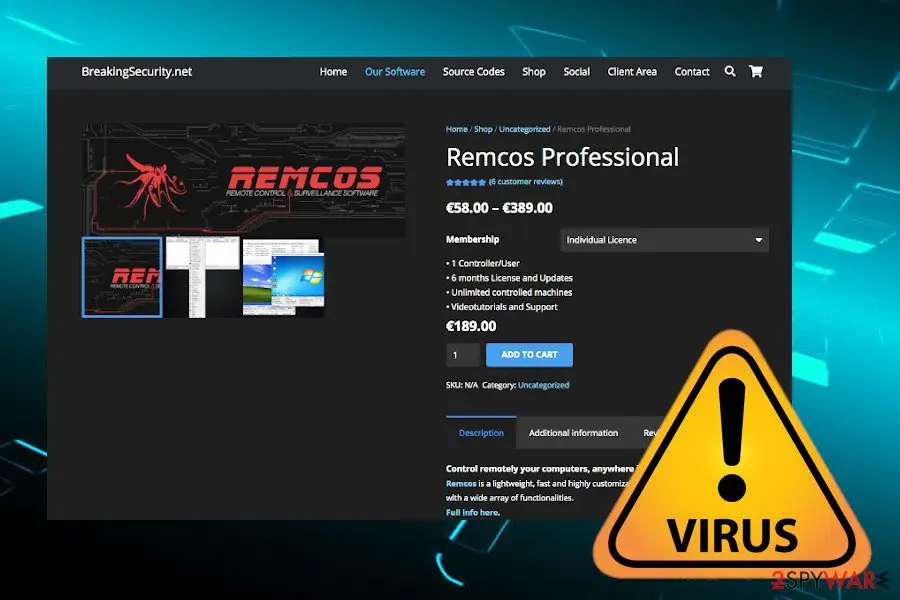
Remcos: summary
| Detection names | No Microsoft detection name is known |
|---|---|
| Distribution | Not recorded in the old report |
| Damage | Not recorded in the old report |
| Name | Remcos |
| Type | Remote access trojan |
| Symptoms | An unknown process in Task Manager |
| Removal | Scan the PC with security software to find and remove the malware and anything installed with it. Fortect scans Windows for malware and repairs the system files and settings it damaged. Remove it nowTo use the full-featured product, you have to purchase a license for Fortect. The scan is free. |
Show 4 more facts
| Evidence | 9 write-ups by security sites; details still limited |
|---|---|
| File names | filename1.vbs and %AppData%\Local\Temp\onedriv |
| First seen | 19 May 2020 |
| Facts checked | 7 October 2026 |
What Remcos does on an infected PC
From our report of May 2020 · not reviewed since
The latest Remcos campaign leverages Coronavirus pandemic theme
The trojan reappears on the landscape annually with a new malspam campaign taking advantage of the trending worldwide topics and problems.
Coronavirus or Covid-19 infodemic is one of the main topics that criminals use nowadays and that's for a reason since millions of people all over the world are trying to keep the pace with the latest pandemic-related news.
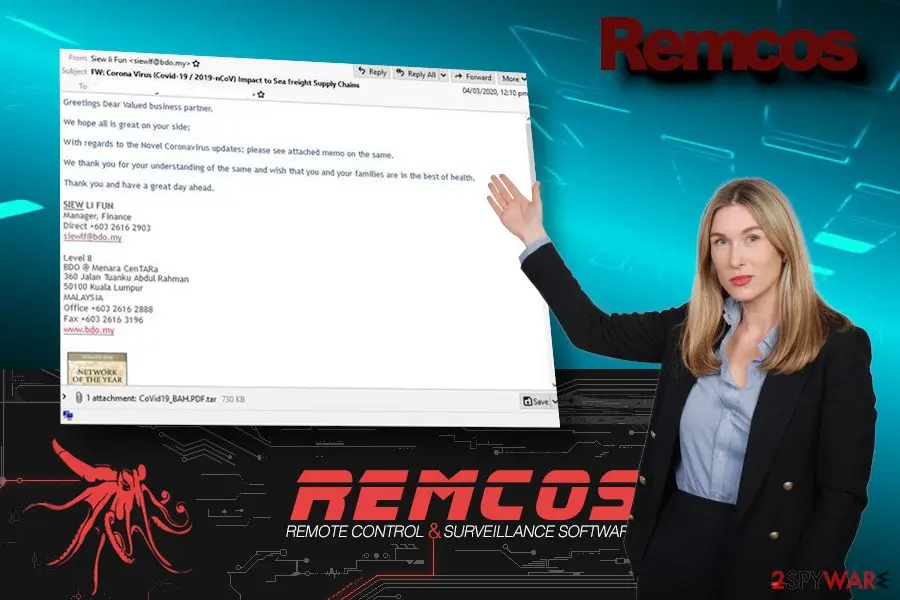
Yoroi Security company was the first that spotted the new Remcos campaign targeting Japanese users at the end of 2019. According to experts, the social engineering technique used by criminals attempts to convince people to open a CoronaVirusSafetyMeasures_pdf file, which is a rogue PDF supposedly outlining the measures that have to be taken to protect themselves from the virus.
However, the file contains a Remcos RAT dropper, which establishes a TSL connection with the C&C server, downloads a malicious file, which enables filename1.vbs and files in C:\Users\\Subfolder.
Besides, it creates a Windows startup entry HKCU\Software\Microsoft\Windows\CurrentVersion\RunOnce, which enables the trojan to run upon the system's restart. All the gathered information allows criminals to harvest system-related, user-related, and process-related information, which may subsequently be used for identity theft and money loss.
However, Japanese users are not the only target. Microsoft's researchers detected the whole series of COVID-19 themed spam emails that spread Remcos dropper in the disguise of ISO, IMG, or ZIP file attachments. The initial inspection reveals that the attack is targeting US small businesses looking for loans impersonating fake SBA emails or the American Institute of CPA.
Although such attacks are common, experts claim that usage of ISO files as attachments or trojan droppers are not very common, as well as the main purpose of the current attacks. However, cybersecurity experts presume that Remcos trojan may be used as a backdoor for future attacks compromising business and causing big losses.
From our report of May 2020 · not reviewed since
Infected emails trick users into granting access to malicious trojans
Cybercriminals have been persistent and keep launching multiple spam campaigns to trick gullible PC users into launching viruses on the systems.
Spam is a widely used social engineering technique that allows attackers to impersonate trustful sources, such as FedEx, SBA, RedCross, or even U.S. president Trump.
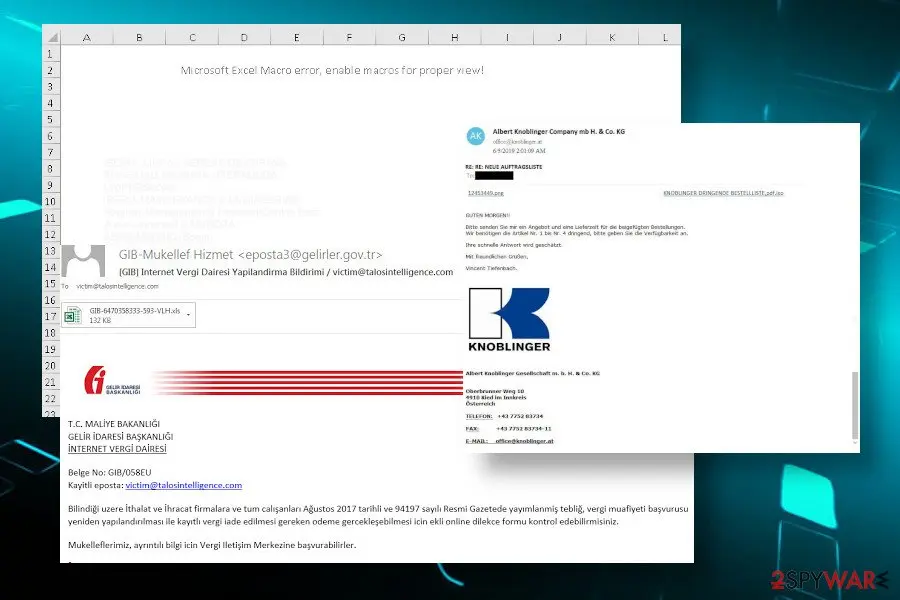
Remcos trojan developers keep rearranging their attacks though the principle remains the same. The attackers insert a malicious trojan dropper into the rogue PDF, ISO, ZIP or EXE attachments and present them in a tricky way. The following are the most notable examples:
The ZLab-Yoroi Cybaze researchers claim people should protect themselves by carefully evaluating the trustfulness of the emails received even from the well-known companies and organizations.
Weak protection of the Windows system allows uninterrupted trojan access. Unfortunately, even though the system runs a powerful AV engine, criminals have programmed this malware in a way to decontaminate security tools and infiltrate without any warnings. Therefore, the only way to stay safe is to restrain from opening questionable emails before scanning them for viruses.
- The infected Microsoft office attachments named as Quotation.xls or Quotation.doc have been sent to millions of users in 2017. The potential victim is not allowed to "read" the document as long as Macros is not enabled. At the top of the screen, the victim sees a notification "Security warning: Macros has been disabled" with an options button aside, which once clicked launched the virus.
- In 2018, defense contractors and other businesses in Turkey have been actively attacked, Talos reported . Crafted in the Turkish language, the emails imitated Turkish governmental institutions reporting taxes.
- CheckPoint noted a flow of attacks in 2019 targeting Germany companies across all industries. The emails contained obfuscated invoices or urgent orders named like KNOBLINGER DRINGENDE BESTELLLISTE,pdf.ISO.
- The latest Remcos campaign took a start at the end of 2019 and keeps evolving in 2020. The attackers misuse the COVID-19 pandemic theme as a topic of malicious emails. Currently, the most visible trojan dropper is CoronaVirusSafetyMeasures_pdf attachment.
From our report of May 2020 · not reviewed since
More from our earlier report on Remcos
- Experts first detected it in 2016 sold on the hack forums.
- New campaigns emerge up till now
- The actor behind the malware
- Experts have revealed the hacker with a pseudonym Viotto as the main developer and seller of this remote access tool who is infamous for Viotto keylogger, Octopus Crypter, Poseidon Mailer, Viotto Binder, and other malware development
- Remote Access Trojan (RAT), keylogger, spyware, a banking trojan
- The trojan is actively distributed via aggressive malspam campaigns that leverage diverse themes based on what's trending worldwide.
- The latest campaign spotted in March 2020 takes advantage of the Coronavirus pandemic and tricks people into opening malicious CoronaVirusSafetyMeasures_pdf attachment
- The virus seeks to gain full control over the system in order to steal the user's credentials and send them to remote control servers for a hacker
- Bypasses anti-virus programs, maintains persistence, takes control over legitimate Windows processes, gains high-level administrative privileges, disables User Account Control, self-destructs when sufficient information is harvested
- Japanese, Turkey, U.S., Germany, South Corea, and others.
- The main target - business and organizations
- Remcos removal requires a professional anti-virus tool.
- The trojan is capable of bypassing AV engines and can turn the software useless by overruling its processes.
- Therefore, before running a scan, restart the system into Safe Mode
- Despite the fact that the RAT targets sensitive information, it can also severely compromise system integrity and security.
- Typically, it rewrites registry entries and legitimate processes, which are not automatically restored upon virus removal.
- Therefore, a full system's repair is subsequently needed.
- For this purpose, use tools like .
- Thank you for your participation in the e-mail notification system of Department of Revenue Administration's e-mail service.
- This message has been sent to you by GIB Mail Notification System.
- Please do not reply to this message.
- Maintain a high attention level when receiving or treating communications claiming to be related to the CoronaVirus phenomenon, to avoid panic clicking on the link coming from unattended source and to contact trusted experts in case of the doubts.
What Remcos can steal or download
From our report of May 2020 · not reviewed since
Remcos or Remote Control and Surveillance are promoted as a customizable remote administration tool by its developer Breaking Security.
However, in 2016 cybersecurity researchers detected this tool being sold in hacking forums in various anonymous digital currencies by an Italian malware developer known as Viotto. Since then up till now, Remcos trojan is regularly reported for the active distribution via aggressive malspam campaigns.
It's an extremely dangerous cyber infection, which falls for the Remote Access Trojan (RAT) category. In general, it's task is to infiltrate a Windows PC with high-level administrative privileges and gain access to user's credentials, such as passwords, logins, and banking information.
For this purpose, it runs filename1.vbs and filename1.exe scripts and starts taking screenshots, logging keystrokes both offline and in realtime, as well as recording information transmitted via a microphone or camera. It keeps harvested data in a file named logs.dat within %AppData%\Local\Temp\onedriv directory, which is regularly transmitted to the remote C2 server.
Remcos RAT is not a novel cyber infection. Currently, experts mark a significant increase in the activity of suchlike security threats since in 2020 alone aggressive campaigns of Cerberus, Agent Tesla, Emotet, Trickbot, etc. have been revealed.
Banking trojans such as the Remcos virus utilize social engineering techniques when criminals leverage trending topics. Legitimate-looking email messages with malicious email attachments are typically spread by bots en masses or oriented to a particular target.
Multiple malspam campaigns promoting Remcos dropper has been spotted on the landscape since 2016. Three years ago Fortinet warned users about obfuscated Microsoft Office documents under filenames Quotation.xls or Quotation.doc, which once opened bypass Microsoft UAC security and runs the malware with high privileges.
However, the criminals behind the RAT put effort to attack companies for bigger financial benefits. An attack registered in 2018 was oriented to defense contractors in Turkey, international news agencies, Diesel equipment manufacturers, HVAC service providers, and other sectors.
Despite the target, Remcos trojan RAT seeks to gain full control over the system to leak as much personally identifiable information as possible. The malicious email attachment carrying a RAT dropper runs XTM code, which executes the malware without any warning or notifications enabling criminals to perform malicious activities. Immediate Remcos removal is needed to prevent the following:
Knowing the dangers and capabilities of Remcos, users should take precautionary measures to secure themselves. Since the malware spreads via malicious emails that carry PDF, XSL, DOC, etc. that ask for user's permission to enable Macros, users have to be extremely cautious and avoid opening any content that they are not expecting.
The attachments are archives that ask for a grant to enable supposed Macros function, which is, in fact, a connection with the attacker's command and control (C&C) server. With this permission, Remcos trojan gains permission and starts its malicious keylogging and data-stealing activities.
It's difficult to recognize the trojan since it's developed in a way to remain unrecognized for as long as possible. It decontaminates the anti-virus system and compromises legitimate Windows system files, thus preparing itself a clear patch to take screenshots, log keystrokes, copy printed documents, register passwords, and initiate other tasks that step-by-step push the potential victim into the money loss.
When it comes to Remcos removal, there is only one way out - a full system scan with a comprehensive anti-virus system. Excessive CPU consumption, slow system performance, doubtful error messages, and similar symptoms may exhibit a trojan infection, so we strongly recommend people to restart the system into Safe Mode and run a full scan.
- Banking information stolen
- Logins, passwords stolen
- Detailed system logs leaked
- Digital coins stolen
- Backdoor to other cyber infections opened
How to check the PC for Remcos
- Path:
%AppData%\Local\Temp\onedriv - File:
filename1.vbs
How to remove Remcos
How to remove Remcos and lock the attacker out
Someone may have had remote control of the PC.
Cut the connection first, then remove the trojan and secure your accounts.
Step 1: Remove remote access tools and lock the attacker out
Attackers keep access through remote control tools and extra user accounts. Disconnect the PC from the internet, then remove every remote access program you did not install yourself from the installed apps list in Windows 11 or Windows 10.
Look for a user account you do not know and delete it, and switch off Remote Desktop in Settings > System. Reconnect only for the scan.
Full procedure with screenshots: Uninstall a program or app in Windows On uGetFix
Step 2: Check where filename1.vbs runs from and stop it
In Task Manager (Ctrl + Shift + Esc) find
filename1.vbson Processes, right-click it and choose Open file location before ending anything.Windows' own files live in
C:\Windows\System32; the same name in%AppData%, %Temp% or C:\Users\Public is an impostor. If the folder is wrong, right-click the process again, choose End task and delete the file.If it starts again within seconds, a task or another process restarts it, so run the scan step in Safe Mode. Task Manager works the same in Windows 11 and Windows 10.
Full procedure with screenshots: Close a frozen app (Task Manager, Force Quit) On uGetFix
Step 3: Delete scheduled tasks that bring it back
Programs like Remcos add a scheduled task so they return after an uninstall or reopen a page at every sign-in. Start Task Scheduler, open Task Scheduler Library and sort by Last Run Time to see what ran recently.
On the Actions tab, a program in a user folder, a script or a web address is a warning sign; right-click such a task and choose Delete.
Tasks with names copying Google, Edge or Windows updaters but pointing to an odd folder are typical. The tool looks the same in Windows 11 and Windows 10.

Windows 11: Task Scheduler Library, the task selected, the Actions tab shows the file it runs. Full procedure with screenshots: Remove what malware leaves behind in Windows
Step 4: Remove it from startup
Press Ctrl + Shift + Esc to open Task Manager and select Startup apps (Windows 11) or the Startup tab (Windows 10). Disable entries you do not recognise, especially ones with no publisher or with a name that copies a Windows component.
Right-click an entry and choose Open file location to see where it runs from: programs in
%AppData%or%Temp%deserve a closer look. Some entries are not listed there but in the registry Run keys, which the procedure below shows how to check.Full procedure with screenshots: Stop apps from opening at startup On uGetFix
Step 5: Scan the PC, then run the offline scan
A scan finds the parts of Remcos that the manual steps cannot see. In Windows Security > Virus & threat protection > Scan options, start a Full scan and quarantine what it reports.
Follow it with Microsoft Defender Antivirus (offline scan) > Scan now, which restarts the PC and checks the disk while Windows and the malware are not running.
It takes about 15 minutes and works the same in Windows 11 and Windows 10. If either scan finds something, run the full scan again after removal until it comes back clean.

Windows 11: Windows Security > Virus & threat protection > Scan options. Full procedure with screenshots: Run a Microsoft Defender Offline scan
Step 6: Change passwords from another device and sign out other sessions
Remcos can copy saved passwords, cookies and session tokens and send them out in seconds, so cleaning the PC does not undo the theft.
Change your passwords on a device that was never infected, starting with the e-mail account, since every other reset goes through it. On each account, end all other sessions and check the recovery e-mail, phone number and forwarding rules.
Then turn on two-step verification. Sign in on the Windows 11 or Windows 10 PC again only after the offline scan is clean.
Full procedure with screenshots: Turn on two-step verification / secure a hacked account
From our report of May 2020 · not reviewed since
Eliminate Remcos to protect your credentials and the system from subsequent attacks
Trojans, in general, are the most stealthy cyber infections, which with a slight help of PC users manage to infiltrate systems without being noticed and can operate silently for a long period.
Beware that the longer period Remcos virus manages to persist, the more chances its developers have to initiate big information theft and give backdoor commands. It can continuously transmit user profile, names, domain, keystrokes, print screens, and computer/processor related information to C&C servers thus causing a high risk of identity theft and money loss.
Remcos removal is important to prevent the installation of other viruses, such as ransomware. Trojans or RAT, for example, LokiBot, often carry the second payload of ransomware. Consequently, not only leakage of credentials, but also loss of personal data stored on the system can be lost.
The only way to remove Remcos is to launch the scanner of the anti-virus program. In many cases, trojans block security programs. To bypass malicious processes, the system has to run in Safe Mode.
How to switch to this mode you can find out by following the steps listed below. Besides, experts from dieviren.de actively promote the community to perform the system's recovery with a tool like upon Remcos removal to restore compromised Windows OS components.
[GI=method-1If you are struggling with the removal of a trojan, you can rely on the instructions created by our security experts. Before scanning the system, make sure that you are using a reliable anti-virus program, which has the database of the latest virus definitions.
After removal: passwords, accounts and prevention
Accounts come next
Because the PC showed an unfamiliar process called filename1.vbs in Task Manager, a sign of a program that could read browser data, the clean-up is only half of the work.
The other half happens in your online accounts.
Change passwords from a clean device, beginning with e-mail; sign out of all sessions; check forwarding rules and recovery phone numbers; and turn on two-step verification with an authenticator app or a passkey. Ask your bank to replace cards saved in the browser.
Why the order matters and what to check in each account: secure your accounts after malware.
Protect your privacy - employ a VPN
There are several ways how to make your online time more private - you can access an incognito tab.
However, there is no secret that even in this mode, you are tracked for advertising purposes. There is a way to add an extra layer of protection and create a completely anonymous web browsing practice with the help of VPN. This software reroutes traffic through different servers, thus leaving your IP address and geolocation in disguise.
Besides, it is based on a strict no-log policy, meaning that no data will be recorded, leaked, and available for both first and third parties. The combination of a secure web browser and VPN will let you browse the Internet without a feeling of being spied or targeted by criminals.
No backups? No problem. Use a data recovery tool
If you wonder how data loss can occur, you should not look any further for answers - human errors, malware attacks, hardware failures, power cuts, natural disasters, or even simple negligence.
In some cases, lost files are extremely important, and many straight out panic when such an unfortunate course of events happen. Due to this, you should always ensure that you prepare proper data backups on a regular basis.
If you were caught by surprise and did not have any backups to restore your files from, not everything is lost. is one of the leading file recovery solutions you can find on the market - it is likely to restore even lost emails or data located on an external device.
Questions about Remcos
What is filename1.vbs and why is it running?
Every process is started by something:
- a program you installed
- a Windows service
- a scheduled task
- a startup entry
To learn why filename1.vbs runs, find its file with Open file location in Task Manager, then look for an entry pointing to that file in Settings > Apps > Startup and in Task Scheduler.
Sort Installed apps by date to see what arrived when the process first appeared. Once you know the owner, you can decide whether to keep it, switch it off at startup or uninstall it completely.
Can I delete the filename1.vbs file?
Only after you know what it belongs to. If filename1.vbs is part of a program, uninstall that program through Settings instead, so its services and tasks go too. If it belongs to nothing and is unsigned, end the process, disable whatever starts it and then delete its folder.
Do not delete files from the Windows folder or files signed by Microsoft: those are part of the system, and removing them can stop Windows from starting. When in doubt, run a Microsoft Defender scan first and let it decide.
Is filename1.vbs a virus?
If it sits outside the Windows and Program Files folders and your antivirus links it to Remcos, yes. filename1.vbs is the file name used by this trojan. Some trojans borrow the names of real Windows components, so the name alone does not decide it:
- right-click the process in Task Manager
- choose Open file location
- look at the folder and the publisher under Properties > Details
A file in a user folder with no publisher is the trojan. Do not delete it by hand while it runs; use the offline scan in the plan above.
I found AnyDesk or ScreenConnect that I did not install. Is that Remcos?
Not necessarily Remcos, but it is a warning sign. These are legitimate remote support tools, and criminals use them as ready-made backdoors, especially after tech support scams or fake invoice calls.
If you did not install it and no one you trust set it up, uninstall it, change passwords from a clean device and check your bank account. If someone connected to your PC through it, follow the steps for remote access trojans and consider a Windows reset. Installed apps sorted by date shows when it appeared.
Which malware family is Remcos?
That is not known yet. Remcos has been reported by people who saw an unfamiliar process called filename1.vbs in Task Manager, but no sample has been analysed publicly, so security companies have not assigned it to a family. The name you see may be a file or program name chosen by the authors, not a family name.
This does not stop you from removing it: the startup points, the offline scan and the account steps are the same for most families of this type. If Microsoft Defender or another scanner gives the file a detection name, write it down; that name is the best clue to the family and is useful when you report the incident.
Is it safe to do online banking after seeing an unfamiliar process called filename1.vbs in Task Manager?
Not on that PC until it is clean. A program that produces an unfamiliar process called filename1.vbs in Task Manager runs with your rights and could read what you type or what the browser shows. Use a phone or another computer for banking and for changing passwords.
When the offline scan of the affected PC is clean and nothing suspicious starts with Windows any more, you can go back to using it. Check your bank statements for the past weeks either way, and call the bank if anything looks unfamiliar; banks can block cards and reset access quickly.
Do I need to reinstall Windows to get rid of Remcos?
Usually not. A thorough clean-up is enough when the offline scan finds nothing afterwards and you do not see an unfamiliar process called filename1.vbs in Task Manager again. A reset is the safer choice if an attacker had remote control, if security tools were switched off, or if detections come back after every clean-up.
Windows 11 can reset itself without a USB stick under Settings > System > Recovery > Reset this PC. Copy documents and photos out first and scan the copies. A reset does not change passwords or undo stolen data, so the account steps still apply.
My antivirus was on. How did a trojan get past it?
Antivirus programs see a file only when it is written or run, and criminals test each new build against popular scanners before release. Detection catches up within hours or days, which is often after the first victims ran it.
Archives with passwords, installers that fetch the malware later, and scripts run through PowerShell make the job harder. That is why behaviour such as downloading cracks or pasting commands matters more than any setting. Keep Windows and Defender updated, and turn on Reputation-based protection in App & browser control.
Should I check my other computers too?
Yes, it takes little time and removes doubt. Remcos itself usually stays on one PC, but the download that carried it may have been copied to other computers, shared drives may hold the same installer, and an attacker who had access could have tried saved passwords on other devices.
Run a full scan on every Windows PC in the home or office, check shared folders for the original download, and change Wi-Fi and router passwords if they were stored on the infected machine.
Will Fortect remove Remcos?
Fortect scans Windows for malware and unwanted programs and repairs the system files and settings they change, and its free scan shows what it finds on your PC before you decide anything.
For Remcos, follow the plan above as well: the browser steps take back permissions and settings that no scanner treats as a threat, and uninstalling the program that brought it removes the source.
Run Microsoft Defender's full scan and, if anything was found, its offline scan as a second opinion. If the symptoms are gone after the plan and both scans are clean, there is nothing more to do.
Sources
- Breaking Security: Remcos Professional (read October 7, 2026)
- Fortinet: THREAT RESEARCH (read October 7, 2026)
- Yoroi: New Cyber Attack Campaign Leverages the COVID-19 Infodemic (read October 7, 2026)
- ZDnet: Microsoft warns of multiple malspam campaigns carrying malicious disk image files (read October 7, 2026)
- Cisco Talos: Picking Apart Remcos Botnet-In-A-Box (read October 7, 2026)
- Check Point: Check Point's Threat Emulation Stops Large-Scale Phishing Campaign in Germany (read October 7, 2026)
- Dieviren: SICHERHEIT- UND SPYWARE-NEUIGKEITEN (read October 7, 2026)