

HTRS ransomware strikes as a derived version of HiddenTear
HTRS virus, alternatively known as NewHT (new HiddenTear), functions as a file-encrypting threat designed according to the pattern of HiddenTear malware[1]. Due to its accessibility on GitHub, a number of wannabe hackers continue constructing their own file-encrypting threats. The success stories of Cerber, Locky and recently emerged WannaCry continue fueling up such crooks’ ambitions. On the other hand, inexperienced racketeers often make critical mistakes which enable IT, specialists, to develop a decryption tool. Speaking of this malware, it does not stand out with its specifications or abilities. After it hacks into the operating system, it encodes data and marks it with .htrs file extension. Its readme.txt file provides little information about further instructions how to recover files. What is more, it does not have its GUI (graphic user interface). Do not waste time and initiate HTRS removal. FortectIntego or MalwarebytesMalwarebytes accelerates the process.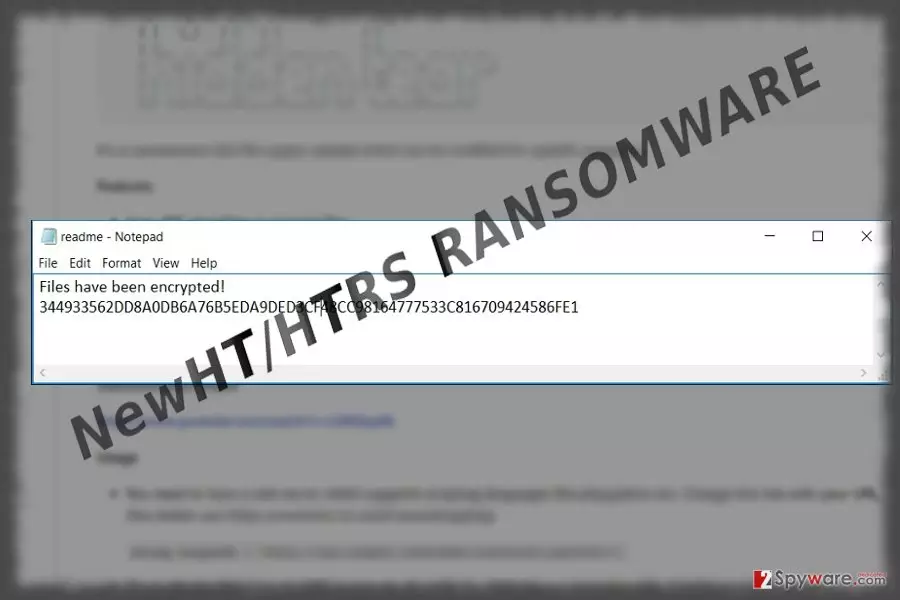
Easy money often fuels crooks and felons of various ilk to engage in illegal activities. The virus seems to be designed likewise. The developers of this ransomware did not spend too much time on elaborating its structure nor design. Most likely HTRS malware uses AES-256 algorithm to encode files. Unfortunately, such technique generates a unique decryption key which is stored on a remote server. Interestingly, that the mentioned ransom note does not include any email address for affected users to contact the felons nor indicates its bitcoin address. However, readme.txt presents user’s ID number. Thus, it suggests that the malware is still under development. On the other hand, if its threat has occupied your computer and encrypted files, there is no need to pay the money. Remitting the payment does not raise the chances to recover files. What is more, you may give a previously released HiddenTear decrypter a try[2]. Though it may not be effective for all versions, there is a high probability that you may succeed. Make a rush to remove HTRS virus.
Spreading the malware
HTRS hijack is delivered with the help of Gen:Heur.Ransom.HiddenTears.1, TR/Ransom.Ryzerlo.wffqo, W32/HTCrypt.BSXW-1499, or similarly named trojan. It might dwell in corrupted websites and torrent sharing websites. Note that spam emails remain the key method for distributing the malware. Its htrs.exe is likely to be placed in a .zip folder. Do not rush to open invoice, tax reports or informative messages about an undelivered content. Inspect it. If it contains altered credentials, grammar mistakes or typos of alarming content, be cautious. Only if you are sure of a sender‘s identity, open the attached documents.
Eliminating HTRS ransomware from the computer
Despite whether it is an elaborate threat, start HTRS removal. It is no surprising if you cannot launch an anti-spyware tool or it starts showing unusual error alerts. In that case, read the below guide. Note that malware elimination tools do not decrypt files. For that reason, you will need additional tools. More information is provided at the bottom of this page. In addition, you might cancel and terminate any fishy tasks running in the Task Manager. If you detect htrs.exe file, right-click on it and choose “end task.”
Did this guide help?
Be the first to comment