
Raa-consult1@keemail.me ransomware: what it is and how to recover
Raa-consult1@keemail.me ransomware, better known as RAA, is a script file that encrypts your documents, renames them to .locked and installs the Pony password stealer. No free decryptor is known, so remove it, change your passwords and restore from copies.
Facts checked October 5, 2026. Removal steps tested on Windows 11 (26H2) and checked against Microsoft's and the browser makers' current documentation.
Automatic
Get a free scan and check if your PC is infected.
Fortect finds malware, unwanted programs and the Windows damage they leave behind, and repairs it in one pass.
Before you restore backups, a full scan can confirm the program that added .locked is gone.
Do it yourself · free Remove RAA ransomware yourself 6 steps, about 18 minutes, no software needed.
Start the steps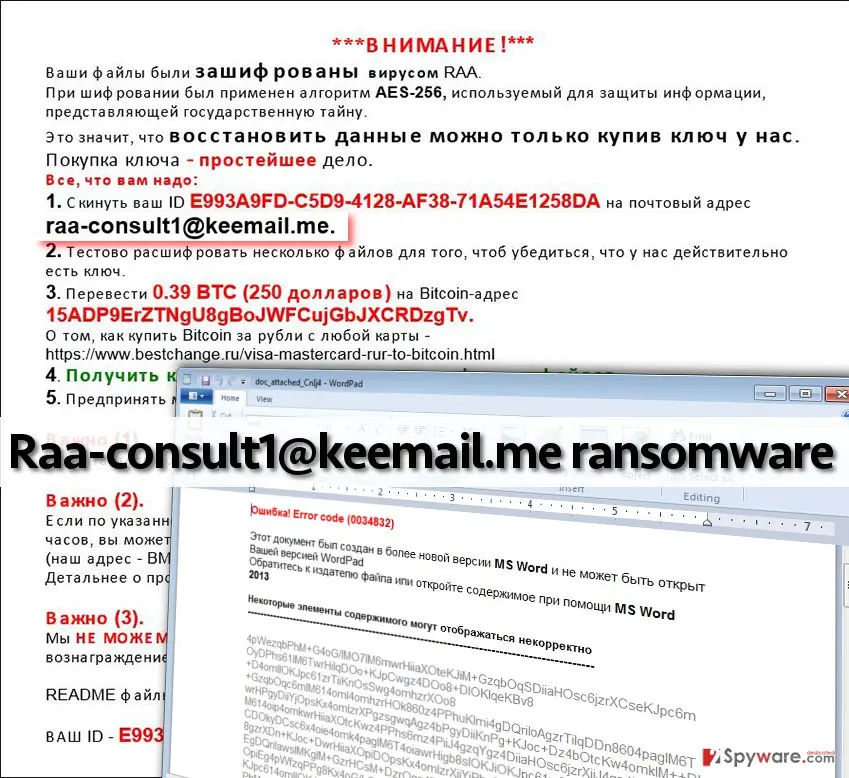
RAA ransomware: summary
| Type | Script-based ransomware: encrypts documents and photos, adds .locked, installs the Pony stealer |
|---|---|
| Risk | High: no known free decryptor, and stored passwords may be stolen |
| Symptoms | Files renamed .locked, !!!README!!![ID].rtf on the desktop in Russian, a WordPad window with a fake error 0034832 |
| How to get rid of it | Disconnect, scan with Microsoft Defender, delete the .js file, st.exe and the Run entry, change passwords elsewhere |
| Our check | Source check on 5 October 2026 and one visit to keemail.me on 4 October 2026; malware not run |
| First seen | 13 June 2016 (BleepingComputer); our first report 20 September 2016 |
| Removal | Scan the PC with security software to find and remove the malware and anything installed with it. Fortect scans Windows for malware and repairs the system files and settings it damaged. Remove it nowTo use the full-featured product, you have to purchase a license for Fortect. The scan is free. |
Show 14 more facts
| Name | RAA ransomware (also Raa-consult1@keemail.me ransomware) |
|---|---|
| Encrypted file extension | .locked |
| Ransom note | !!!README!!![ID].rtf in Russian, quoted below without the payment address |
| Decryptor | None known; not on the No More Ransom list |
| Contact | raa-consult1@keemail.me and a Bitmessage address |
| Detection names | Microsoft: Ransom:JS/CryptoRaa.A for the script. No Microsoft detection name is known for the dropped Pony file st.exe (not confirmed) |
| Distribution | E-mail attachments ending .js with a document-like name |
| Damage | Encrypted documents and images, removed shadow copy service, Pony stealer |
| Evidence | 0 write-ups by security sites; no sample analysed yet |
| Encrypted files | .locked |
| Attacker contacts | raa-consult1@keemail.me |
| Free decryptor | No free decryptor is known (checked 5 October 2026) |
| Microsoft Defender name | Ransom:JS/CryptoRaa.A |
| Facts checked | 5 October 2026 |
Facts checked on 5 October 2026 against BleepingComputer's and Emsisoft's 2016 analyses, Tripwire, PCrisk's 2021 update and the No More Ransom tools list; keemail.me visited once on 4 October 2026. We did not run the malware.
What the Raa-consult1@keemail.me ransomware is
"Raa-consult1@keemail.me" is the e-mail address in the ransom note of RAA, a Windows ransomware written as a script file: it encrypts documents and photos, adds .locked to their names and installs the Pony password stealer.
Our 2016 report said it arrives as a Word document that needs macros. The sources show a .js script file with a document-like name instead; the corrections are marked below.
- Also called
- RAA ransomware, RAA virus, RAA-SEP (BleepingComputer's help topic)
- Written as
- A script run by Windows Script Host, with the CryptoJS library inside
- First seen
- 13 June 2016 (BleepingComputer); our first report 20 September 2016
- Extension and note
.locked;!!!README!!![ID].rtfin Russian- Price in the note
- 0.39 Bitcoin, about 250 US dollars in 2016
- Extra payload
- Pony password stealer, saved as
st.exein Documents
How the RAA story went
13 June 2016
First public report
BleepingComputer describes RAA, found by two researchers who tweet as JAMESWT_MHT and benkow_, as ransomware made of a script file, not a program.
15 to 26 June 2016
Pony, the fake document and a Microsoft name
Emsisoft shows Pony inside the script and says decryption "is currently not possible". BleepingComputer adds the Windows Script Host advice. Microsoft publishes Ransom:JS/CryptoRaa.A on 26 June.
20 September 2016
Our first report
We described a Word document with macros and a 250 dollar demand. Our picture, at the top of this page, shows the Russian note and the fake error window.
20 December 2021
PCrisk update
PCrisk still says no tool could restore RAA files.
5 October 2026
Our recheck
No More Ransom lists no RAA tool, and keemail.me answered and sent us on to another domain. We rewrote the guide from these sources.
What we checked and what we did not
We visited the domain in the note's address once and read the analyses. We did not run the malware.
keemail.me and RAA · check · 4 and 5 October 2026
- Site answerkeemail.me answered 200 and sent our browser on to tuta.com, an encrypted e-mail service. One visit from Lithuania, Chromium.
- Notifications, pop-ups, adsNone seen on that visit; no service worker.
- The mailboxWe cannot see whether the address in the note is still read. The .me registry has no RDAP server, so no registration date.
- DecryptorNo RAA entry on the No More Ransom list (5 October 2026).
- Files and registryFrom Microsoft and BleepingComputer; not tested on a live infection.
Nothing on this one visit One visit proves little. The danger is the script and Pony on the PC, not visiting keemail.me.
Which name will your scanner show?
Microsoft's name for RAA ransomware is Ransom:JS/CryptoRaa.A.
Defender sorts threats by category first, so the word before the colon tells you what kind of program was found, even if the family name means nothing to you.
Do not search for a removal tool by the detection name alone; fake "removal tools" use the same keywords. How the naming works is explained in our guide to antivirus detection names.
- File extension:
.locked - Note file:
!!!README!!![ID].rtf - Contact:
raa-consult1@keemail.me
How RAA ransomware behaves
What it does on the PC, step by step
The order comes from the BleepingComputer, Emsisoft and Microsoft descriptions of the 2016 script; later copies may differ.
- 1
You open the attachment
Windows hands a
.jsfile to Windows Script Host (wscript.exe), which runs scripts outside a browser. - 2
A fake broken document opens
A file named like
doc_attached_[random letters]is saved in Documents and opened in WordPad, with a Russian error 0034832 saying the document needs a newer Word. You think the attachment is damaged. - 3
A startup entry is added
A Run value in the registry points at the script, so it starts at every sign-in and can encrypt documents you create later.
- 4
The shadow copy service is removed
Emsisoft saw the Volume Shadow Copy service deleted, so Previous Versions shows nothing. BleepingComputer is not sure the copies themselves are deleted.
- 5
Files are encrypted
It picks the file types it wants on every drive it can write to and encrypts them with AES through CryptoJS, adding
.locked. Microsoft says no internet connection is needed for this. - 6
Pony and the note
The script decodes Pony to
st.exein Documents and runs it, then writes the note to the desktop. The note says a README also sits in the root of each drive.
Which files and folders it touches
Sixteen file types only, so videos, music and installers are not on the list, although the 2016 guide counted videos.
Types it encrypts (BleepingComputer, Emsisoft, Microsoft, PCrisk)
- .doc
- .xls
- .rtf
- .dbf
- .jpg
- .dwg
- .cdr
- .psd
- .cd
- .mdb
- .png
- .lcd
- .zip
- .rar
- .csv
Folders it skips
- Program Files
- Program Files (x86)
- Windows
- Recycle.Bin
- Recycler
- AppData
- Temp
- ProgramData
- Microsoft
It also skips any file whose name contains .locked, ~ or $. Documents saved as .docx or .xlsx are not in the published list either; later copies of the script may differ.
What the ransom note demands
The note asks you to write first, test one file, then pay 0.39 Bitcoin.
| Item | What the note says | What it means |
|---|---|---|
| Claim | AES-256, "used to protect state secrets" | Real cipher, sales line. Code readers found AES from CryptoJS; PCrisk's "RSA" is not what they found. |
| First step | Send your ID to raa-consult1@keemail.me | The ID ties your PC to their records. A free mailbox is all they need. |
| Proof | Decrypt a few files as a test | Proves they hold something, not that the rest works |
| Price | 0.39 BTC, written as 250 US dollars | We do not print the payment address |
| Deadline | Keys of unpaid victims removed within a week | Pressure; nothing outside the note supports it |
| Backup contact | Bitmessage, if no reply in 3 hours | A network with no central owner, so the address cannot be taken down |
Was anything stolen? The Pony stealer
Possibly: Pony steals stored passwords, and RAA starts it at every sign-in, so treat passwords on this PC as exposed.
- High
Stored passwords
Emsisoft and Tripwire describe Pony as able to steal passwords and send them to an attacker.
- Medium
Accounts you used here
Change your e-mail password first from another device, then banking and shops.
- Low
No leak site
No source mentions a threat to publish files.
The RAA ransomware note
*** ATTENTION! ***
Your files have been encrypted virus RAA.
For encryption was used algorithm AES-256 is used to protect information of state secrets.
This means that data can be restored only by purchasing a key from us.
Buying key - a simple deed.
All you need to:
1. Send your ID [victim ID] to the postal address raa-consult1@keemail.me.
2. Test decrypt few files in order to make sure that we do have the key.
3. Transfer 0.39 BTC ($ 250) to Bitcoin-address [address omitted].
For information on how to buy Bitcoin for rubles with any card - [Russian exchange site].
4. Get the key and the program to decrypt the files.
5. Take measures to prevent similar situations in the future.
Importantly (1). Do not attempt to pick up the key, it is useless, and can destroy your data permanently.
Importantly (2). If the specified address (raa-consult1@keemail.me) you have not received a reply within 3 hours, you can use the service for communication Bitmessage.
Importantly (3). We CAN NOT long keep your All keys, for which no fee has been paid, are removed within a week after infection.
README files located in the root of each drive.
Can RAA ransomware files be decrypted?
We found no free way: Emsisoft (2016), BleepingComputer and PCrisk (2021) say the files cannot be restored without the key, and No More Ransom has no tool.
Do
- Keep a few
.lockedfiles and the note on a USB drive in case a tool appears - Check the No More Ransom list again later; ID Ransomware can confirm the family
Don't
- Do not rename
.lockedaway; it changes nothing inside - Do not download a "free RAA decryptor" from a search result
- Do not write to the address in the note
How to remove RAA ransomware
Tools you'll need
All of these are free except where noted. Download them on a clean device if the infected PC is offline.
- A USB stick: to keep the ransom note, two or three encrypted files and screenshots off the infected PC.
- Microsoft Defender Offline: built into Windows 11 and Windows 10; scans before Windows starts, so running malware cannot hide.
- Microsoft Safety Scanner: a second, portable scanner with current signatures; each download works for 10 days.
- ID Ransomware: identifies the family from the note and one encrypted file and says whether a decryptor exists.
- No More Ransom: the free decryptors from police and security companies; check it again every few months.
- Fortect (optional): scans Windows for malware and repairs the system files and settings it damaged. The free scan is in the box above.
How to remove RAA ransomware and get your files back
Work in this order.
Disconnecting comes first, removal comes before any restore, and nothing here asks you to contact the attackers.
Step 1: Disconnect the PC and unplug backup drives
RAA ransomware encrypts everything it can reach, including drives and shares you connect later. Cut the network first: cable out, or Wi-Fi off from the taskbar.
Then unplug every USB stick and backup disk and pause cloud sync, so the encrypted versions do not replace your online copies. Do not reconnect any of them until the ransomware is removed from the Windows 11 or Windows 10 PC.
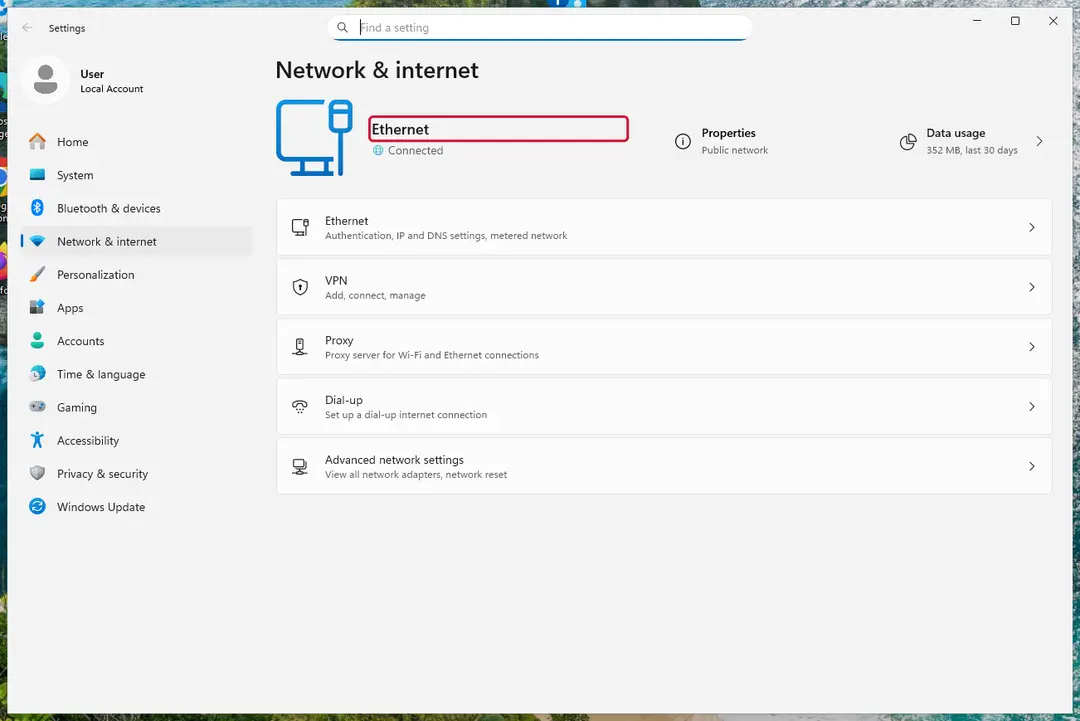
Windows 11: turn off Wi-Fi to take the PC offline. Full procedure with screenshots: Ransomware: first steps, finding a decryptor and recovering files
Step 2: Save the ransom note and confirm the family
Copy
!!!README!!![ID].rtfand one or two files ending in.lockedto a USB stick, and leave the originals where they are.From another device, upload the note and a sample file to ID Ransomware or No More Ransom's Crypto Sheriff, which name the family from the note, the extension and the file structure.
Write down the contact address and your personal ID from the note, because a decryptor or the police may ask for them.
Warning: Never contact the attackers from the infected Windows 11 or Windows 10 PC.
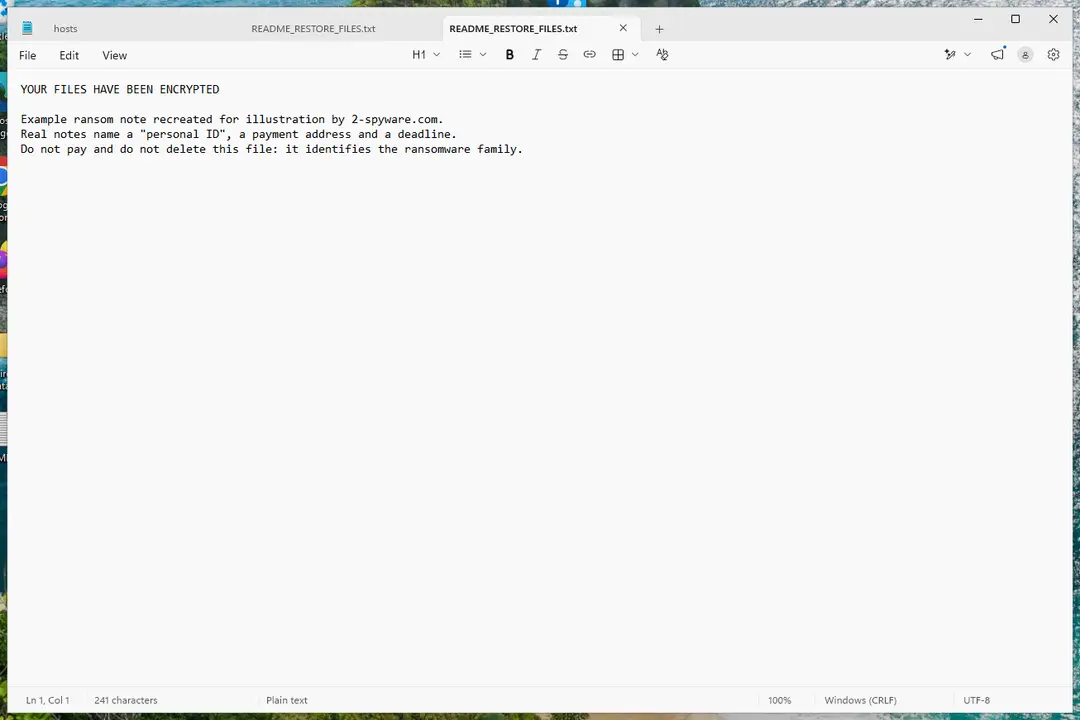
Windows 11: the ransom note and encrypted files to copy for identification. Full procedure with screenshots: Ransomware: first steps, finding a decryptor and recovering files
Step 3: Check for a free decryptor
For RAA ransomware, no free decryptor is known (checked 5 October 2026). Search the family name in the No More Ransom decryption tools list and in the free decryptors of Emsisoft, Avast and Kaspersky, because new tools appear years after an attack.
Important: Keep the encrypted files even if nothing works today, and do not pay before every free option is ruled out: payment does not guarantee a working key.
Decryptors run on Windows 11 and Windows 10, but only after the ransomware itself is removed.
Full procedure with screenshots: Ransomware: first steps, finding a decryptor and recovering files
Step 4: Remove the ransomware before you restore or decrypt
Restoring or decrypting files while RAA ransomware still runs lets it encrypt them again. Run a Full scan in Windows Security > Virus & threat protection > Scan options, then the Microsoft Defender Antivirus (offline scan).
If the ransomware blocks Windows Security, start Safe Mode with Networking and scan from there. Some families install a password stealer as well, so let both scans finish on Windows 11 or Windows 10.

Windows 11: Windows Security > Virus & threat protection > Scan options. Full procedure with screenshots: Run a Microsoft Defender Offline scan
Step 5: Look for shadow copies of the files
Open Command Prompt as administrator and run
vssadmin list shadows. If it lists copies dated before the attack, right-click a folder with encrypted files in File Explorer, choose Properties > Previous Versions, and open or restore a version from before that date.ShadowExplorer, a free tool, shows the same copies when the tab is empty or hidden. Most current families delete shadow copies, so an empty list is normal, but the check takes two minutes on Windows 11 or Windows 10.
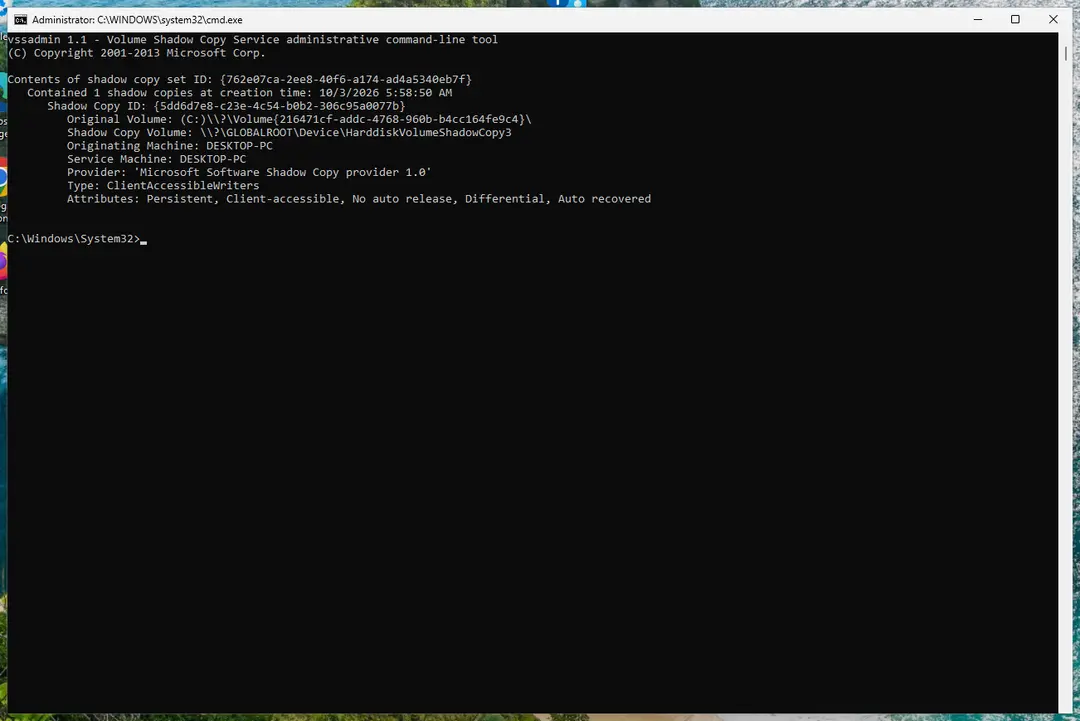
Windows 11: vssadmin list shadows shows whether shadow copies exist. Full procedure with screenshots: Ransomware: first steps, finding a decryptor and recovering files
Step 6: Restore the files from a backup or recover deleted originals
Restore from an external backup, File History or OneDrive's version history, choosing a date before the attack. Connect the backup drive only after the scans are clean, or the ransomware encrypts it too.
If there is no backup, file recovery software can sometimes find the deleted originals, because some ransomware writes an encrypted copy and deletes the original file.
Stop writing to the drive and try recovery on Windows 11 or Windows 10 before new files overwrite the space.
Full procedure with screenshots: Recover deleted files (Recycle Bin, backups, OneDrive) On uGetFix
Report it and recover your files
Report it
Report the attack even if you do not expect the files back: insurers and banks ask for the report number, and police use the contacts in the note to link cases.
- United States
- FBI IC3 · FTC ReportFraud
- United Kingdom
- Report Fraud (formerly Action Fraud) · NCSC
- Australia
- ReportCyber (ASD)
- EU countries
- Europol: national reporting sites
Give the victim ID, the note and the date the files were encrypted. A business that holds personal data may also have to notify its data protection authority, in the EU within 72 hours.
Ways to get files back without the key
Look for copies, in this order, and save nothing new to the disk meanwhile.
- 1
Backups
An external drive, NAS or cloud copy; connect it only after the PC is clean. Follow the 3-2-1 rule for the future: three copies, two kinds of storage, one away from the PC.
- 2
Forgotten copies
E-mail attachments, a phone, a USB stick, a messenger, a cloud drive's version history. The 2016 guide named e-mail and USB drives.
- 3
Previous Versions and shadow copies
Right-click a folder, Properties > Previous Versions (Windows 11: Show more options first). Emsisoft says the service is deleted, so expect nothing, but
vssadmin list shadowsin an administrator Command Prompt shows whether copies survived.
How to prevent RAA ransomware and the next attack
RAA needs one thing: you open a script file.
- 1
Show file extensions
File Explorer: View > Show > File name extensions, so a
.jsending cannot pass as a document. - 2
Turn off Windows Script Host (optional)
BleepingComputer's advice: under
HKEY_LOCAL_MACHINE\Software\Microsoft\Windows Script Host\Settingscreate a DWORDEnabledset to 0. Scripts then stop running outside the browser. Not confirmed by us on Windows 11 or 10, and it blocks your own.jsfiles too.
Do
- Update Windows and programs, and use Microsoft Defender
- Save attachments first so the antivirus can scan them
- Delete unexpected e-mails, above all with
.jsattachments
Don't
- Do not enable macros because a document asks; RAA does not need them, other malware does
- Do not install programs from pop-up ads or redirects
Questions about RAA ransomware
How do I open .locked files?
You cannot open them. RAA encrypts each file with AES and appends .locked, so test.jpg becomes test.jpg.locked and only the criminals' key can turn it back.
Renaming the file to remove .locked changes nothing inside it, and no program can read the content without the key. What you can do is open copies:
- a backup
- an e-mail attachment you sent
- a phone
- cloud version history
Keep the .locked files, because a tool may appear later. Files RAA does not target, such as videos, are probably readable already.
Is there a decryptor for RAA ransomware?
No free decryptor is known. Emsisoft wrote in June 2016 that decryption was not possible, BleepingComputer found no way, and PCrisk's December 2021 update says only a backup helps. The No More Ransom tools list, read on 5 October 2026, has no RAA entry.
Be careful with sites offering a free RAA decryptor, which often carry more malware. Keep copies of a few .locked files and the note, and check ID Ransomware and No More Ransom again every few months.
Should I pay the RAA ransom?
No. The note asks you to send your ID to a free mailbox, test a few files, then send 0.39 Bitcoin. Nothing we read says that payers received a working decryptor, and PCrisk expects criminals to ignore victims after payment.
The one-week deadline is pressure, not a technical fact. Paying also does not remove Pony, which may already hold your passwords. Spend the time changing passwords from a clean device and looking for copies of your files.
Do paid decryption services work for RAA?
They cannot do what the criminals' key does. Without the key, a service has nothing to decrypt with, and a firm that promises results is guessing or will pay the criminals for you, which does not reduce your risk.
Real help is restoring from copies. Recovery tools for deleted files rarely help here, because the sources describe RAA encrypting files and do not describe deleting the originals. Ask any service in writing what exactly it will do before you pay.
How did RAA get on my PC?
Almost certainly you opened an e-mail attachment that was really a script file. BleepingComputer saw names like mgJaXnwanxlS_doc_.js and Tripwire says it was sent as an attached JS file. Windows hides file endings by default, so the name looks like a document.
Our 2016 guide said it was a Word file that needed macros; the analyses do not show that. Look in your mail and Downloads for a .js file with a document-like name, and keep it for the scan.
Was my data stolen by RAA?
Possibly. RAA carries the Pony stealer as encoded text, writes it to Documents as st.exe and starts it at every sign-in. Emsisoft says Pony can steal stored passwords and send them to an attacker.
No source mentions a leak site or a threat to publish your files. Change your e-mail password first from another device, then banking, shops and social accounts, turn on two-step sign-in, and watch your bank statements for charges you do not know.
What is keemail.me?
keemail.me is the domain of the address in the note. When we opened it on 4 October 2026 it answered normally and sent our browser on to tuta.com, an encrypted e-mail service, with no notification request, pop-up or ad network. That was one visit, so it proves little.
The address is a mailbox the criminals used to receive your ID. We cannot tell from outside whether it still works, and you should not write to it. Visiting the site does not infect you; opening the .js attachment does.
How is RAA different from other .locked ransomware?
Several families add .locked, so the ending alone proves nothing. RAA is identified by the note !!!README!!![ID].rtf in Russian, the address raa-consult1@keemail.me, the fake WordPad error 0034832, and st.exe in Documents.
It is also a plain script file rather than a program, unlike Ransom32, which was packed into an executable. Microsoft detects it as Ransom:JS/CryptoRaa.A. If your note, address or file names differ, you have another family and our steps may not fit.
How do I remove RAA from Windows 11 or 10?
Disconnect the PC from the network, start Windows in Safe Mode and run a full scan with Microsoft Defender, including an offline scan, as Microsoft advises for this threat. Then check the places the analyses list:
- delete st.exe in Documents
- the .js attachment
- the startup value in the Run registry key that points to it
Our removal plan below gives the menu paths for Windows 11 and 10. Removal does not bring files back, so restore from a backup afterwards, only once the PC is clean.
Will Fortect remove RAA ransomware?
Fortect scans Windows for malware and unwanted programs and repairs the system files and settings they change, and its free scan shows what it finds on your PC before you decide anything.
For RAA ransomware, follow the plan above as well: the browser steps take back permissions and settings that no scanner treats as a threat, and uninstalling the program that brought it removes the source.
Run Microsoft Defender's full scan and, if anything was found, its offline scan as a second opinion. If the symptoms are gone after the plan and both scans are clean, there is nothing more to do.
Sources
- BleepingComputer: The new RAA Ransomware is created entirely using Javascript (read October 5, 2026)
- Emsisoft: RAA, a new Ransomware variant using only JavaScript (read October 5, 2026)
- Tripwire: RAA Ransomware Written Entirely in JScript (read October 5, 2026)
- PCrisk: RAA Ransomware (read October 5, 2026)
- Microsoft: Ransom:JS/CryptoRaa.A (read October 5, 2026)
- No More Ransom: decryption tools (read October 5, 2026)
- CISA: StopRansomware (read October 5, 2026)