
Is 7-Zip safe to use?
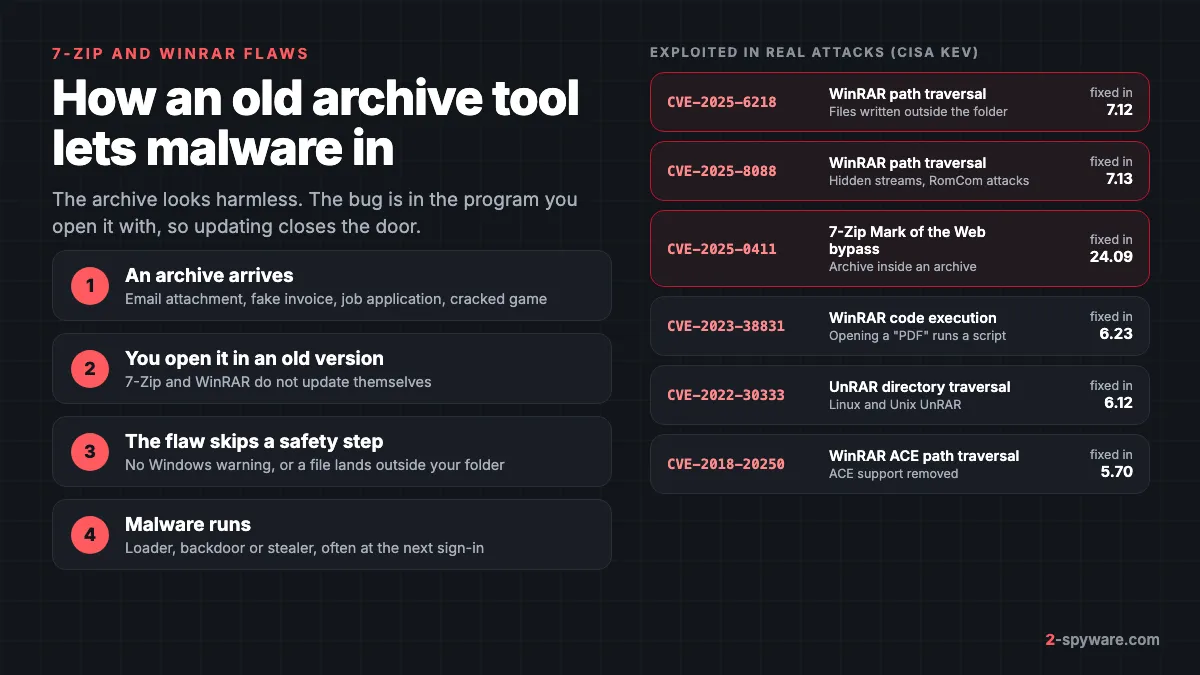
Yes, if you run a current version from the official site. 7-Zip and WinRAR are not malware, and millions of people use them every day. The problem is narrower: like any program that reads files from strangers, they have had bugs, and some of those bugs were used to infect real computers.
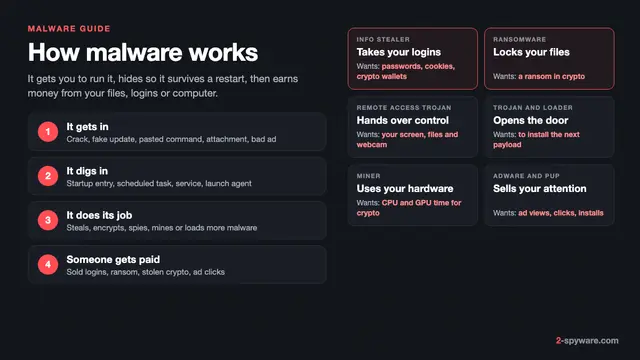
Our malware guide explains how malware reaches a PC in general. This page goes deeper on one route: archives opened with an outdated extractor, and what to do about it.
A fixed bug only protects you once the fixed version is on your PC, and neither 7-Zip nor WinRAR installs updates on its own.
The 7-Zip vulnerability used against Ukraine: CVE-2025-0411
In September 2024, Trend Micro's Zero Day Initiative found attackers using an unknown 7-Zip flaw against organizations in Ukraine [1]. The bug, later named CVE-2025-0411, let a file skip the Windows protection called Mark of the Web [1]. 7-Zip released the fix on 30 November 2024 in version 24.09 [1].
The trick was double archiving. The attackers put an archive inside another archive. When the victim opened the outer one, 7-Zip did not pass the Internet tag on to the files inside the inner archive, so Windows treated them as local files and showed no warning [1].
The files arrived in spear phishing emails. Trend Micro links the campaign to Russian cybercrime groups and the payload was SmokeLoader, a loader that downloads further malware [1]. The attackers also used homoglyphs: Cyrillic letters that look like Latin ones, so a program file appeared to be a document [1].
CISA added CVE-2025-0411 to its Known Exploited Vulnerabilities catalogue on 6 February 2025 [6]. That list only holds flaws with evidence of use in real attacks, which is why we track it on our exploited vulnerabilities pages.
The WinRAR vulnerabilities: CVE-2023-38831, CVE-2025-8088 and CVE-2025-6218
WinRAR has a longer record on the CISA list than 7-Zip, with five entries for WinRAR and its UnRAR tool [6]. Three of them matter most today.
CVE-2023-38831: a fake PDF that runs a script
CVE-2023-38831 let an attacker run code when you tried to view a harmless-looking file, such as a PDF or picture, inside a ZIP archive [3]. Criminals used it before a fix existed in early 2023, and government-backed groups picked it up once details were public [3].
Google's Threat Analysis Group reported several of these state campaigns in October 2023 [3]. One group it calls FROZENBARENTS posed as a Ukrainian drone warfare training school. Another, FROZENLAKE, targeted Ukrainian government bodies and energy infrastructure [3]. Google's point was that many people had still not updated WinRAR months after the fix [3].
CVE-2025-8088: hidden files dropped by the RomCom group
ESET found CVE-2025-8088 being used in spear phishing emails between 18 and 21 July 2025 [2]. The archives posed as job applications and went to companies in sectors such as finance and defense in Europe and Canada [2]. ESET attributes the attacks to RomCom, a Russia-aligned group [2].
The flaw is a path traversal that uses alternate data streams, a hidden feature of Windows file storage [2]. The archive shows you one ordinary file, while hidden extra files are written to other folders during extraction [2]. The payloads ESET saw include a SnipBot variant, RustyClaw and a Mythic agent, all tools for remote control [2].
WinRAR fixed the bug on 30 July 2025 in version 7.13 [2]. ESET warns that the Windows versions of the RAR command line tools, UnRAR.dll and the portable UnRAR source code were affected too [2]. That means other programs that include UnRAR.dll can carry the same bug.
CVE-2025-6218: another directory traversal
NVD describes CVE-2025-6218 as a directory traversal in how WinRAR handles file paths inside archives [4]. A crafted path makes WinRAR write outside the folder you chose, which lets an attacker run code as you [4]. You have to open a malicious file or page for it to work [4].
NVD lists versions before 7.12 as affected and rates the flaw 7.8 out of 10 [4]. CISA added it to the exploited list on 9 December 2025 [6]. If you are on 7.13 or newer, both 2025 WinRAR bugs are closed.
Older entries you may still meet
- CVE-2018-20250: a path traversal in WinRAR's support for the old ACE format. CISA lists it as exploited [6].
- CVE-2022-30333: a directory traversal in UnRAR for Linux and Unix [6]. It hit servers that unpack attachments automatically, so it matters to admins more than home users.
The full, current list of exploited 7-Zip and WinRAR flaws from the CISA catalogue appears at the end of this page and updates on its own.
Why archive tools are a favourite target
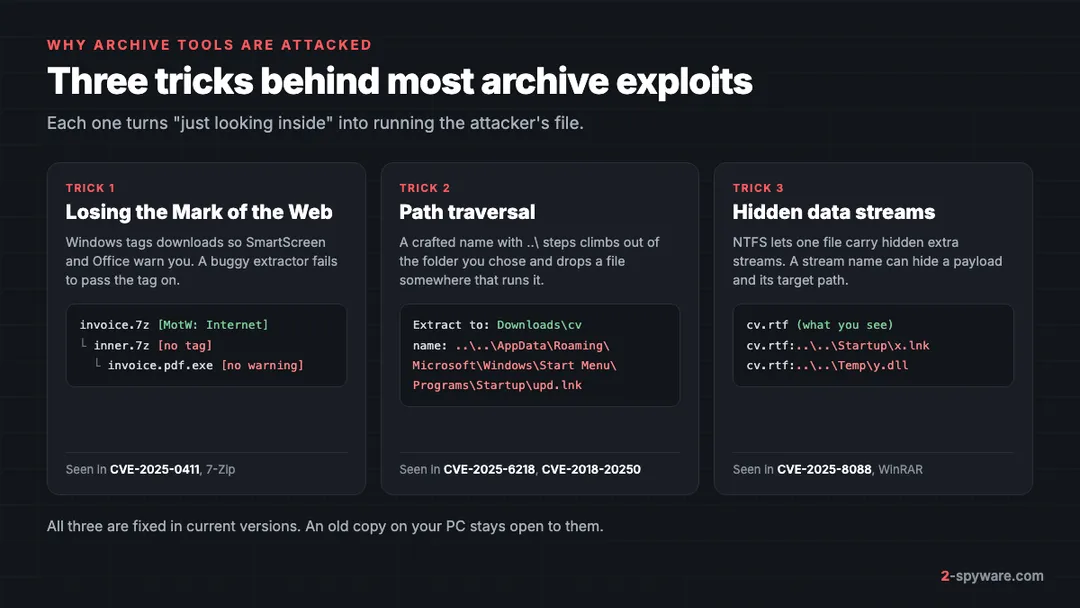
An archive is just a container. A ZIP file cannot run by itself, so a "malicious zip file" is dangerous in two ways only: it holds a harmful file you open, or it exploits a bug in the program that unpacks it. The second case is the one this page covers, and it relies on three tricks.
Mark of the Web
When you download a file, Windows tags it with a note saying it came from the Internet. SmartScreen uses that tag to warn you before you run an unknown program, and Office uses it to open files in Protected View. An extractor must copy the tag onto every file it unpacks. If it does not, as in CVE-2025-0411, those warnings never appear [1].
Path traversal
File names inside an archive can contain folder steps such as ..\ that point up and out of the folder you picked. A safe extractor strips them. A buggy one follows them and can drop a shortcut or program into a folder that Windows runs on its own, such as your Startup folder [4].
Alternate data streams
The NTFS file system lets one file carry hidden extra streams of data. Windows itself stores the Mark of the Web tag in such a stream. In CVE-2025-8088, attackers used stream names to hide extra files and their target paths, so you saw one document while several files landed elsewhere [2].
Archives also help attackers in a plainer way. Email filters cannot scan inside a password-protected archive, so a message that gives you the password in its text is a classic trick. Our page on malicious email attachments shows the file types that usually sit inside.
How to check your version and update 7-Zip and WinRAR
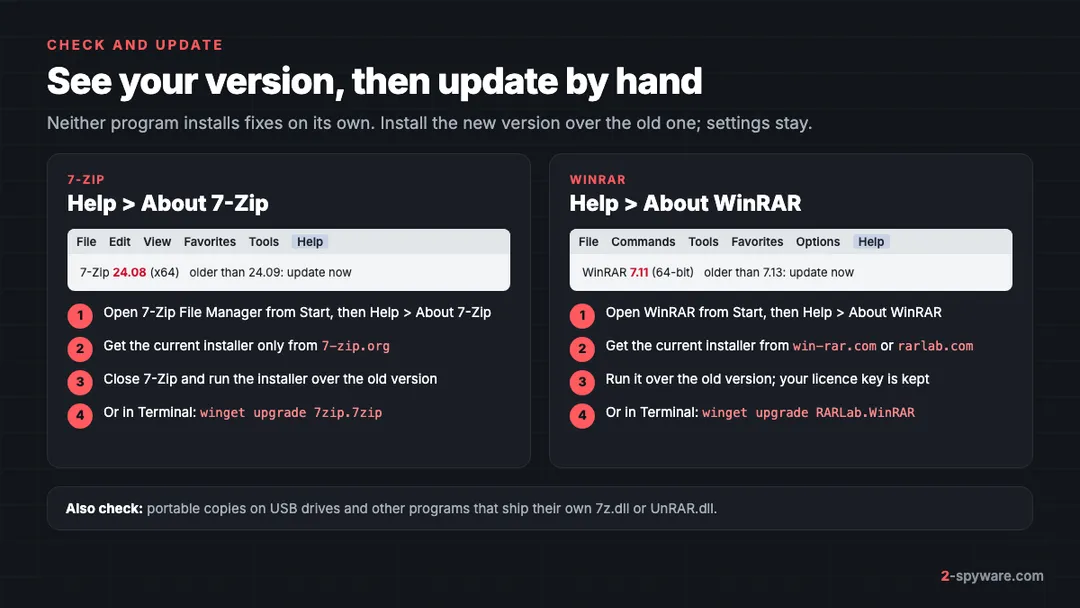
Neither 7-Zip nor WinRAR has an automatic updater, and Windows Update does not touch them. You install each new version by hand, over the old one. Settings stay, and a WinRAR licence key stays too.
Update 7-Zip
- Open the Start menu, type 7-Zip and open 7-Zip File Manager.
- Choose Help > About 7-Zip. The window shows the version number, for example 24.08 (x64).
- If it is older than 24.09, you are exposed to CVE-2025-0411 [1]. Close 7-Zip.
- Download the current installer from 7-zip.org only. Pick the same type you have: 64-bit x64 for almost every PC today.
- Run the installer and click Install. It replaces the old files in C:\Program Files\7-Zip.
- Open Help > About 7-Zip again to confirm the new number.
In 7-Zip you can also make it copy the Internet tag to extracted files. Open Tools > Options, go to the 7-Zip tab and set Propagate Zone.Id stream to Yes. The update still matters, because CVE-2025-0411 skipped this step inside nested archives [1].
Update WinRAR
- Open WinRAR from the Start menu.
- Choose Help > About WinRAR. The window shows the version and whether it is 32-bit or 64-bit.
- If it is older than 7.13, you are exposed to CVE-2025-8088 [2]. Older than 7.12 adds CVE-2025-6218 [4].
- Close WinRAR and download the current installer from win-rar.com or rarlab.com, in the same 32-bit or 64-bit type.
- Run the installer. It updates the copy in C:\Program Files\WinRAR and keeps your settings.
- Check Help > About WinRAR once more.
Faster: see every version at once
In Windows 11, open Settings > Apps > Installed apps and search for 7-Zip or WinRAR; the version shows under the name. In Windows 10 the same list is under Settings > Apps > Apps & features. If you use the Windows Package Manager, open Terminal and run winget upgrade 7zip.7zip or winget upgrade RARLab.WinRAR.
Copies people forget
- Portable versions on USB sticks or in a Downloads folder. They never show in Installed apps.
- Older forks and front ends that bundle their own 7z.dll or UnRAR.dll. ESET names UnRAR.dll among the affected parts [2].
- A second PC, a family laptop, or a work machine you also use for personal mail.
- Lookalike download sites. Only 7-zip.org and win-rar.com or rarlab.com are the real sources; a fake installer is a worse problem than an old version.
Windows' built-in archive support as an alternative
If you only open an archive now and then, you may not need a separate tool. Windows 11 version 24H2 opens ZIP, RAR, 7z and TAR archives in File Explorer [5]. Windows 10 handles ZIP files on its own.
- Find the archive in File Explorer.
- To take out one file, open the archive and drag the file to a normal folder [5].
- To unpack everything, right-click the archive, choose Extract All, and follow the steps [5].
- To make a ZIP, right-click a file or folder, choose Show more options > Send to > Compressed (zipped) folder [5].
Its advantage is that Windows Update fixes it along with the rest of Windows. Keep 7-Zip or WinRAR only if you need formats or features Windows lacks. If you no longer use one, uninstall it instead of leaving an old copy behind.
Safe habits with archives from email and downloads
- Treat an unexpected archive as a red flag in itself. Invoices, CVs, court notices and delivery papers rarely need to be zipped. Our phishing email guide lists the other signs.
- Be most careful with archives that ask for a password given in the email. That is how senders keep scanners from seeing inside.
- Open the archive and look before you double-click anything. A document that ends in .exe, .scr, .js, .vbs, .lnk or .hta is a program, not a document.
- Turn on file name extensions in File Explorer under View > Show > File name extensions in Windows 11, or View > File name extensions in Windows 10.
- Extract to a new, empty folder and look at what appears. If more files show up than the archive listed, delete the folder and stop.
- Do not open archives that come with cracks, keygens or game mods from unofficial sites. They are one of the main ways cracked software spreads malware, see also cracks, keygens and torrents.
- Check a link before you download from it with our link check.
What to do if you opened a malicious archive
Opening an archive with a patched tool and closing it without running anything is usually harmless. You need these steps if you ran a file from it, if it was a known bad archive, or if your extractor was older than the versions above.
- Disconnect from the Internet, so a loader cannot fetch more malware or send data out.
- Do not type passwords or open your bank on that PC until you finish.
- Look in your Startup folder. Press Windows key + R, type shell:startup and press Enter. Delete shortcuts or files you did not put there, and note their names.
- Open Task Manager with Ctrl + Shift + Esc and check the Startup apps tab for unknown entries. Disable them.
- Update 7-Zip or WinRAR as shown above, so the same archive cannot run again.
- Run a full scan with Microsoft Defender, then a Defender Offline scan. The offline scan runs before Windows loads, which catches malware that hides while Windows runs.
- Clear what the malware left behind: scheduled tasks, startup entries and changed settings. Our guide to removing malware leftovers covers each place.
- From a clean device, change the passwords you used on that PC and sign out other sessions. Follow securing your accounts after malware.
The payloads in these campaigns, such as SmokeLoader and RomCom's tools, are loaders and remote access tools [1][2]. They often fetch information stealers later, so treat saved browser passwords and session cookies as exposed.
Check what the archive dropped
A malicious archive rarely leaves just one file. It writes a shortcut, a DLL in a temp folder and a startup entry, and some of these stay after the main program is gone. A second scanner that looks across the system helps you find those pieces.
Fortect does that job well on Windows. Its free scan takes about five minutes and looks for malware leftovers along with damaged Windows files and broken registry entries. Current plans include an antivirus module, and a licence repairs what the scan finds. We earn a commission if you buy it through our links. For other options, see our list of malware removal tools, or ask in our Windows help forum.
Frequently asked questions
Is 7-Zip safe to use in 2026?
Yes, as long as you run a current version downloaded from 7-zip.org. Its exploited flaw, CVE-2025-0411, was fixed in version 24.09 in November 2024. The risk comes from old copies, because 7-Zip never updates itself.
What was the 7-Zip vulnerability?
CVE-2025-0411 let files inside a nested archive skip the Windows Mark of the Web tag, so Windows showed no security warning when you ran them. Attackers used it in 2024 against organizations in Ukraine to install the SmokeLoader malware.
Is WinRAR safe after CVE-2025-8088?
WinRAR 7.13 and newer fix CVE-2025-8088, and version 7.12 and newer fix CVE-2025-6218. If Help, About WinRAR shows an older number, install the current version over it from win-rar.com or rarlab.com.
Does 7-Zip or WinRAR update automatically?
No. Neither program has an automatic updater, and Windows Update does not update them. You download the new installer yourself and run it over the old version, which keeps your settings.
Can a zip file contain a virus?
Yes. A ZIP file cannot run on its own, but it can hold a harmful program, script or shortcut that runs when you open it. A crafted archive can also exploit a bug in an old extractor to place files where Windows runs them.
Can I get a virus just by opening a zip file?
With an up to date extractor, looking inside an archive is usually safe until you run a file from it. With an outdated 7-Zip or WinRAR, flaws such as CVE-2025-8088 can drop files into other folders during extraction without you running anything.
Is the Windows built-in extractor safer than 7-Zip?
It is not bug free, but Windows Update keeps it current with the rest of the system, which removes the problem of forgotten old versions. Windows 11 24H2 opens ZIP, RAR, 7z and TAR archives without extra software.
What should I do if I opened a suspicious archive?
Disconnect from the Internet, check your Startup folder and Task Manager startup apps for new items, update your extractor, and run a full and an offline Microsoft Defender scan. Then change passwords from a clean device.
Do these flaws affect Mac or Linux?
The 7-Zip and WinRAR bugs above affect the Windows programs. CVE-2022-30333 was a flaw in UnRAR for Linux and Unix, used against servers that unpack files automatically. Keep any unrar tool on those systems updated as well.
Sources
- Trend Micro Research: CVE-2025-0411, Ukrainian organizations targeted in zero-day campaign and homoglyph attacks read 2026-10-09
- ESET WeLiveSecurity: Update WinRAR tools now, RomCom and others exploiting zero-day vulnerability read 2026-10-09
- Google Threat Analysis Group: Government-backed actors exploiting WinRAR vulnerability read 2026-10-09
- NIST National Vulnerability Database: CVE-2025-6218 read 2026-10-09
- Microsoft Support: Zip and unzip files read 2026-10-09
- CISA: Known Exploited Vulnerabilities Catalog read 2026-10-09
 What is malware and how to remove it
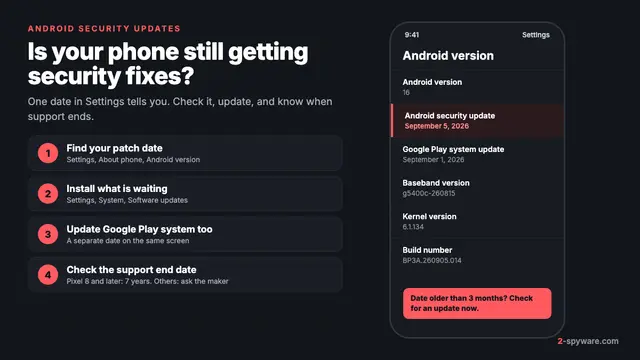 Android security updates: check, install and know when support ends
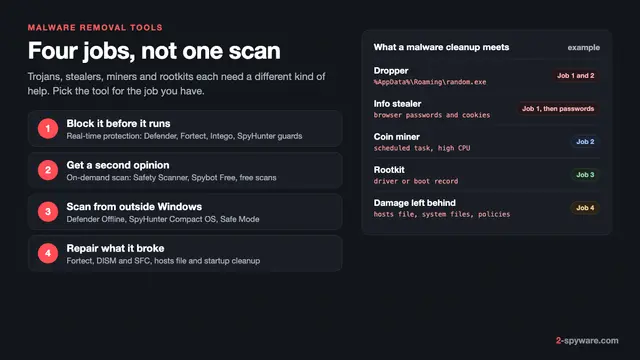 Best malware removal tools in 2026
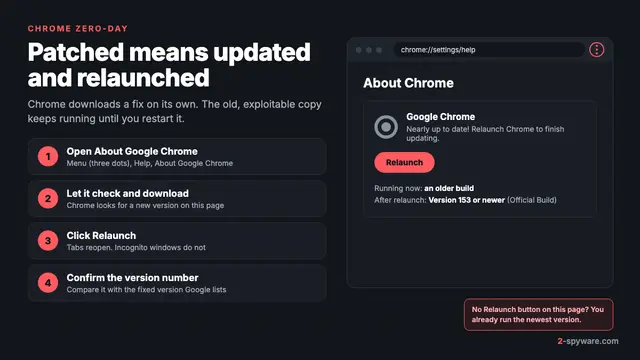 Chrome zero-day: what it is and how to update Chrome now
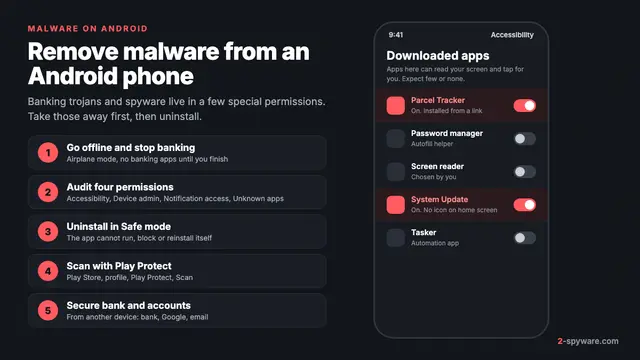 How to remove a virus or malware from an Android phone
 How to remove a virus or malware from a Mac
 Types of malware: what each kind does and how to spot it
 Windows zero-day vulnerabilities: what they are and how to close them