
What a Windows zero-day is
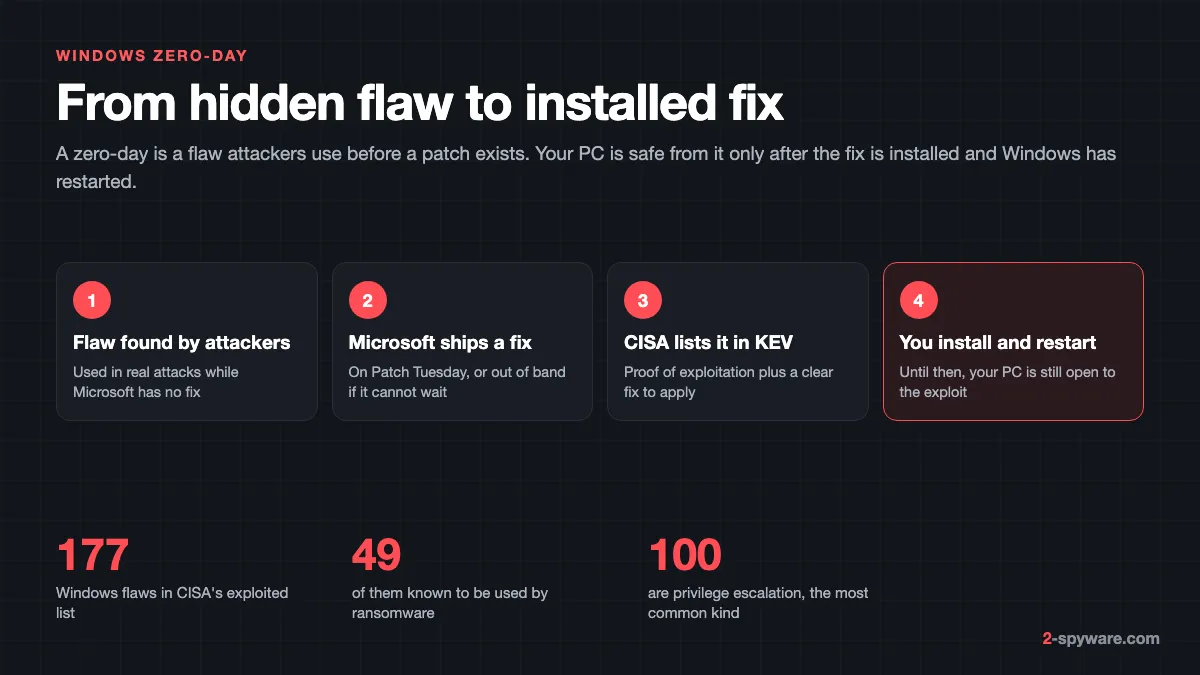
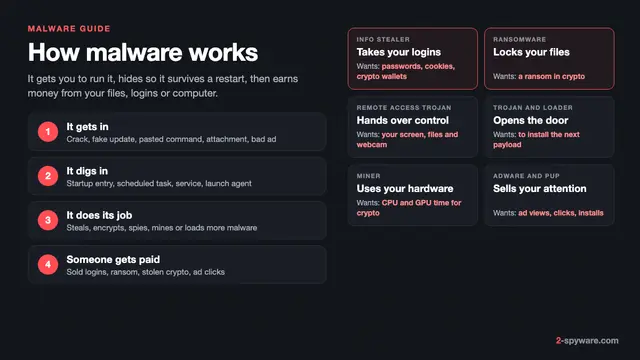
A zero-day is a security flaw that attackers exploit while the maker has had zero days to fix it. Our malware guide explains how malware gets onto a PC in general; this page covers flaws in Windows itself and the update habits that close them.
Once Microsoft publishes a patch, the flaw becomes a known exploited flaw, sometimes called an n-day. The risk to your PC ends only when the update is installed and Windows has restarted, and many home PCs lag weeks behind.
The best public record of which Windows flaws are attacked is the Known Exploited Vulnerabilities (KEV) catalogue run by the US agency CISA. A flaw goes in only when it has a CVE number, reliable evidence of exploitation in the wild, and a clear fix such as a vendor update [6]. A published proof of concept or scanning activity alone does not qualify [6].
Our database mirrors that catalogue. In October 2026 it lists 177 flaws in Microsoft Windows, 20 of them added after October 14, 2025, the day free security updates for Windows 10 ended. Our exploited vulnerabilities tracker shows the full catalogue, and the list below this article shows the Windows entries, newest first.
Patch Tuesday, optional updates and out-of-band fixes
Microsoft fixes most Windows flaws on a fixed schedule. The monthly security update comes out on the second Tuesday of each month, usually at 10:00 AM Pacific Time [1]. Microsoft itself lists the nicknames: Patch Tuesday, Update Tuesday, B week release and latest cumulative update [1].
These updates are cumulative: each one includes all earlier security fixes [1]. Installing the newest monthly update brings you fully up to date, so you never need to hunt for a missed month.
Each Patch Tuesday, the Microsoft Security Response Center (MSRC) publishes every fixed CVE in its Security Update Guide, with a severity rating and a note on whether exploitation was detected. When that note says yes, you are looking at a zero-day, and the update deserves a restart today.
When a flaw cannot wait for the next Patch Tuesday, Microsoft releases an out-of-band (OOB) update [1]. OOB updates are always cumulative, and critical ones arrive through Windows Update like a normal monthly update [1].
| Release | When | Fixes zero-days? |
|---|---|---|
| Monthly security update (Patch Tuesday) | Second Tuesday of the month [1] | Yes, this is where most fixes land |
| Optional non-security preview | Fourth week of the month [1] | No new security fixes; it previews next month's other changes |
| Out-of-band update | As needed [1] | Yes, for flaws too urgent to wait |
| Annual feature update | Second half of the year [1] | Includes earlier fixes and restarts the support clock |
Feature updates matter too. Home and Pro editions get 24 months of support per Windows 11 version [1], after which monthly fixes stop.
The kinds of Windows zero-days
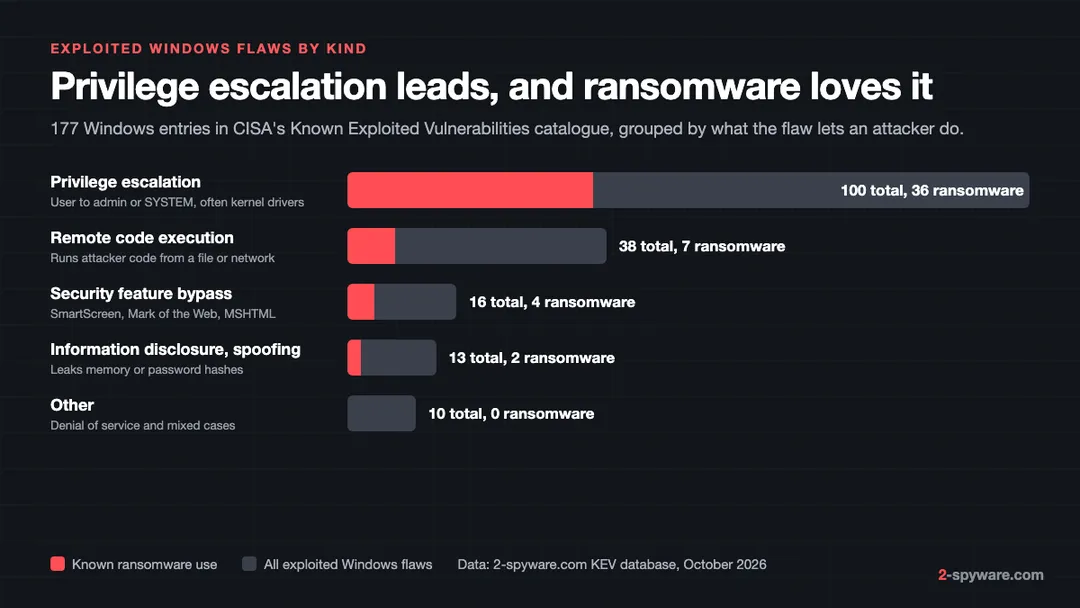
We grouped the 177 Windows entries in our KEV database by what the flaw lets an attacker do. Privilege escalation dominates with 100 entries, followed by remote code execution (38), security feature bypasses (16) and information leaks or spoofing (13).
Privilege escalation: from user to SYSTEM
These flaws do not get malware onto your PC. They make malware that is already running far more powerful. A program started from a phishing attachment runs with your normal rights; an escalation exploit lifts it to administrator or SYSTEM, where it can switch off protection and touch every file.
Kernel drivers are the favourite target. The Common Log File System (CLFS) driver alone has six ransomware-linked entries in our database. In the 2025 case CVE-2025-29824, the exploit let a standard user account gain all privileges and inject code into SYSTEM processes [4]. Other recent examples:
- CVE-2026-81963, added in September 2026: a link following flaw in the Windows Update Stack that lets a local attacker reach SYSTEM.
- CVE-2026-85880, also September 2026: a heap overflow in Advanced Local Procedure Call, a core Windows messaging component.
- CVE-2026-68820, August 2026: a use-after-free in the Ancillary Function Driver for WinSock, a driver that has been exploited several times before.
- CVE-2025-24990, October 2025: an old Agere modem driver that still shipped with Windows and gave attackers administrator rights.
SmartScreen and Mark of the Web bypasses
When you download a file, Windows tags it with a Mark of the Web. That tag makes SmartScreen check the file and makes Office open it in Protected View. A bypass flaw lets a crafted shortcut, archive or web page drop the tag or skip the warning, so you open the file with no prompt at all.
Our database holds 16 such entries. CVE-2024-21412 abused Internet Shortcut files and is marked as known ransomware use. CVE-2024-38213 bypassed the SmartScreen prompt itself. In February 2026 two more followed on the same day: CVE-2026-21510 in Windows Shell and CVE-2026-21513 in the MSHTML engine. These flaws matter most to people who open email attachments, so our phishing email guide is the other half of this defence.
Vulnerable third-party drivers
Some attacks use no Windows flaw at all. Microsoft explains that because kernel code faces strict rules, attackers now load legitimate, signed drivers with known holes and use them to run malware in the kernel [5]. Security researchers call this bring your own vulnerable driver.
Windows answers with the Microsoft vulnerable driver blocklist. It has been on by default for all devices since the Windows 11 2022 update, and you can check it in the Windows Security app [5]. It is also enforced when memory integrity (HVCI), Smart App Control or S mode is on [5]. Microsoft updates the list quarterly and ships it through the monthly Windows updates [5]. To check yours, open Windows Security > Device security > Core isolation details and make sure Memory integrity and Microsoft Vulnerable Driver Blocklist are both on.
Remote code execution
These flaws let an attacker run code on your PC from outside, through a network service, a document or a web page. They are rarer than escalation bugs but cause the largest outbreaks. WannaCry spread in 2017 through a Windows file sharing flaw patched two months earlier, so it hit only PCs that had skipped the update.
Which Windows zero-days ransomware uses
CISA marks each KEV entry with whether it is known to be used in ransomware campaigns. For Windows, 49 of the 177 entries carry that mark, and 36 of those 49 are privilege escalation flaws. The pattern is no accident.
Microsoft's own analysis of the CLFS attack spells out why. Ransomware crews value escalation exploits because they turn a foothold, often bought from a malware distributor, into privileged access for spreading ransomware across a whole network [4]. Microsoft tied the attack to a group it tracks as Storm-2460, which delivered the exploit with the PipeMagic backdoor [4].
After gaining SYSTEM, the attackers dumped the memory of the LSASS process to steal passwords, switched off Windows recovery, deleted the backup catalogue and encrypted files [4]. One detail shows why feature updates matter: the exploit did not work on Windows 11 version 24H2, even before the patch [4].
| Flaw | Part of Windows | What it gives the attacker |
|---|---|---|
| CVE-2025-60710 | Windows (link following) | Privilege escalation; added to KEV in April 2026 |
| CVE-2025-29824 | CLFS kernel driver | SYSTEM rights from a standard user [4] |
| CVE-2025-26633 | Microsoft Management Console | Bypasses a security feature to run a crafted .msc file |
| CVE-2024-49039 | Task Scheduler | Escapes the AppContainer sandbox |
| CVE-2024-26169 | Windows Error Reporting | SYSTEM rights from a user account |
| CVE-2024-21412 | Internet Shortcut files | Skips the Mark of the Web warning |
Patching takes away the step ransomware needs most, and a 3-2-1 backup covers you if one gets through anyway. Avoid cracked software too, since it asks you to switch off the protection an exploit would otherwise have to defeat. Our ransomware guide covers the families and recovery.
How to update Windows 11 and 10 properly
Windows 11
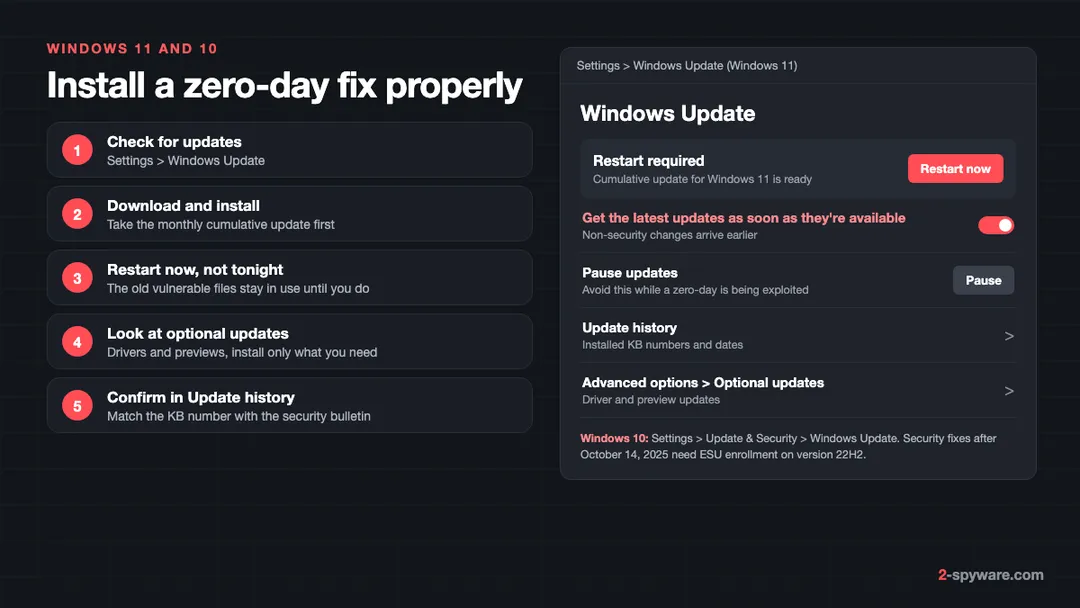
- Select Start > Settings > Windows Update, then Check for updates [2].
- If updates are listed, select Download & install [2]. Take the cumulative update for Windows 11 first; it carries the security fixes.
- When the page shows Restart required, select Restart now [2]. Save your work first; do not leave it for the overnight schedule if a zero-day is in the news.
Windows 10
- Select Start > Settings > Update & Security > Windows Update, then Check for updates [2].
- Select Download & install, then restart when prompted [2].
- If the page says your device is not enrolled in Extended Security Updates, no new security fixes will arrive. See the Windows 10 section below.
Optional updates: what to take and what to skip
On Windows 11, optional updates are under Settings > Windows Update > Advanced options > Optional updates. On Windows 10, select View optional updates on the Windows Update page. You will see driver updates and the monthly non-security preview.
Optional does not mean security. The preview carries next month's non-security changes early [1], so skipping it leaves no zero-day open. Install a driver from this list only if a device is not working.
Restart and check that the fix is in
- Restart for real. A fix for a driver or a core service does nothing while the old file is still loaded. Choosing Shut down with Fast startup on can leave the old session in memory; use Restart.
- Open Update history from the Windows Update page. Each security update shows a KB number and an install date. Compare it with the KB number listed for the flaw in Microsoft's Security Update Guide.
- Type winver in the Start menu to see your Windows version and build. If the version is no longer supported, a feature update comes first.
- Do not pause updates during an active zero-day. Pausing is useful before a trip, not when exploitation is reported.
If an update fails again and again, our Windows help forum can look at the error code with you. Never install a Windows update offered by a web page; real updates come only through Settings, as our fake updates topic shows.
Windows 10 after October 14, 2025
Microsoft ended support for Windows 10 on October 14, 2025. After that date there are no free software updates, technical help or security fixes from Windows Update [2]. The PC keeps working, but every new Windows zero-day stays open on it.
The way to keep getting fixes is the consumer Extended Security Updates (ESU) program. It covers Windows 10 version 22H2 Home, Pro, Pro Education and Workstations and runs until October 12, 2027 [3]. ESU delivers only security updates rated critical or important by MSRC, with no new features and no technical support [3].
- Cost: free if you sync your PC settings with Windows Backup, 1,000 Microsoft Rewards points, or a one-time 30 US dollars plus tax [3].
- Devices: one ESU licence covers up to 10 PCs signed in with the same Microsoft account [3].
- How to enroll: Settings > Update & Security > Windows Update, then Enroll now [3].
- Not offered on domain-joined or MDM-managed work PCs; options can differ by region, such as in the EEA [3].
You can enroll at any time before the program ends, and coverage then includes all updates released since October 14, 2025 [3]. Microsoft warns that the PC is more exposed until you do [3]. Our database shows why: 20 new exploited Windows flaws since that date. If your PC can run Windows 11, upgrading is the longer-term answer, because ESU stops in October 2027.
What to do if you think a zero-day was used against you
Home users rarely see the exploit itself. What you notice is the result: Defender switched off, new administrator accounts, a ransom note, or an alert about an unknown process. Work through these steps in order.
- Disconnect the PC from the network, and from any shared drives, so nothing spreads or uploads.
- Run a Microsoft Defender Offline scan. It restarts the PC and scans before Windows loads, so malware running with SYSTEM rights cannot hide from it.
- Install all pending updates and restart, so the flaw used to get in is closed before you reconnect.
- Change your passwords from a different, clean device. Escalation exploits are often used to dump stored passwords, as the CLFS attack did [4]. Our guide to securing your accounts after malware lists what to change first.
- If files are encrypted, do not delete the ransom note. Read our page on whether you should pay a ransom before you do anything else.
- If the scan finds a rootkit, a remote access tool or a password stealer, or problems keep coming back, clean or reset Windows. A reset is the surest way to remove something that ran as SYSTEM.
Malware that ran with full rights often damages Windows on its way out. Fortect is the tool we offer on this page, and it fits this stage well. Its free scan compares your Windows installation with a database of healthy files, then repairs damaged or missing system files and malware leftovers, so updates install and the PC runs normally again. Our Fortect review covers what the scan checks and how the licence works.
The antivirus built into Windows is a sound base; our Microsoft Defender review explains what it blocks. No antivirus replaces the update itself, because it can only catch what an exploit drops.
Frequently asked questions
What is a Windows zero-day?
It is a security flaw in Windows that attackers exploit before Microsoft has released a fix. Once Microsoft patches it, the flaw is still dangerous to every PC that has not installed the update and restarted.
When is Patch Tuesday?
Microsoft releases its monthly Windows security update on the second Tuesday of each month, usually at 10 AM Pacific Time. In Europe that is early evening the same day.
What is an out-of-band update?
It is a Windows update released outside the monthly schedule because a flaw or a widespread bug cannot wait. Out-of-band updates are cumulative, and the critical ones arrive through Windows Update like any monthly update.
Do I need to install optional updates to be protected?
No. Optional updates are drivers and an early preview of next month's non-security changes. Security fixes come in the monthly cumulative update and in out-of-band updates, which Windows Update installs for you.
Does an update protect me before I restart?
Usually not. Many fixes replace drivers and system files that are in use, so the old vulnerable code keeps running until Windows restarts. When Windows Update shows Restart required, restart as soon as you can.
Is Windows 10 still safe to use?
Only with Extended Security Updates. Free security fixes ended on October 14, 2025. Enrolling version 22H2 in ESU keeps critical and important fixes coming until October 12, 2027, and enrollment can be free if you sync your settings.
Can antivirus stop a zero-day?
It can stop the malware that an exploit delivers, and good products block some exploit behaviour. It cannot fix the flaw itself. Only the Windows update closes the hole, so use both.
Why does ransomware use Windows zero-days?
Most ransomware enters with normal user rights. A privilege escalation flaw lifts it to administrator or SYSTEM, so it can switch off security tools, steal passwords, delete backups and spread to other computers.
Sources
- Microsoft Learn: Update release cycle for Windows clients read 2026-10-09
- Microsoft Support: Install Windows Updates read 2026-10-09
- Microsoft: Windows 10 Consumer Extended Security Updates (ESU) read 2026-10-09
- Microsoft Security Blog: Exploitation of CLFS zero-day leads to ransomware activity read 2026-10-09
- Microsoft Learn: Microsoft recommended driver block rules read 2026-10-09
- CISA: Reducing the Significant Risk of Known Exploited Vulnerabilities read 2026-10-09
 What is malware and how to remove it
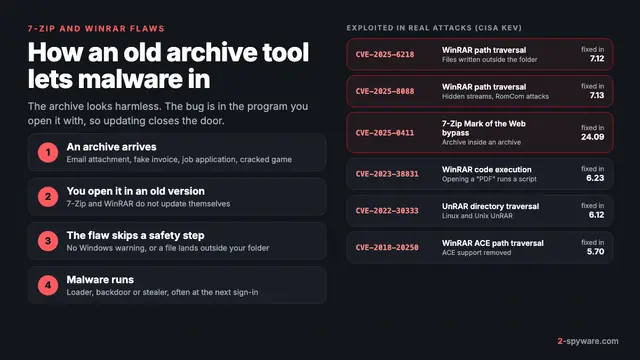 7-Zip and WinRAR vulnerabilities: what was exploited and what to do
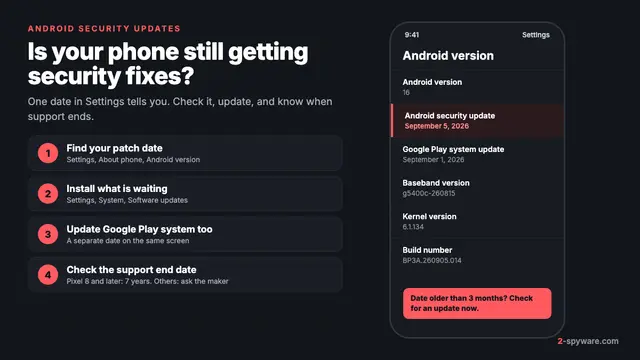 Android security updates: check, install and know when support ends
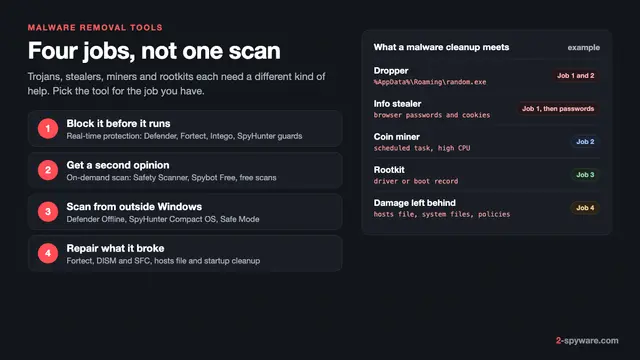 Best malware removal tools in 2026
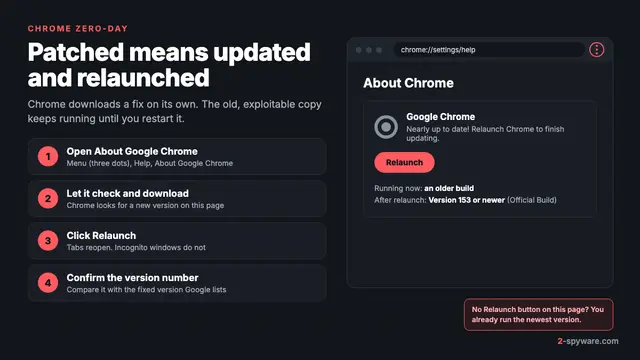 Chrome zero-day: what it is and how to update Chrome now
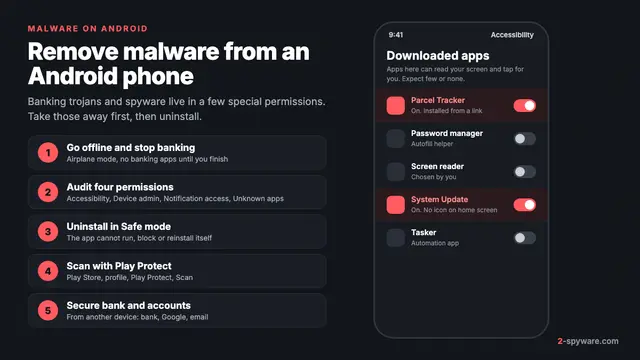 How to remove a virus or malware from an Android phone
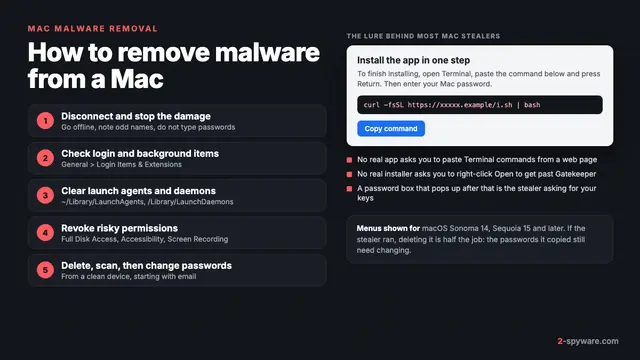 How to remove a virus or malware from a Mac
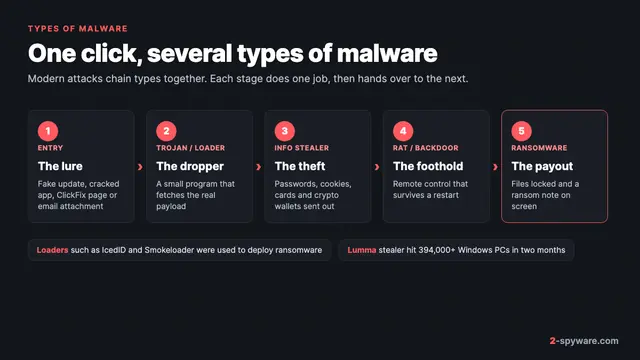 Types of malware: what each kind does and how to spot it